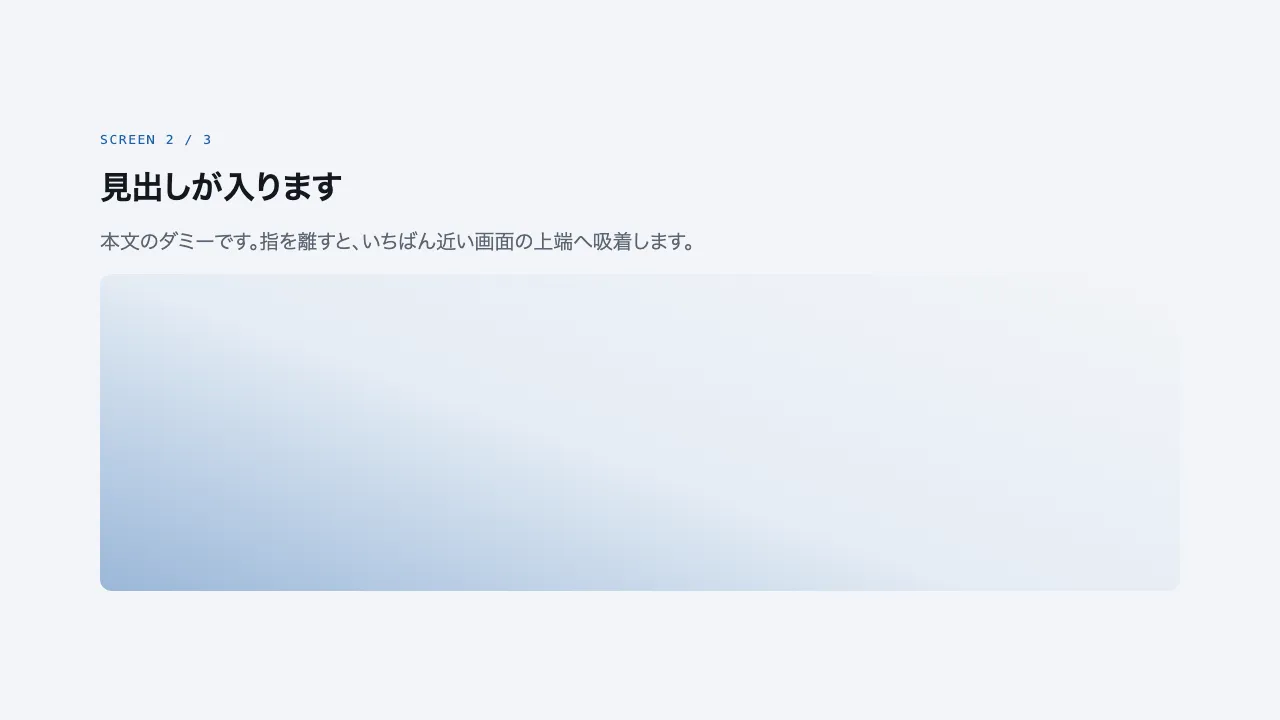
A still — with scripts on, it runs right here The demo itself — scroll inside the frame
A still — with scripts on, it runs right here The demo itself — scroll inside the frame
Copy and paste, or save a file and hand it over. For a machine with no network, one “Everything” file is enough.
Everything in this panel, including the contents behind each URL, in one Markdown file — Large, so it goes as a file (copy is for 32 KB and under)
Scroll snap — CSS scroll snap

Apply scroll-snap-type: y mandatory to html so vertical scrolling settles on the top edge of each screen (scroll-snap-align: start).
There are five sections (title, three content screens, closing band), each exactly 100vh tall.
When the user releases the scroll, the page snaps to the nearest section top and never rests mid-section.
Once a content screen snaps into view, its image fades in over 0.7s with an ease curve, using IntersectionObserver to add is-in.
Under prefers-reduced-motion: reduce, weaken the snap to scroll-snap-type: y proximity. Implement with CSS and IntersectionObserver only; no library.

Do not drop:
- Every section is exactly 100vh; a different height puts the snap in the wrong place
- The title block and closing band are sections too and carry scroll-snap-align: start
- Under reduced motion, relax mandatory to proximity so the scroll is never forced

A working example (one self-contained HTML file): https://design-vault.pages.dev/designs/motion-scroll-snap/demo.html
/designs/motion-scroll-snap/demo.html — One self-contained HTML file. CSS and plain JavaScript only; it fetches nothing.
<!doctype html>
<html lang="ja">
<head>
<meta charset="utf-8">
<meta name="viewport" content="width=device-width, initial-scale=1">
<title>21 スクロールスナップ — CSS scroll snap</title>
<style>
/* dv-motion-base:start */
:root {
  --ground: #FFFFFF;
  --surface: #F3F5F8;
  --ink: #14181F;
  --muted: #5A6472;
  --accent: #1F5FA8;
  --rule: #D8DDE4;
  --accent-soft: color-mix(in srgb, var(--accent) 12%, var(--ground));
  --accent-mid: color-mix(in srgb, var(--accent) 45%, var(--ground));
  --shade: color-mix(in srgb, var(--ink) 14%, transparent);

  --font: "Zen Kaku Gothic New", "Hiragino Sans", "Noto Sans JP", "Yu Gothic", system-ui, sans-serif;
  --mono: ui-monospace, "SF Mono", Menlo, Consolas, monospace;

  --t-label: 13px;
  --t-body: 16px;
  --t-lead: 20px;
  --t-h2: 32px;
  --t-h1: clamp(40px, 7vw, 72px);

  --s1: 4px;
  --s2: 8px;
  --s3: 16px;
  --s4: 24px;
  --s5: 40px;
  --s6: 64px;
  --s7: 104px;

  --radius: 12px;
  --ease: cubic-bezier(.2, .7, .2, 1);
  --dur: .7s;
  --measure: 1080px;
}
*, *::before, *::after { box-sizing: border-box; }
html { -webkit-text-size-adjust: 100%; }
body {
  margin: 0;
  background: var(--ground);
  color: var(--ink);
  font-family: var(--font);
  font-size: var(--t-body);
  line-height: 1.7;
  font-feature-settings: "palt";
  overflow-x: hidden;
}
h1, h2, h3, p, ul, ol, figure { margin: 0; padding: 0; }
ul, ol { list-style: none; }
.dv-wrap { width: min(100% - 2 * var(--s4), var(--measure)); margin-inline: auto; }
.dv-label {
  min-height: 72vh;
  display: grid;
  align-content: center;
  gap: var(--s3);
  padding-block: var(--s6);
  border-bottom: 1px solid var(--rule);
}
.dv-num { font-family: var(--mono); font-size: var(--t-lead); font-weight: 700; color: var(--accent); letter-spacing: .04em; }
.dv-name { font-size: var(--t-h1); font-weight: 700; line-height: 1.15; letter-spacing: .01em; }
.dv-ai { font-family: var(--mono); font-size: var(--t-lead); color: var(--muted); }
.dv-desc { font-size: var(--t-lead); color: var(--ink); }
.dv-hint { font-size: var(--t-label); color: var(--muted); letter-spacing: .12em; margin-top: var(--s4); }
.dv-stage { padding-block: var(--s7); }
.dv-h2 { font-size: var(--t-h2); font-weight: 700; line-height: 1.3; }
.dv-lead { font-size: var(--t-lead); color: var(--muted); }
.dv-eyebrow { font-family: var(--mono); font-size: var(--t-label); color: var(--accent); letter-spacing: .12em; text-transform: uppercase; }
.dv-card { background: var(--surface); border: 1px solid var(--rule); border-radius: var(--radius); padding: var(--s4); }
.dv-ph {
  border-radius: var(--radius);
  background: linear-gradient(135deg, var(--accent-soft), var(--accent-mid) 60%, var(--accent));
  aspect-ratio: 16 / 9;
}
.dv-ph--alt { background: linear-gradient(200deg, var(--surface), var(--accent-soft) 55%, var(--accent-mid)); }
.dv-ph--ink { background: linear-gradient(160deg, var(--ink), color-mix(in srgb, var(--ink) 55%, var(--accent))); }
.dv-end {
  min-height: 60vh;
  display: grid;
  place-items: center;
  border-top: 1px solid var(--rule);
  color: var(--muted);
  font-family: var(--mono);
  font-size: var(--t-label);
  letter-spacing: .12em;
}
/* dv-motion-base:end */

/* ---- この演出だけの CSS。色は var(--…) か color-mix() のみ ---- */
html { scroll-snap-type: y mandatory; }
.dv-label,
.dv-end,
.snap { min-height: 100vh; scroll-snap-align: start; }
.dv-stage { padding-block: 0; }
.snap { display: grid; align-items: center; }
.snap--alt { background: var(--surface); }
.snap-body { display: grid; gap: var(--s3); }
.snap .dv-ph { aspect-ratio: auto; height: min(44vh, 420px); }
.js [data-reveal] { opacity: 0; transform: translateY(24px); transition: opacity var(--dur) var(--ease), transform var(--dur) var(--ease); }
.js [data-reveal].is-in { opacity: 1; transform: none; }

@media (prefers-reduced-motion: reduce) {
  html { scroll-snap-type: y proximity; }
  .js [data-reveal] { opacity: 1; transform: none; transition: none; }
}
</style>
</head>
<body data-motion-number="21">
<header class="dv-label">
  <div class="dv-wrap">
    <p class="dv-num">21</p>
    <h1 class="dv-name">スクロールスナップ</h1>
    <p class="dv-ai">CSS scroll snap</p>
    <p class="dv-desc">1画面ずつピタッと止まる</p>
    <p class="dv-hint">SCROLL ↓</p>
  </div>
</header>

<main class="dv-stage">
  <section class="snap">
    <div class="dv-wrap snap-body">
      <p class="dv-eyebrow">Screen 1 / 3</p>
      <h2 class="dv-h2">見出しが入ります</h2>
      <p class="dv-lead">本文のダミーです。区画の上端に止まると、この画面の中身が表示されます。</p>
      <div class="dv-ph" data-reveal></div>
    </div>
  </section>
  <section class="snap snap--alt">
    <div class="dv-wrap snap-body">
      <p class="dv-eyebrow">Screen 2 / 3</p>
      <h2 class="dv-h2">見出しが入ります</h2>
      <p class="dv-lead">本文のダミーです。指を離すと、いちばん近い画面の上端へ吸着します。</p>
      <div class="dv-ph dv-ph--alt" data-reveal></div>
    </div>
  </section>
  <section class="snap">
    <div class="dv-wrap snap-body">
      <p class="dv-eyebrow">Screen 3 / 3</p>
      <h2 class="dv-h2">見出しが入ります</h2>
      <p class="dv-lead">本文のダミーです。画面の途中で止まることはありません。</p>
      <div class="dv-ph dv-ph--ink" data-reveal></div>
    </div>
  </section>
</main>

<footer class="dv-end">END — 21 スクロールスナップ</footer>

<script>
/* dv-motion-helpers:start */
const dvReduce = matchMedia('(prefers-reduced-motion: reduce)').matches;
document.documentElement.classList.add('js');

/**
 * 画面に入った要素へ .is-in を付ける。
 * data-reveal="repeat" の要素は画面を出たら外す(何度でも再生)。
 */
function dvReveal(selector = '[data-reveal]', { threshold = 0.2, rootMargin = '0px 0px -8% 0px' } = {}) {
  const els = [...document.querySelectorAll(selector)];
  if (dvReduce || !('IntersectionObserver' in window)) {
    els.forEach((el) => el.classList.add('is-in'));
    return;
  }
  const io = new IntersectionObserver((entries) => {
    for (const e of entries) {
      if (e.isIntersecting) {
        e.target.classList.add('is-in');
        if (e.target.dataset.reveal !== 'repeat') io.unobserve(e.target);
      } else if (e.target.dataset.reveal === 'repeat') {
        e.target.classList.remove('is-in');
      }
    }
  }, { threshold, rootMargin });
  els.forEach((el) => io.observe(el));
}

/**
 * スクロール量を 0〜1 にして、各 [data-progress] 要素の CSS 変数 --p に書く。
 *   data-progress="through" : 要素の上端が画面の下端に来たとき 0、下端が画面の上端を抜けたとき 1
 *   data-progress="pin"     : 要素の上端が画面の上端に来たとき 0、下端が画面の下端に来たとき 1
 *                             (中に position: sticky の箱を持つ、背の高い区画用)
 *   data-progress="page"    : ページ全体のスクロール量
 * onUpdate(el, p) を渡すと、値が変わるたびに呼ばれる。
 */
function dvProgress(onUpdate) {
  const els = [...document.querySelectorAll('[data-progress]')];
  const clamp = (n) => Math.min(1, Math.max(0, n));
  let queued = false;
  const measure = () => {
    queued = false;
    const vh = window.innerHeight;
    for (const el of els) {
      const r = el.getBoundingClientRect();
      let p;
      if (el.dataset.progress === 'pin') p = r.height > vh ? -r.top / (r.height - vh) : 0;
      else if (el.dataset.progress === 'page') {
        const max = document.documentElement.scrollHeight - vh;
        p = max > 0 ? window.scrollY / max : 0;
      } else p = (vh - r.top) / (vh + r.height);
      p = clamp(p);
      el.style.setProperty('--p', p.toFixed(4));
      if (onUpdate) onUpdate(el, p);
    }
  };
  const request = () => {
    if (!queued) { queued = true; requestAnimationFrame(measure); }
  };
  addEventListener('scroll', request, { passive: true });
  addEventListener('resize', request);
  measure();
}
/* dv-motion-helpers:end */

/* ---- この演出だけの JS ---- */
dvReveal();
</script>
</body>
</html>