一式
固定・送り・ナビ 17–24 — 画面を留める、送る、現在地を示す
スティッキーからスクロールスパイまで 8 種。ページの進み方そのものを変える動きで、LP の骨組みになる
一式
スティッキーからスクロールスパイまで 8 種。ページの進み方そのものを変える動きで、LP の骨組みになる
コピーして貼るか、ファイルに保存して渡す。ネットにつながらない環境には「全部入り」を 1 つ渡せば足りる。
このパネルの中身を、URL の先にあるファイルの中身まで含めて 1 つにまとめた Markdown — 大きいのでファイルで渡す(コピーは 32KB まで)
# スティッキー
スティッキー — position: sticky

スクロールに合わせて各区画の見出しが画面上端に貼り付く演出を作ってください。区画は 4 つで、それぞれ高さを 100vh 以上にします。各区画の先頭の見出しに position: sticky; top: 0 を付け、背景は var(--ground) で塗って下の境界線を 1px 引きます。区画の下端に達すると、その見出しは区画の底に押されて画面の上へ消えます。動きを減らす設定では sticky を解除して、4 つの見出しを通常の流れで並べてください。CSS の position: sticky だけで実装し、JavaScript とライブラリは使わないでください。

外すと崩れる点:
- 見出しは自分の区画の中でだけ貼り付き、区画を越えて残らない
- 見出しの背景は不透明にし、下の本文が透けないようにする
- 動きを減らす設定では sticky を解除し、見出しを通常の流れで並べる

動く実物(1 ファイルで完結する HTML): https://design-vault.pages.dev/designs/motion-sticky/demo.html

---

# ピン留め+スクラブ
ピン留め+スクラブ — Pin + scrub

スクロールに応じて画面を固定し、中身だけを 4 段階で入れ替える演出を作ってください。外側の区画は高さ 400vh とし、その中に position: sticky; top: 0 の 100vh の箱を置きます。区画の上端が画面の上端に来たとき p=0、区画の下端が画面の下端に来たとき p=1 として進み具合 p(0〜1)を求め、floor(p × 4) の段階を表示します。段階の図は同じ位置に重ね、切り替えは 0.7 秒の opacity と translateY(24px) で行い、下部の 4 本の目盛りを現在の段階まで塗ります。GSAP ScrollTrigger なら `pin: true, scrub: true` で同じことができます。CSS と素の JavaScript だけで実装し、ライブラリは使わないでください。

外すと崩れる点:
- 固定の箱は 100vh、外の区画は 400vh を保つ(区画の高さを変えると段階の区切りがずれる)
- 段階は進み具合 p から決め、時間では切り替えない
- 動きを減らす設定では固定を解除し、完成した 4 段目だけを表示する

動く実物(1 ファイルで完結する HTML): https://design-vault.pages.dev/designs/motion-pin-scrub/demo.html

---

# スクロールテリング
スクロールテリング — Scrollytelling

文章を読み進めると、右側の固定された図が読んでいる段に合わせて切り替わる演出を作ってください。左に 4 段の文章を並べ、各段の高さは 80vh とします。右には position: sticky; top: 40px の図を置き、高さは 70vh(最大 520px)とします。rootMargin を '-45% 0px -45% 0px' にした IntersectionObserver で中央の帯に入った段を求め、対応する図を 0.7 秒の opacity で切り替えます。幅 640px 以下では図を文章の上に固定して高さ 38vh とし、文章はその下で流します。動きを減らす設定では切り替えを瞬時にし、最後の段の図を表示してください。CSS と IntersectionObserver だけで実装し、ライブラリは使わないでください。

外すと崩れる点:
- 図は文章と同じ段の番号で切り替え、段と図がずれないようにする
- 幅 640px 以下では図を横に並べず、文章の上に固定する
- 動きを減らす設定では切り替えの transition を無くす

動く実物(1 ファイルで完結する HTML): https://design-vault.pages.dev/designs/motion-scrollytelling/demo.html

---

# カードスタック
カードスタック — Stacking cards

スクロールに合わせてカードが画面上端に積み重なっていく演出を作ってください。カードは 5 枚で、それぞれ高さ 60vh を縦に並べ、position: sticky; top: calc(40px + var(--i) * 16px) を付けます(--i は 0〜4)。後のカードほど z-index が高く、手前に重なります。下になったカードは、次のカードが止まった位置まで来るにつれて scale を 1 から 0.95 へ縮めます。縮みの量は毎フレーム JavaScript で求め、transition は使いません。動きを減らす設定では sticky と縮みを解除し、5 枚を通常の流れで並べてください。CSS と素の JavaScript だけで実装し、ライブラリは使わないでください。

外すと崩れる点:
- 後のカードほど手前に重なる(z-index を --i で増やす)
- 各カードの背景は不透明にし、下のカードが透けないようにする
- 動きを減らす設定では sticky と縮みを解除し、通常の流れで並べる

動く実物(1 ファイルで完結する HTML): https://design-vault.pages.dev/designs/motion-stacking-cards/demo.html

---

# スクロールスナップ
スクロールスナップ — CSS scroll snap

html に scroll-snap-type: y mandatory を付け、縦スクロールが各画面の上端(scroll-snap-align: start)で止まるようにする。
区画は名札・本文 3 画面・末尾の帯の計 5 つで、どれも高さ 100vh。
スクロールを離すと最も近い区画の上端へ吸着し、区画の途中で止まることはない。
本文の各画面は、吸着して見えた時点で図版が 0.7 秒の ease でふわっと現れる(IntersectionObserver で is-in を付ける)。
動きを減らす設定では scroll-snap-type を y proximity に弱める。CSS と IntersectionObserver だけで実装し、ライブラリは使わない。

外すと崩れる点:
- 区画は全部 100vh。高さが違うと吸着先がずれて途中で止まる
- 名札と末尾の帯も区画として scroll-snap-align: start を付ける
- 動きを減らす設定では mandatory を proximity に弱め、吸着を強制しない

動く実物(1 ファイルで完結する HTML): https://design-vault.pages.dev/designs/motion-scroll-snap/demo.html

---

# 横スクロール
横スクロール — Horizontal scroll

縦スクロールの距離を取るため、高さ 400vh の区画を置き、その中に 100vh の sticky な箱を入れる。
箱の中の横長の帯(カード 5 枚、各 min(82vw, 760px) 幅、間隔 40px)を、スクロール量 0〜1 の CSS 変数 --p で transform: translateX(calc(var(--p) * -1 * (100% - 100vw))) として左へ動かす。
sticky の箱には overflow: hidden を付けて横スクロールバーを出さず、縦のスクロール以外では動かさない。
CSS 変数の更新は小さな scroll リスナーだけで行い、ライブラリは使わない。

外すと崩れる点:
- 帯は縦スクロールの量だけ動く。ボタンやドラッグでは動かさない
- overflow: hidden は sticky の箱にだけ付け、祖先には付けない
- 動きを減らす設定では帯を止め、カードを折り返して縦に並べる

動く実物(1 ファイルで完結する HTML): https://design-vault.pages.dev/designs/motion-horizontal-scroll/demo.html

---

# 隠れるヘッダー
隠れるヘッダー — Hide-on-scroll header

画面上端に高さ 64px の固定ヘッダーを置く。下へスクロールしたら translateY(-100%) で画面外へ隠し、上へ戻したら translateY(0) で出す。
方向の判定は、直前に採った位置から差が 8px を超えたときだけ行い、小さな揺れでは切り替えない。
名札(高さ 72vh)の中にいる間は、方向に関係なく隠したままにする。
切り替えは 0.7 秒の ease で、CSS と passive な scroll リスナー 1 本だけで実装し、ライブラリは使わない。

外すと崩れる点:
- 下方向で隠し、上方向で出す。方向の判定には 8px のしきい値を置く
- 名札の中では出さない。名札を抜けてから初めて現れる
- 動きを減らす設定では JS で隠さず、常に表示したままにする

動く実物(1 ファイルで完結する HTML): https://design-vault.pages.dev/designs/motion-hide-on-scroll-header/demo.html

---

# スクロールスパイ
スクロールスパイ — Scrollspy

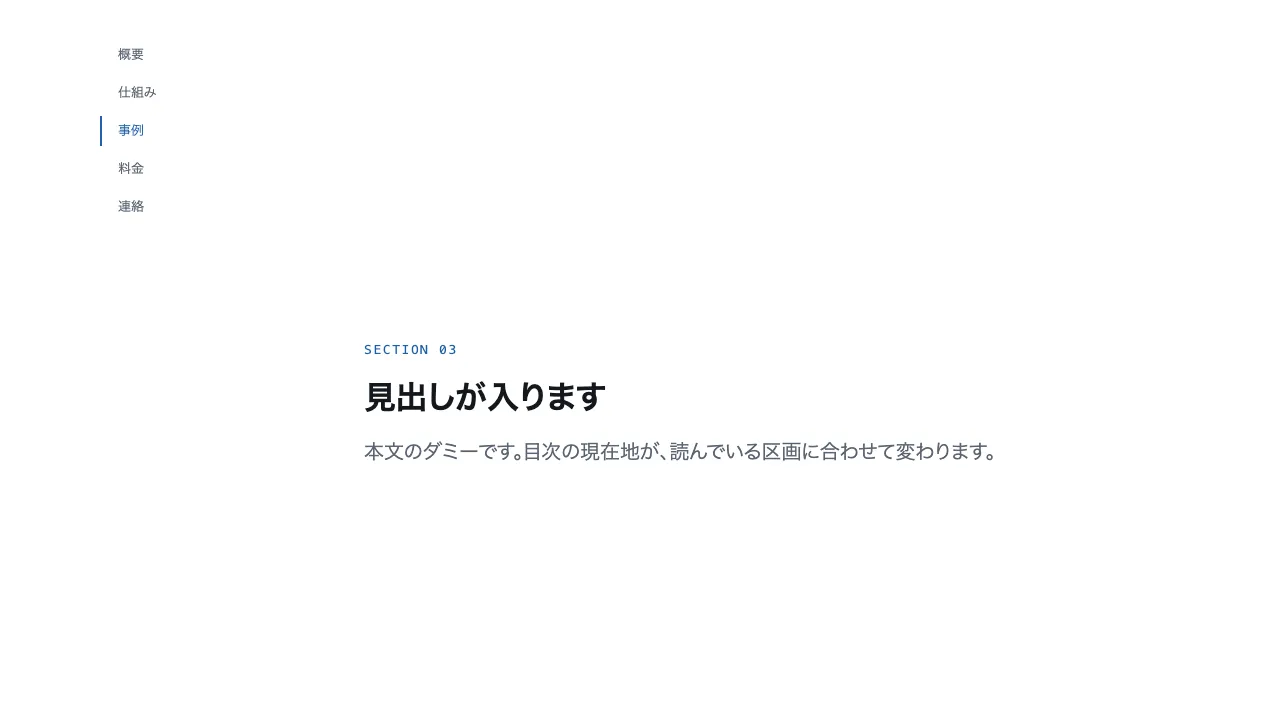
2 列のレイアウトで、左に目次(sticky で画面上端から 40px 下に固定)、右に高さ 70vh 以上の区画を 5 つ並べる。
区画の id は sec-1 から sec-5、目次の各項目は href="#sec-n" のページ内リンクにする。
IntersectionObserver で、画面の中央 10% の帯に入った区画を求め、対応する目次項目にだけ aria-current="true" を付ける。
現在地の項目は文字色と左の 2px 線を --accent にする。375px 幅では目次を画面上端に横一列で固定し、区画はその下に続ける。
CSS と IntersectionObserver だけで実装し、ライブラリは使わない。

外すと崩れる点:
- 目次の項目は必ずページ内リンク(#sec-n)にし、現在地には aria-current="true" を付ける
- 現在地は画面中央の帯で決める。区画の上端では切り替えない
- 375px 幅では目次を上端に横一列で固定し、画面幅を超えない

動く実物(1 ファイルで完結する HTML): https://design-vault.pages.dev/designs/motion-scrollspy/demo.html
# スティッキー
https://design-vault.pages.dev/ai/assets/motion-sticky.json

---

# ピン留め+スクラブ
https://design-vault.pages.dev/ai/assets/motion-pin-scrub.json

---

# スクロールテリング
https://design-vault.pages.dev/ai/assets/motion-scrollytelling.json

---

# カードスタック
https://design-vault.pages.dev/ai/assets/motion-stacking-cards.json

---

# スクロールスナップ
https://design-vault.pages.dev/ai/assets/motion-scroll-snap.json

---

# 横スクロール
https://design-vault.pages.dev/ai/assets/motion-horizontal-scroll.json

---

# 隠れるヘッダー
https://design-vault.pages.dev/ai/assets/motion-hide-on-scroll-header.json

---

# スクロールスパイ
https://design-vault.pages.dev/ai/assets/motion-scrollspy.json
/designs/motion-sticky/demo.html
<!doctype html>
<html lang="ja">
<head>
<meta charset="utf-8">
<meta name="viewport" content="width=device-width, initial-scale=1">
<title>17 スティッキー — position: sticky</title>
<style>
/* dv-motion-base:start */
:root {
  --ground: #FFFFFF;
  --surface: #F3F5F8;
  --ink: #14181F;
  --muted: #5A6472;
  --accent: #1F5FA8;
  --rule: #D8DDE4;
  --accent-soft: color-mix(in srgb, var(--accent) 12%, var(--ground));
  --accent-mid: color-mix(in srgb, var(--accent) 45%, var(--ground));
  --shade: color-mix(in srgb, var(--ink) 14%, transparent);

  --font: "Zen Kaku Gothic New", "Hiragino Sans", "Noto Sans JP", "Yu Gothic", system-ui, sans-serif;
  --mono: ui-monospace, "SF Mono", Menlo, Consolas, monospace;

  --t-label: 13px;
  --t-body: 16px;
  --t-lead: 20px;
  --t-h2: 32px;
  --t-h1: clamp(40px, 7vw, 72px);

  --s1: 4px;
  --s2: 8px;
  --s3: 16px;
  --s4: 24px;
  --s5: 40px;
  --s6: 64px;
  --s7: 104px;

  --radius: 12px;
  --ease: cubic-bezier(.2, .7, .2, 1);
  --dur: .7s;
  --measure: 1080px;
}
*, *::before, *::after { box-sizing: border-box; }
html { -webkit-text-size-adjust: 100%; }
body {
  margin: 0;
  background: var(--ground);
  color: var(--ink);
  font-family: var(--font);
  font-size: var(--t-body);
  line-height: 1.7;
  font-feature-settings: "palt";
  overflow-x: hidden;
}
h1, h2, h3, p, ul, ol, figure { margin: 0; padding: 0; }
ul, ol { list-style: none; }
.dv-wrap { width: min(100% - 2 * var(--s4), var(--measure)); margin-inline: auto; }
.dv-label {
  min-height: 72vh;
  display: grid;
  align-content: center;
  gap: var(--s3);
  padding-block: var(--s6);
  border-bottom: 1px solid var(--rule);
}
.dv-num { font-family: var(--mono); font-size: var(--t-lead); font-weight: 700; color: var(--accent); letter-spacing: .04em; }
.dv-name { font-size: var(--t-h1); font-weight: 700; line-height: 1.15; letter-spacing: .01em; }
.dv-ai { font-family: var(--mono); font-size: var(--t-lead); color: var(--muted); }
.dv-desc { font-size: var(--t-lead); color: var(--ink); }
.dv-hint { font-size: var(--t-label); color: var(--muted); letter-spacing: .12em; margin-top: var(--s4); }
.dv-stage { padding-block: var(--s7); }
.dv-h2 { font-size: var(--t-h2); font-weight: 700; line-height: 1.3; }
.dv-lead { font-size: var(--t-lead); color: var(--muted); }
.dv-eyebrow { font-family: var(--mono); font-size: var(--t-label); color: var(--accent); letter-spacing: .12em; text-transform: uppercase; }
.dv-card { background: var(--surface); border: 1px solid var(--rule); border-radius: var(--radius); padding: var(--s4); }
.dv-ph {
  border-radius: var(--radius);
  background: linear-gradient(135deg, var(--accent-soft), var(--accent-mid) 60%, var(--accent));
  aspect-ratio: 16 / 9;
}
.dv-ph--alt { background: linear-gradient(200deg, var(--surface), var(--accent-soft) 55%, var(--accent-mid)); }
.dv-ph--ink { background: linear-gradient(160deg, var(--ink), color-mix(in srgb, var(--ink) 55%, var(--accent))); }
.dv-end {
  min-height: 60vh;
  display: grid;
  place-items: center;
  border-top: 1px solid var(--rule);
  color: var(--muted);
  font-family: var(--mono);
  font-size: var(--t-label);
  letter-spacing: .12em;
}
/* dv-motion-base:end */

/* ---- この演出だけの CSS。色は var(--…) か color-mix() のみ ---- */
.stk-sec { min-height: 100vh; }
.stk-head {
  position: sticky;
  top: 0;
  z-index: 1;
  background: var(--ground);
  border-bottom: 1px solid var(--rule);
  padding-block: var(--s3);
}
.stk-body { display: grid; gap: var(--s4); padding-block: var(--s5); }

@media (prefers-reduced-motion: reduce) {
  .stk-head { position: static; }
}
</style>
</head>
<body data-motion-number="17">
<header class="dv-label">
  <div class="dv-wrap">
    <p class="dv-num">17</p>
    <h1 class="dv-name">スティッキー</h1>
    <p class="dv-ai">position: sticky</p>
    <p class="dv-desc">見出しが上に貼り付く</p>
    <p class="dv-hint">SCROLL ↓</p>
  </div>
</header>

<main class="dv-stage">
  <div class="dv-wrap">
    <section class="stk-sec">
      <header class="stk-head">
        <p class="dv-eyebrow">Section 01 / 04</p>
        <h2 class="dv-h2">見出しが入ります</h2>
      </header>
      <div class="stk-body">
        <p class="dv-lead">本文のダミーです。見出しは自分の区画の中でだけ貼り付きます。</p>
        <div class="dv-ph"></div>
      </div>
    </section>
    <section class="stk-sec">
      <header class="stk-head">
        <p class="dv-eyebrow">Section 02 / 04</p>
        <h2 class="dv-h2">見出しが入ります</h2>
      </header>
      <div class="stk-body">
        <p class="dv-lead">本文のダミーです。次の見出しが来ると、この見出しは押し出されます。</p>
        <div class="dv-ph dv-ph--alt"></div>
      </div>
    </section>
    <section class="stk-sec">
      <header class="stk-head">
        <p class="dv-eyebrow">Section 03 / 04</p>
        <h2 class="dv-h2">見出しが入ります</h2>
      </header>
      <div class="stk-body">
        <p class="dv-lead">本文のダミーです。区画ごとに見出しが入れ替わります。</p>
        <div class="dv-ph dv-ph--ink"></div>
      </div>
    </section>
    <section class="stk-sec">
      <header class="stk-head">
        <p class="dv-eyebrow">Section 04 / 04</p>
        <h2 class="dv-h2">見出しが入ります</h2>
      </header>
      <div class="stk-body">
        <p class="dv-lead">本文のダミーです。最後の区画の見出しは、ページの終わりまで残ります。</p>
        <div class="dv-ph"></div>
      </div>
    </section>
  </div>
</main>

<footer class="dv-end">END — 17 スティッキー</footer>

<script>
/* dv-motion-helpers:start */
const dvReduce = matchMedia('(prefers-reduced-motion: reduce)').matches;
document.documentElement.classList.add('js');

/**
 * 画面に入った要素へ .is-in を付ける。
 * data-reveal="repeat" の要素は画面を出たら外す(何度でも再生)。
 */
function dvReveal(selector = '[data-reveal]', { threshold = 0.2, rootMargin = '0px 0px -8% 0px' } = {}) {
  const els = [...document.querySelectorAll(selector)];
  if (dvReduce || !('IntersectionObserver' in window)) {
    els.forEach((el) => el.classList.add('is-in'));
    return;
  }
  const io = new IntersectionObserver((entries) => {
    for (const e of entries) {
      if (e.isIntersecting) {
        e.target.classList.add('is-in');
        if (e.target.dataset.reveal !== 'repeat') io.unobserve(e.target);
      } else if (e.target.dataset.reveal === 'repeat') {
        e.target.classList.remove('is-in');
      }
    }
  }, { threshold, rootMargin });
  els.forEach((el) => io.observe(el));
}

/**
 * スクロール量を 0〜1 にして、各 [data-progress] 要素の CSS 変数 --p に書く。
 *   data-progress="through" : 要素の上端が画面の下端に来たとき 0、下端が画面の上端を抜けたとき 1
 *   data-progress="pin"     : 要素の上端が画面の上端に来たとき 0、下端が画面の下端に来たとき 1
 *                             (中に position: sticky の箱を持つ、背の高い区画用)
 *   data-progress="page"    : ページ全体のスクロール量
 * onUpdate(el, p) を渡すと、値が変わるたびに呼ばれる。
 */
function dvProgress(onUpdate) {
  const els = [...document.querySelectorAll('[data-progress]')];
  const clamp = (n) => Math.min(1, Math.max(0, n));
  let queued = false;
  const measure = () => {
    queued = false;
    const vh = window.innerHeight;
    for (const el of els) {
      const r = el.getBoundingClientRect();
      let p;
      if (el.dataset.progress === 'pin') p = r.height > vh ? -r.top / (r.height - vh) : 0;
      else if (el.dataset.progress === 'page') {
        const max = document.documentElement.scrollHeight - vh;
        p = max > 0 ? window.scrollY / max : 0;
      } else p = (vh - r.top) / (vh + r.height);
      p = clamp(p);
      el.style.setProperty('--p', p.toFixed(4));
      if (onUpdate) onUpdate(el, p);
    }
  };
  const request = () => {
    if (!queued) { queued = true; requestAnimationFrame(measure); }
  };
  addEventListener('scroll', request, { passive: true });
  addEventListener('resize', request);
  measure();
}
/* dv-motion-helpers:end */

/* ---- この演出だけの JS ---- */

</script>
</body>
</html>
/designs/motion-pin-scrub/demo.html
<!doctype html>
<html lang="ja">
<head>
<meta charset="utf-8">
<meta name="viewport" content="width=device-width, initial-scale=1">
<title>18 ピン留め+スクラブ — Pin + scrub</title>
<style>
/* dv-motion-base:start */
:root {
  --ground: #FFFFFF;
  --surface: #F3F5F8;
  --ink: #14181F;
  --muted: #5A6472;
  --accent: #1F5FA8;
  --rule: #D8DDE4;
  --accent-soft: color-mix(in srgb, var(--accent) 12%, var(--ground));
  --accent-mid: color-mix(in srgb, var(--accent) 45%, var(--ground));
  --shade: color-mix(in srgb, var(--ink) 14%, transparent);

  --font: "Zen Kaku Gothic New", "Hiragino Sans", "Noto Sans JP", "Yu Gothic", system-ui, sans-serif;
  --mono: ui-monospace, "SF Mono", Menlo, Consolas, monospace;

  --t-label: 13px;
  --t-body: 16px;
  --t-lead: 20px;
  --t-h2: 32px;
  --t-h1: clamp(40px, 7vw, 72px);

  --s1: 4px;
  --s2: 8px;
  --s3: 16px;
  --s4: 24px;
  --s5: 40px;
  --s6: 64px;
  --s7: 104px;

  --radius: 12px;
  --ease: cubic-bezier(.2, .7, .2, 1);
  --dur: .7s;
  --measure: 1080px;
}
*, *::before, *::after { box-sizing: border-box; }
html { -webkit-text-size-adjust: 100%; }
body {
  margin: 0;
  background: var(--ground);
  color: var(--ink);
  font-family: var(--font);
  font-size: var(--t-body);
  line-height: 1.7;
  font-feature-settings: "palt";
  overflow-x: hidden;
}
h1, h2, h3, p, ul, ol, figure { margin: 0; padding: 0; }
ul, ol { list-style: none; }
.dv-wrap { width: min(100% - 2 * var(--s4), var(--measure)); margin-inline: auto; }
.dv-label {
  min-height: 72vh;
  display: grid;
  align-content: center;
  gap: var(--s3);
  padding-block: var(--s6);
  border-bottom: 1px solid var(--rule);
}
.dv-num { font-family: var(--mono); font-size: var(--t-lead); font-weight: 700; color: var(--accent); letter-spacing: .04em; }
.dv-name { font-size: var(--t-h1); font-weight: 700; line-height: 1.15; letter-spacing: .01em; }
.dv-ai { font-family: var(--mono); font-size: var(--t-lead); color: var(--muted); }
.dv-desc { font-size: var(--t-lead); color: var(--ink); }
.dv-hint { font-size: var(--t-label); color: var(--muted); letter-spacing: .12em; margin-top: var(--s4); }
.dv-stage { padding-block: var(--s7); }
.dv-h2 { font-size: var(--t-h2); font-weight: 700; line-height: 1.3; }
.dv-lead { font-size: var(--t-lead); color: var(--muted); }
.dv-eyebrow { font-family: var(--mono); font-size: var(--t-label); color: var(--accent); letter-spacing: .12em; text-transform: uppercase; }
.dv-card { background: var(--surface); border: 1px solid var(--rule); border-radius: var(--radius); padding: var(--s4); }
.dv-ph {
  border-radius: var(--radius);
  background: linear-gradient(135deg, var(--accent-soft), var(--accent-mid) 60%, var(--accent));
  aspect-ratio: 16 / 9;
}
.dv-ph--alt { background: linear-gradient(200deg, var(--surface), var(--accent-soft) 55%, var(--accent-mid)); }
.dv-ph--ink { background: linear-gradient(160deg, var(--ink), color-mix(in srgb, var(--ink) 55%, var(--accent))); }
.dv-end {
  min-height: 60vh;
  display: grid;
  place-items: center;
  border-top: 1px solid var(--rule);
  color: var(--muted);
  font-family: var(--mono);
  font-size: var(--t-label);
  letter-spacing: .12em;
}
/* dv-motion-base:end */

/* ---- この演出だけの CSS。色は var(--…) か color-mix() のみ ---- */
.pin-zone { height: 400vh; }
.pin-box {
  position: sticky;
  top: 0;
  height: 100vh;
  display: grid;
  align-content: center;
  gap: var(--s4);
}
.pin-steps { display: grid; }
.pin-step {
  grid-area: 1 / 1;
  opacity: 0;
  transform: translateY(24px);
  transition: opacity var(--dur) var(--ease), transform var(--dur) var(--ease);
}
.pin-step.is-on { opacity: 1; transform: none; }
.pin-step .dv-ph { margin-top: var(--s3); }
html:not(.js) .pin-step { opacity: 1; transform: none; }
html:not(.js) .pin-step + .pin-step { display: none; }
.pin-ticks { display: grid; grid-template-columns: repeat(4, 1fr); gap: var(--s2); }
.pin-tick {
  height: 4px;
  border-radius: 2px;
  background: var(--rule);
  transition: background-color var(--dur) var(--ease);
}
.pin-tick.is-on { background: var(--accent); }

@media (prefers-reduced-motion: reduce) {
  .pin-zone { height: auto; }
  .pin-box { position: static; height: auto; padding-block: var(--s7); }
  .pin-step, .pin-step.is-on { transition: none; }
  .pin-ticks { display: none; }
}
</style>
</head>
<body data-motion-number="18">
<header class="dv-label">
  <div class="dv-wrap">
    <p class="dv-num">18</p>
    <h1 class="dv-name">ピン留め+スクラブ</h1>
    <p class="dv-ai">Pin + scrub</p>
    <p class="dv-desc">画面を固定して中身だけ進む</p>
    <p class="dv-hint">SCROLL ↓</p>
  </div>
</header>

<main class="dv-stage">
  <div class="dv-wrap">
    <section class="pin-zone" data-progress="pin">
      <div class="pin-box">
        <div class="pin-steps">
          <article class="pin-step">
            <p class="dv-eyebrow">Step 01</p>
            <h2 class="dv-h2">見出しが入ります</h2>
            <p class="dv-lead">本文のダミーです。段階ごとに中身が入れ替わります。</p>
            <div class="dv-ph"></div>
          </article>
          <article class="pin-step">
            <p class="dv-eyebrow">Step 02</p>
            <h2 class="dv-h2">見出しが入ります</h2>
            <p class="dv-lead">本文のダミーです。画面は動かず、中身だけが進みます。</p>
            <div class="dv-ph dv-ph--alt"></div>
          </article>
          <article class="pin-step">
            <p class="dv-eyebrow">Step 03</p>
            <h2 class="dv-h2">見出しが入ります</h2>
            <p class="dv-lead">本文のダミーです。ここまでの段階は目盛りで確かめられます。</p>
            <div class="dv-ph dv-ph--ink"></div>
          </article>
          <article class="pin-step">
            <p class="dv-eyebrow">Step 04</p>
            <h2 class="dv-h2">見出しが入ります</h2>
            <p class="dv-lead">本文のダミーです。最後の段階で、固定が解けます。</p>
            <div class="dv-ph"></div>
          </article>
        </div>
        <div class="pin-ticks" aria-hidden="true">
          <span class="pin-tick"></span>
          <span class="pin-tick"></span>
          <span class="pin-tick"></span>
          <span class="pin-tick"></span>
        </div>
      </div>
    </section>
  </div>
</main>

<footer class="dv-end">END — 18 ピン留め+スクラブ</footer>

<script>
/* dv-motion-helpers:start */
const dvReduce = matchMedia('(prefers-reduced-motion: reduce)').matches;
document.documentElement.classList.add('js');

/**
 * 画面に入った要素へ .is-in を付ける。
 * data-reveal="repeat" の要素は画面を出たら外す(何度でも再生)。
 */
function dvReveal(selector = '[data-reveal]', { threshold = 0.2, rootMargin = '0px 0px -8% 0px' } = {}) {
  const els = [...document.querySelectorAll(selector)];
  if (dvReduce || !('IntersectionObserver' in window)) {
    els.forEach((el) => el.classList.add('is-in'));
    return;
  }
  const io = new IntersectionObserver((entries) => {
    for (const e of entries) {
      if (e.isIntersecting) {
        e.target.classList.add('is-in');
        if (e.target.dataset.reveal !== 'repeat') io.unobserve(e.target);
      } else if (e.target.dataset.reveal === 'repeat') {
        e.target.classList.remove('is-in');
      }
    }
  }, { threshold, rootMargin });
  els.forEach((el) => io.observe(el));
}

/**
 * スクロール量を 0〜1 にして、各 [data-progress] 要素の CSS 変数 --p に書く。
 *   data-progress="through" : 要素の上端が画面の下端に来たとき 0、下端が画面の上端を抜けたとき 1
 *   data-progress="pin"     : 要素の上端が画面の上端に来たとき 0、下端が画面の下端に来たとき 1
 *                             (中に position: sticky の箱を持つ、背の高い区画用)
 *   data-progress="page"    : ページ全体のスクロール量
 * onUpdate(el, p) を渡すと、値が変わるたびに呼ばれる。
 */
function dvProgress(onUpdate) {
  const els = [...document.querySelectorAll('[data-progress]')];
  const clamp = (n) => Math.min(1, Math.max(0, n));
  let queued = false;
  const measure = () => {
    queued = false;
    const vh = window.innerHeight;
    for (const el of els) {
      const r = el.getBoundingClientRect();
      let p;
      if (el.dataset.progress === 'pin') p = r.height > vh ? -r.top / (r.height - vh) : 0;
      else if (el.dataset.progress === 'page') {
        const max = document.documentElement.scrollHeight - vh;
        p = max > 0 ? window.scrollY / max : 0;
      } else p = (vh - r.top) / (vh + r.height);
      p = clamp(p);
      el.style.setProperty('--p', p.toFixed(4));
      if (onUpdate) onUpdate(el, p);
    }
  };
  const request = () => {
    if (!queued) { queued = true; requestAnimationFrame(measure); }
  };
  addEventListener('scroll', request, { passive: true });
  addEventListener('resize', request);
  measure();
}
/* dv-motion-helpers:end */

/* ---- この演出だけの JS ---- */
dvProgress((el, p) => {
  const k = dvReduce ? 3 : Math.min(3, Math.floor(p * 4));
  el.querySelectorAll('.pin-step').forEach((s, i) => s.classList.toggle('is-on', i === k));
  el.querySelectorAll('.pin-tick').forEach((t, i) => t.classList.toggle('is-on', i <= k));
});
</script>
</body>
</html>
/designs/motion-scrollytelling/demo.html
<!doctype html>
<html lang="ja">
<head>
<meta charset="utf-8">
<meta name="viewport" content="width=device-width, initial-scale=1">
<title>19 スクロールテリング — Scrollytelling</title>
<style>
/* dv-motion-base:start */
:root {
  --ground: #FFFFFF;
  --surface: #F3F5F8;
  --ink: #14181F;
  --muted: #5A6472;
  --accent: #1F5FA8;
  --rule: #D8DDE4;
  --accent-soft: color-mix(in srgb, var(--accent) 12%, var(--ground));
  --accent-mid: color-mix(in srgb, var(--accent) 45%, var(--ground));
  --shade: color-mix(in srgb, var(--ink) 14%, transparent);

  --font: "Zen Kaku Gothic New", "Hiragino Sans", "Noto Sans JP", "Yu Gothic", system-ui, sans-serif;
  --mono: ui-monospace, "SF Mono", Menlo, Consolas, monospace;

  --t-label: 13px;
  --t-body: 16px;
  --t-lead: 20px;
  --t-h2: 32px;
  --t-h1: clamp(40px, 7vw, 72px);

  --s1: 4px;
  --s2: 8px;
  --s3: 16px;
  --s4: 24px;
  --s5: 40px;
  --s6: 64px;
  --s7: 104px;

  --radius: 12px;
  --ease: cubic-bezier(.2, .7, .2, 1);
  --dur: .7s;
  --measure: 1080px;
}
*, *::before, *::after { box-sizing: border-box; }
html { -webkit-text-size-adjust: 100%; }
body {
  margin: 0;
  background: var(--ground);
  color: var(--ink);
  font-family: var(--font);
  font-size: var(--t-body);
  line-height: 1.7;
  font-feature-settings: "palt";
  overflow-x: hidden;
}
h1, h2, h3, p, ul, ol, figure { margin: 0; padding: 0; }
ul, ol { list-style: none; }
.dv-wrap { width: min(100% - 2 * var(--s4), var(--measure)); margin-inline: auto; }
.dv-label {
  min-height: 72vh;
  display: grid;
  align-content: center;
  gap: var(--s3);
  padding-block: var(--s6);
  border-bottom: 1px solid var(--rule);
}
.dv-num { font-family: var(--mono); font-size: var(--t-lead); font-weight: 700; color: var(--accent); letter-spacing: .04em; }
.dv-name { font-size: var(--t-h1); font-weight: 700; line-height: 1.15; letter-spacing: .01em; }
.dv-ai { font-family: var(--mono); font-size: var(--t-lead); color: var(--muted); }
.dv-desc { font-size: var(--t-lead); color: var(--ink); }
.dv-hint { font-size: var(--t-label); color: var(--muted); letter-spacing: .12em; margin-top: var(--s4); }
.dv-stage { padding-block: var(--s7); }
.dv-h2 { font-size: var(--t-h2); font-weight: 700; line-height: 1.3; }
.dv-lead { font-size: var(--t-lead); color: var(--muted); }
.dv-eyebrow { font-family: var(--mono); font-size: var(--t-label); color: var(--accent); letter-spacing: .12em; text-transform: uppercase; }
.dv-card { background: var(--surface); border: 1px solid var(--rule); border-radius: var(--radius); padding: var(--s4); }
.dv-ph {
  border-radius: var(--radius);
  background: linear-gradient(135deg, var(--accent-soft), var(--accent-mid) 60%, var(--accent));
  aspect-ratio: 16 / 9;
}
.dv-ph--alt { background: linear-gradient(200deg, var(--surface), var(--accent-soft) 55%, var(--accent-mid)); }
.dv-ph--ink { background: linear-gradient(160deg, var(--ink), color-mix(in srgb, var(--ink) 55%, var(--accent))); }
.dv-end {
  min-height: 60vh;
  display: grid;
  place-items: center;
  border-top: 1px solid var(--rule);
  color: var(--muted);
  font-family: var(--mono);
  font-size: var(--t-label);
  letter-spacing: .12em;
}
/* dv-motion-base:end */

/* ---- この演出だけの CSS。色は var(--…) か color-mix() のみ ---- */
.st-grid {
  display: grid;
  grid-template-columns: minmax(0, 1fr) minmax(0, 1fr);
  gap: var(--s6);
  align-items: start;
}
.st-step { min-height: 80vh; display: grid; align-content: center; gap: var(--s3); }
.js .st-step { opacity: .35; transition: opacity var(--dur) var(--ease); }
.js .st-step.is-on { opacity: 1; }
.st-figure { position: sticky; top: var(--s5); }
.st-frame { position: relative; height: min(70vh, 520px); }
.st-panel {
  position: absolute;
  inset: 0;
  display: flex;
  flex-direction: column;
  gap: var(--s3);
  opacity: 0;
  transition: opacity var(--dur) var(--ease);
}
.st-panel.is-on { opacity: 1; }
.st-panel .dv-ph { flex: 1; aspect-ratio: auto; }
.st-ph4 { background: repeating-linear-gradient(45deg, var(--accent-soft) 0 12px, var(--surface) 12px 24px); }
html:not(.js) .st-panel { opacity: 1; }
html:not(.js) .st-panel + .st-panel { display: none; }

@media (max-width: 640px) {
  .st-grid { grid-template-columns: minmax(0, 1fr); gap: var(--s4); }
  .st-figure { order: -1; top: 0; z-index: 1; background: var(--ground); padding-block: var(--s2); }
  .st-frame { height: 38vh; }
}

@media (prefers-reduced-motion: reduce) {
  .js .st-step, .st-panel { transition: none; }
}
</style>
</head>
<body data-motion-number="19">
<header class="dv-label">
  <div class="dv-wrap">
    <p class="dv-num">19</p>
    <h1 class="dv-name">スクロールテリング</h1>
    <p class="dv-ai">Scrollytelling</p>
    <p class="dv-desc">文章に合わせて固定図が切り替わる</p>
    <p class="dv-hint">SCROLL ↓</p>
  </div>
</header>

<main class="dv-stage">
  <div class="dv-wrap st-grid">
    <div class="st-text">
      <section class="st-step">
        <p class="dv-eyebrow">Step 01</p>
        <h2 class="dv-h2">見出しが入ります</h2>
        <p class="dv-lead">本文のダミーです。読んでいる段に合わせて、右の図が切り替わります。</p>
      </section>
      <section class="st-step">
        <p class="dv-eyebrow">Step 02</p>
        <h2 class="dv-h2">見出しが入ります</h2>
        <p class="dv-lead">本文のダミーです。図は文章と同じ番号の段を指します。</p>
      </section>
      <section class="st-step">
        <p class="dv-eyebrow">Step 03</p>
        <h2 class="dv-h2">見出しが入ります</h2>
        <p class="dv-lead">本文のダミーです。文章は流れ、図は画面に留まります。</p>
      </section>
      <section class="st-step">
        <p class="dv-eyebrow">Step 04</p>
        <h2 class="dv-h2">見出しが入ります</h2>
        <p class="dv-lead">本文のダミーです。最後の段の図が、そのまま残ります。</p>
      </section>
    </div>
    <div class="st-figure">
      <div class="st-frame">
        <figure class="st-panel">
          <p class="dv-eyebrow">図 01</p>
          <div class="dv-ph"></div>
        </figure>
        <figure class="st-panel">
          <p class="dv-eyebrow">図 02</p>
          <div class="dv-ph dv-ph--alt"></div>
        </figure>
        <figure class="st-panel">
          <p class="dv-eyebrow">図 03</p>
          <div class="dv-ph dv-ph--ink"></div>
        </figure>
        <figure class="st-panel">
          <p class="dv-eyebrow">図 04</p>
          <div class="dv-ph st-ph4"></div>
        </figure>
      </div>
    </div>
  </div>
</main>

<footer class="dv-end">END — 19 スクロールテリング</footer>

<script>
/* dv-motion-helpers:start */
const dvReduce = matchMedia('(prefers-reduced-motion: reduce)').matches;
document.documentElement.classList.add('js');

/**
 * 画面に入った要素へ .is-in を付ける。
 * data-reveal="repeat" の要素は画面を出たら外す(何度でも再生)。
 */
function dvReveal(selector = '[data-reveal]', { threshold = 0.2, rootMargin = '0px 0px -8% 0px' } = {}) {
  const els = [...document.querySelectorAll(selector)];
  if (dvReduce || !('IntersectionObserver' in window)) {
    els.forEach((el) => el.classList.add('is-in'));
    return;
  }
  const io = new IntersectionObserver((entries) => {
    for (const e of entries) {
      if (e.isIntersecting) {
        e.target.classList.add('is-in');
        if (e.target.dataset.reveal !== 'repeat') io.unobserve(e.target);
      } else if (e.target.dataset.reveal === 'repeat') {
        e.target.classList.remove('is-in');
      }
    }
  }, { threshold, rootMargin });
  els.forEach((el) => io.observe(el));
}

/**
 * スクロール量を 0〜1 にして、各 [data-progress] 要素の CSS 変数 --p に書く。
 *   data-progress="through" : 要素の上端が画面の下端に来たとき 0、下端が画面の上端を抜けたとき 1
 *   data-progress="pin"     : 要素の上端が画面の上端に来たとき 0、下端が画面の下端に来たとき 1
 *                             (中に position: sticky の箱を持つ、背の高い区画用)
 *   data-progress="page"    : ページ全体のスクロール量
 * onUpdate(el, p) を渡すと、値が変わるたびに呼ばれる。
 */
function dvProgress(onUpdate) {
  const els = [...document.querySelectorAll('[data-progress]')];
  const clamp = (n) => Math.min(1, Math.max(0, n));
  let queued = false;
  const measure = () => {
    queued = false;
    const vh = window.innerHeight;
    for (const el of els) {
      const r = el.getBoundingClientRect();
      let p;
      if (el.dataset.progress === 'pin') p = r.height > vh ? -r.top / (r.height - vh) : 0;
      else if (el.dataset.progress === 'page') {
        const max = document.documentElement.scrollHeight - vh;
        p = max > 0 ? window.scrollY / max : 0;
      } else p = (vh - r.top) / (vh + r.height);
      p = clamp(p);
      el.style.setProperty('--p', p.toFixed(4));
      if (onUpdate) onUpdate(el, p);
    }
  };
  const request = () => {
    if (!queued) { queued = true; requestAnimationFrame(measure); }
  };
  addEventListener('scroll', request, { passive: true });
  addEventListener('resize', request);
  measure();
}
/* dv-motion-helpers:end */

/* ---- この演出だけの JS ---- */
const steps = [...document.querySelectorAll('.st-step')];
const panels = [...document.querySelectorAll('.st-panel')];
const showStep = (k) => {
  steps.forEach((s, i) => s.classList.toggle('is-on', i === k));
  panels.forEach((f, i) => f.classList.toggle('is-on', i === k));
};
if (dvReduce || !('IntersectionObserver' in window)) {
  showStep(dvReduce ? steps.length - 1 : 0);
} else {
  const io = new IntersectionObserver((entries) => {
    for (const e of entries) if (e.isIntersecting) showStep(steps.indexOf(e.target));
  }, { rootMargin: '-45% 0px -45% 0px' });
  steps.forEach((s) => io.observe(s));
}
</script>
</body>
</html>
/designs/motion-stacking-cards/demo.html
<!doctype html>
<html lang="ja">
<head>
<meta charset="utf-8">
<meta name="viewport" content="width=device-width, initial-scale=1">
<title>20 カードスタック — Stacking cards</title>
<style>
/* dv-motion-base:start */
:root {
  --ground: #FFFFFF;
  --surface: #F3F5F8;
  --ink: #14181F;
  --muted: #5A6472;
  --accent: #1F5FA8;
  --rule: #D8DDE4;
  --accent-soft: color-mix(in srgb, var(--accent) 12%, var(--ground));
  --accent-mid: color-mix(in srgb, var(--accent) 45%, var(--ground));
  --shade: color-mix(in srgb, var(--ink) 14%, transparent);

  --font: "Zen Kaku Gothic New", "Hiragino Sans", "Noto Sans JP", "Yu Gothic", system-ui, sans-serif;
  --mono: ui-monospace, "SF Mono", Menlo, Consolas, monospace;

  --t-label: 13px;
  --t-body: 16px;
  --t-lead: 20px;
  --t-h2: 32px;
  --t-h1: clamp(40px, 7vw, 72px);

  --s1: 4px;
  --s2: 8px;
  --s3: 16px;
  --s4: 24px;
  --s5: 40px;
  --s6: 64px;
  --s7: 104px;

  --radius: 12px;
  --ease: cubic-bezier(.2, .7, .2, 1);
  --dur: .7s;
  --measure: 1080px;
}
*, *::before, *::after { box-sizing: border-box; }
html { -webkit-text-size-adjust: 100%; }
body {
  margin: 0;
  background: var(--ground);
  color: var(--ink);
  font-family: var(--font);
  font-size: var(--t-body);
  line-height: 1.7;
  font-feature-settings: "palt";
  overflow-x: hidden;
}
h1, h2, h3, p, ul, ol, figure { margin: 0; padding: 0; }
ul, ol { list-style: none; }
.dv-wrap { width: min(100% - 2 * var(--s4), var(--measure)); margin-inline: auto; }
.dv-label {
  min-height: 72vh;
  display: grid;
  align-content: center;
  gap: var(--s3);
  padding-block: var(--s6);
  border-bottom: 1px solid var(--rule);
}
.dv-num { font-family: var(--mono); font-size: var(--t-lead); font-weight: 700; color: var(--accent); letter-spacing: .04em; }
.dv-name { font-size: var(--t-h1); font-weight: 700; line-height: 1.15; letter-spacing: .01em; }
.dv-ai { font-family: var(--mono); font-size: var(--t-lead); color: var(--muted); }
.dv-desc { font-size: var(--t-lead); color: var(--ink); }
.dv-hint { font-size: var(--t-label); color: var(--muted); letter-spacing: .12em; margin-top: var(--s4); }
.dv-stage { padding-block: var(--s7); }
.dv-h2 { font-size: var(--t-h2); font-weight: 700; line-height: 1.3; }
.dv-lead { font-size: var(--t-lead); color: var(--muted); }
.dv-eyebrow { font-family: var(--mono); font-size: var(--t-label); color: var(--accent); letter-spacing: .12em; text-transform: uppercase; }
.dv-card { background: var(--surface); border: 1px solid var(--rule); border-radius: var(--radius); padding: var(--s4); }
.dv-ph {
  border-radius: var(--radius);
  background: linear-gradient(135deg, var(--accent-soft), var(--accent-mid) 60%, var(--accent));
  aspect-ratio: 16 / 9;
}
.dv-ph--alt { background: linear-gradient(200deg, var(--surface), var(--accent-soft) 55%, var(--accent-mid)); }
.dv-ph--ink { background: linear-gradient(160deg, var(--ink), color-mix(in srgb, var(--ink) 55%, var(--accent))); }
.dv-end {
  min-height: 60vh;
  display: grid;
  place-items: center;
  border-top: 1px solid var(--rule);
  color: var(--muted);
  font-family: var(--mono);
  font-size: var(--t-label);
  letter-spacing: .12em;
}
/* dv-motion-base:end */

/* ---- この演出だけの CSS。色は var(--…) か color-mix() のみ ---- */
.sc-card {
  position: sticky;
  top: calc(var(--s5) + var(--i) * 16px);
  z-index: var(--i);
  min-height: 60vh;
  display: grid;
  align-content: start;
  gap: var(--s3);
  padding: var(--s4);
  background: var(--surface);
  border: 1px solid var(--rule);
  border-radius: var(--radius);
  box-shadow: 0 -8px 24px var(--shade);
  transform: scale(calc(1 - var(--under, 0) * 0.05));
  transform-origin: center top;
}
.sc-card + .sc-card { margin-top: var(--s4); }

@media (prefers-reduced-motion: reduce) {
  .sc-card { position: static; transform: none; }
}
</style>
</head>
<body data-motion-number="20">
<header class="dv-label">
  <div class="dv-wrap">
    <p class="dv-num">20</p>
    <h1 class="dv-name">カードスタック</h1>
    <p class="dv-ai">Stacking cards</p>
    <p class="dv-desc">カードが重なっていく</p>
    <p class="dv-hint">SCROLL ↓</p>
  </div>
</header>

<main class="dv-stage">
  <div class="dv-wrap">
    <div class="sc-list">
      <article class="sc-card" data-progress="through" style="--i: 0">
        <p class="dv-eyebrow">Card 01 / 05</p>
        <h2 class="dv-h2">見出しが入ります</h2>
        <p class="dv-lead">本文のダミーです。カードは下から重なってきます。</p>
        <div class="dv-ph"></div>
      </article>
      <article class="sc-card" data-progress="through" style="--i: 1">
        <p class="dv-eyebrow">Card 02 / 05</p>
        <h2 class="dv-h2">見出しが入ります</h2>
        <p class="dv-lead">本文のダミーです。後のカードほど手前に重なります。</p>
        <div class="dv-ph dv-ph--alt"></div>
      </article>
      <article class="sc-card" data-progress="through" style="--i: 2">
        <p class="dv-eyebrow">Card 03 / 05</p>
        <h2 class="dv-h2">見出しが入ります</h2>
        <p class="dv-lead">本文のダミーです。下になったカードは少しずつ縮みます。</p>
        <div class="dv-ph dv-ph--ink"></div>
      </article>
      <article class="sc-card" data-progress="through" style="--i: 3">
        <p class="dv-eyebrow">Card 04 / 05</p>
        <h2 class="dv-h2">見出しが入ります</h2>
        <p class="dv-lead">本文のダミーです。重なりの数は、カードの枚数で決まります。</p>
        <div class="dv-ph"></div>
      </article>
      <article class="sc-card" data-progress="through" style="--i: 4">
        <p class="dv-eyebrow">Card 05 / 05</p>
        <h2 class="dv-h2">見出しが入ります</h2>
        <p class="dv-lead">本文のダミーです。最後のカードは縮まずに残ります。</p>
        <div class="dv-ph dv-ph--alt"></div>
      </article>
    </div>
  </div>
</main>

<footer class="dv-end">END — 20 カードスタック</footer>

<script>
/* dv-motion-helpers:start */
const dvReduce = matchMedia('(prefers-reduced-motion: reduce)').matches;
document.documentElement.classList.add('js');

/**
 * 画面に入った要素へ .is-in を付ける。
 * data-reveal="repeat" の要素は画面を出たら外す(何度でも再生)。
 */
function dvReveal(selector = '[data-reveal]', { threshold = 0.2, rootMargin = '0px 0px -8% 0px' } = {}) {
  const els = [...document.querySelectorAll(selector)];
  if (dvReduce || !('IntersectionObserver' in window)) {
    els.forEach((el) => el.classList.add('is-in'));
    return;
  }
  const io = new IntersectionObserver((entries) => {
    for (const e of entries) {
      if (e.isIntersecting) {
        e.target.classList.add('is-in');
        if (e.target.dataset.reveal !== 'repeat') io.unobserve(e.target);
      } else if (e.target.dataset.reveal === 'repeat') {
        e.target.classList.remove('is-in');
      }
    }
  }, { threshold, rootMargin });
  els.forEach((el) => io.observe(el));
}

/**
 * スクロール量を 0〜1 にして、各 [data-progress] 要素の CSS 変数 --p に書く。
 *   data-progress="through" : 要素の上端が画面の下端に来たとき 0、下端が画面の上端を抜けたとき 1
 *   data-progress="pin"     : 要素の上端が画面の上端に来たとき 0、下端が画面の下端に来たとき 1
 *                             (中に position: sticky の箱を持つ、背の高い区画用)
 *   data-progress="page"    : ページ全体のスクロール量
 * onUpdate(el, p) を渡すと、値が変わるたびに呼ばれる。
 */
function dvProgress(onUpdate) {
  const els = [...document.querySelectorAll('[data-progress]')];
  const clamp = (n) => Math.min(1, Math.max(0, n));
  let queued = false;
  const measure = () => {
    queued = false;
    const vh = window.innerHeight;
    for (const el of els) {
      const r = el.getBoundingClientRect();
      let p;
      if (el.dataset.progress === 'pin') p = r.height > vh ? -r.top / (r.height - vh) : 0;
      else if (el.dataset.progress === 'page') {
        const max = document.documentElement.scrollHeight - vh;
        p = max > 0 ? window.scrollY / max : 0;
      } else p = (vh - r.top) / (vh + r.height);
      p = clamp(p);
      el.style.setProperty('--p', p.toFixed(4));
      if (onUpdate) onUpdate(el, p);
    }
  };
  const request = () => {
    if (!queued) { queued = true; requestAnimationFrame(measure); }
  };
  addEventListener('scroll', request, { passive: true });
  addEventListener('resize', request);
  measure();
}
/* dv-motion-helpers:end */

/* ---- この演出だけの JS ---- */
dvProgress((el) => {
  const next = el.nextElementSibling;
  let under = 0;
  if (next) {
    const stuck = parseFloat(getComputedStyle(next).top);
    under = Math.min(1, Math.max(0, 1 - (next.getBoundingClientRect().top - stuck) / next.offsetHeight));
  }
  el.style.setProperty('--under', under.toFixed(4));
});
</script>
</body>
</html>
/designs/motion-scroll-snap/demo.html
<!doctype html>
<html lang="ja">
<head>
<meta charset="utf-8">
<meta name="viewport" content="width=device-width, initial-scale=1">
<title>21 スクロールスナップ — CSS scroll snap</title>
<style>
/* dv-motion-base:start */
:root {
  --ground: #FFFFFF;
  --surface: #F3F5F8;
  --ink: #14181F;
  --muted: #5A6472;
  --accent: #1F5FA8;
  --rule: #D8DDE4;
  --accent-soft: color-mix(in srgb, var(--accent) 12%, var(--ground));
  --accent-mid: color-mix(in srgb, var(--accent) 45%, var(--ground));
  --shade: color-mix(in srgb, var(--ink) 14%, transparent);

  --font: "Zen Kaku Gothic New", "Hiragino Sans", "Noto Sans JP", "Yu Gothic", system-ui, sans-serif;
  --mono: ui-monospace, "SF Mono", Menlo, Consolas, monospace;

  --t-label: 13px;
  --t-body: 16px;
  --t-lead: 20px;
  --t-h2: 32px;
  --t-h1: clamp(40px, 7vw, 72px);

  --s1: 4px;
  --s2: 8px;
  --s3: 16px;
  --s4: 24px;
  --s5: 40px;
  --s6: 64px;
  --s7: 104px;

  --radius: 12px;
  --ease: cubic-bezier(.2, .7, .2, 1);
  --dur: .7s;
  --measure: 1080px;
}
*, *::before, *::after { box-sizing: border-box; }
html { -webkit-text-size-adjust: 100%; }
body {
  margin: 0;
  background: var(--ground);
  color: var(--ink);
  font-family: var(--font);
  font-size: var(--t-body);
  line-height: 1.7;
  font-feature-settings: "palt";
  overflow-x: hidden;
}
h1, h2, h3, p, ul, ol, figure { margin: 0; padding: 0; }
ul, ol { list-style: none; }
.dv-wrap { width: min(100% - 2 * var(--s4), var(--measure)); margin-inline: auto; }
.dv-label {
  min-height: 72vh;
  display: grid;
  align-content: center;
  gap: var(--s3);
  padding-block: var(--s6);
  border-bottom: 1px solid var(--rule);
}
.dv-num { font-family: var(--mono); font-size: var(--t-lead); font-weight: 700; color: var(--accent); letter-spacing: .04em; }
.dv-name { font-size: var(--t-h1); font-weight: 700; line-height: 1.15; letter-spacing: .01em; }
.dv-ai { font-family: var(--mono); font-size: var(--t-lead); color: var(--muted); }
.dv-desc { font-size: var(--t-lead); color: var(--ink); }
.dv-hint { font-size: var(--t-label); color: var(--muted); letter-spacing: .12em; margin-top: var(--s4); }
.dv-stage { padding-block: var(--s7); }
.dv-h2 { font-size: var(--t-h2); font-weight: 700; line-height: 1.3; }
.dv-lead { font-size: var(--t-lead); color: var(--muted); }
.dv-eyebrow { font-family: var(--mono); font-size: var(--t-label); color: var(--accent); letter-spacing: .12em; text-transform: uppercase; }
.dv-card { background: var(--surface); border: 1px solid var(--rule); border-radius: var(--radius); padding: var(--s4); }
.dv-ph {
  border-radius: var(--radius);
  background: linear-gradient(135deg, var(--accent-soft), var(--accent-mid) 60%, var(--accent));
  aspect-ratio: 16 / 9;
}
.dv-ph--alt { background: linear-gradient(200deg, var(--surface), var(--accent-soft) 55%, var(--accent-mid)); }
.dv-ph--ink { background: linear-gradient(160deg, var(--ink), color-mix(in srgb, var(--ink) 55%, var(--accent))); }
.dv-end {
  min-height: 60vh;
  display: grid;
  place-items: center;
  border-top: 1px solid var(--rule);
  color: var(--muted);
  font-family: var(--mono);
  font-size: var(--t-label);
  letter-spacing: .12em;
}
/* dv-motion-base:end */

/* ---- この演出だけの CSS。色は var(--…) か color-mix() のみ ---- */
html { scroll-snap-type: y mandatory; }
.dv-label,
.dv-end,
.snap { min-height: 100vh; scroll-snap-align: start; }
.dv-stage { padding-block: 0; }
.snap { display: grid; align-items: center; }
.snap--alt { background: var(--surface); }
.snap-body { display: grid; gap: var(--s3); }
.snap .dv-ph { aspect-ratio: auto; height: min(44vh, 420px); }
.js [data-reveal] { opacity: 0; transform: translateY(24px); transition: opacity var(--dur) var(--ease), transform var(--dur) var(--ease); }
.js [data-reveal].is-in { opacity: 1; transform: none; }

@media (prefers-reduced-motion: reduce) {
  html { scroll-snap-type: y proximity; }
  .js [data-reveal] { opacity: 1; transform: none; transition: none; }
}
</style>
</head>
<body data-motion-number="21">
<header class="dv-label">
  <div class="dv-wrap">
    <p class="dv-num">21</p>
    <h1 class="dv-name">スクロールスナップ</h1>
    <p class="dv-ai">CSS scroll snap</p>
    <p class="dv-desc">1画面ずつピタッと止まる</p>
    <p class="dv-hint">SCROLL ↓</p>
  </div>
</header>

<main class="dv-stage">
  <section class="snap">
    <div class="dv-wrap snap-body">
      <p class="dv-eyebrow">Screen 1 / 3</p>
      <h2 class="dv-h2">見出しが入ります</h2>
      <p class="dv-lead">本文のダミーです。区画の上端に止まると、この画面の中身が表示されます。</p>
      <div class="dv-ph" data-reveal></div>
    </div>
  </section>
  <section class="snap snap--alt">
    <div class="dv-wrap snap-body">
      <p class="dv-eyebrow">Screen 2 / 3</p>
      <h2 class="dv-h2">見出しが入ります</h2>
      <p class="dv-lead">本文のダミーです。指を離すと、いちばん近い画面の上端へ吸着します。</p>
      <div class="dv-ph dv-ph--alt" data-reveal></div>
    </div>
  </section>
  <section class="snap">
    <div class="dv-wrap snap-body">
      <p class="dv-eyebrow">Screen 3 / 3</p>
      <h2 class="dv-h2">見出しが入ります</h2>
      <p class="dv-lead">本文のダミーです。画面の途中で止まることはありません。</p>
      <div class="dv-ph dv-ph--ink" data-reveal></div>
    </div>
  </section>
</main>

<footer class="dv-end">END — 21 スクロールスナップ</footer>

<script>
/* dv-motion-helpers:start */
const dvReduce = matchMedia('(prefers-reduced-motion: reduce)').matches;
document.documentElement.classList.add('js');

/**
 * 画面に入った要素へ .is-in を付ける。
 * data-reveal="repeat" の要素は画面を出たら外す(何度でも再生)。
 */
function dvReveal(selector = '[data-reveal]', { threshold = 0.2, rootMargin = '0px 0px -8% 0px' } = {}) {
  const els = [...document.querySelectorAll(selector)];
  if (dvReduce || !('IntersectionObserver' in window)) {
    els.forEach((el) => el.classList.add('is-in'));
    return;
  }
  const io = new IntersectionObserver((entries) => {
    for (const e of entries) {
      if (e.isIntersecting) {
        e.target.classList.add('is-in');
        if (e.target.dataset.reveal !== 'repeat') io.unobserve(e.target);
      } else if (e.target.dataset.reveal === 'repeat') {
        e.target.classList.remove('is-in');
      }
    }
  }, { threshold, rootMargin });
  els.forEach((el) => io.observe(el));
}

/**
 * スクロール量を 0〜1 にして、各 [data-progress] 要素の CSS 変数 --p に書く。
 *   data-progress="through" : 要素の上端が画面の下端に来たとき 0、下端が画面の上端を抜けたとき 1
 *   data-progress="pin"     : 要素の上端が画面の上端に来たとき 0、下端が画面の下端に来たとき 1
 *                             (中に position: sticky の箱を持つ、背の高い区画用)
 *   data-progress="page"    : ページ全体のスクロール量
 * onUpdate(el, p) を渡すと、値が変わるたびに呼ばれる。
 */
function dvProgress(onUpdate) {
  const els = [...document.querySelectorAll('[data-progress]')];
  const clamp = (n) => Math.min(1, Math.max(0, n));
  let queued = false;
  const measure = () => {
    queued = false;
    const vh = window.innerHeight;
    for (const el of els) {
      const r = el.getBoundingClientRect();
      let p;
      if (el.dataset.progress === 'pin') p = r.height > vh ? -r.top / (r.height - vh) : 0;
      else if (el.dataset.progress === 'page') {
        const max = document.documentElement.scrollHeight - vh;
        p = max > 0 ? window.scrollY / max : 0;
      } else p = (vh - r.top) / (vh + r.height);
      p = clamp(p);
      el.style.setProperty('--p', p.toFixed(4));
      if (onUpdate) onUpdate(el, p);
    }
  };
  const request = () => {
    if (!queued) { queued = true; requestAnimationFrame(measure); }
  };
  addEventListener('scroll', request, { passive: true });
  addEventListener('resize', request);
  measure();
}
/* dv-motion-helpers:end */

/* ---- この演出だけの JS ---- */
dvReveal();
</script>
</body>
</html>
/designs/motion-horizontal-scroll/demo.html
<!doctype html>
<html lang="ja">
<head>
<meta charset="utf-8">
<meta name="viewport" content="width=device-width, initial-scale=1">
<title>22 横スクロール — Horizontal scroll</title>
<style>
/* dv-motion-base:start */
:root {
  --ground: #FFFFFF;
  --surface: #F3F5F8;
  --ink: #14181F;
  --muted: #5A6472;
  --accent: #1F5FA8;
  --rule: #D8DDE4;
  --accent-soft: color-mix(in srgb, var(--accent) 12%, var(--ground));
  --accent-mid: color-mix(in srgb, var(--accent) 45%, var(--ground));
  --shade: color-mix(in srgb, var(--ink) 14%, transparent);

  --font: "Zen Kaku Gothic New", "Hiragino Sans", "Noto Sans JP", "Yu Gothic", system-ui, sans-serif;
  --mono: ui-monospace, "SF Mono", Menlo, Consolas, monospace;

  --t-label: 13px;
  --t-body: 16px;
  --t-lead: 20px;
  --t-h2: 32px;
  --t-h1: clamp(40px, 7vw, 72px);

  --s1: 4px;
  --s2: 8px;
  --s3: 16px;
  --s4: 24px;
  --s5: 40px;
  --s6: 64px;
  --s7: 104px;

  --radius: 12px;
  --ease: cubic-bezier(.2, .7, .2, 1);
  --dur: .7s;
  --measure: 1080px;
}
*, *::before, *::after { box-sizing: border-box; }
html { -webkit-text-size-adjust: 100%; }
body {
  margin: 0;
  background: var(--ground);
  color: var(--ink);
  font-family: var(--font);
  font-size: var(--t-body);
  line-height: 1.7;
  font-feature-settings: "palt";
  overflow-x: hidden;
}
h1, h2, h3, p, ul, ol, figure { margin: 0; padding: 0; }
ul, ol { list-style: none; }
.dv-wrap { width: min(100% - 2 * var(--s4), var(--measure)); margin-inline: auto; }
.dv-label {
  min-height: 72vh;
  display: grid;
  align-content: center;
  gap: var(--s3);
  padding-block: var(--s6);
  border-bottom: 1px solid var(--rule);
}
.dv-num { font-family: var(--mono); font-size: var(--t-lead); font-weight: 700; color: var(--accent); letter-spacing: .04em; }
.dv-name { font-size: var(--t-h1); font-weight: 700; line-height: 1.15; letter-spacing: .01em; }
.dv-ai { font-family: var(--mono); font-size: var(--t-lead); color: var(--muted); }
.dv-desc { font-size: var(--t-lead); color: var(--ink); }
.dv-hint { font-size: var(--t-label); color: var(--muted); letter-spacing: .12em; margin-top: var(--s4); }
.dv-stage { padding-block: var(--s7); }
.dv-h2 { font-size: var(--t-h2); font-weight: 700; line-height: 1.3; }
.dv-lead { font-size: var(--t-lead); color: var(--muted); }
.dv-eyebrow { font-family: var(--mono); font-size: var(--t-label); color: var(--accent); letter-spacing: .12em; text-transform: uppercase; }
.dv-card { background: var(--surface); border: 1px solid var(--rule); border-radius: var(--radius); padding: var(--s4); }
.dv-ph {
  border-radius: var(--radius);
  background: linear-gradient(135deg, var(--accent-soft), var(--accent-mid) 60%, var(--accent));
  aspect-ratio: 16 / 9;
}
.dv-ph--alt { background: linear-gradient(200deg, var(--surface), var(--accent-soft) 55%, var(--accent-mid)); }
.dv-ph--ink { background: linear-gradient(160deg, var(--ink), color-mix(in srgb, var(--ink) 55%, var(--accent))); }
.dv-end {
  min-height: 60vh;
  display: grid;
  place-items: center;
  border-top: 1px solid var(--rule);
  color: var(--muted);
  font-family: var(--mono);
  font-size: var(--t-label);
  letter-spacing: .12em;
}
/* dv-motion-base:end */

/* ---- この演出だけの CSS。色は var(--…) か color-mix() のみ ---- */
.hs-pin { height: 400vh; }
.hs-sticky {
  position: sticky;
  top: 0;
  height: 100vh;
  overflow: hidden;
  display: grid;
  align-content: center;
}
.hs-track {
  display: flex;
  gap: var(--s5);
  width: max-content;
  padding-inline: var(--s4);
  transform: translateX(calc(var(--p) * -1 * (100% - 100vw)));
}
.hs-card {
  flex: 0 0 min(82vw, 760px);
  height: min(60vh, 520px);
  display: grid;
  grid-template-rows: auto auto minmax(0, 1fr);
  gap: var(--s3);
  padding: var(--s4);
  background: var(--surface);
  border: 1px solid var(--rule);
  border-radius: var(--radius);
}
.hs-card .dv-ph { aspect-ratio: auto; min-height: 0; }

@media (prefers-reduced-motion: reduce) {
  .hs-pin { height: auto; }
  .hs-sticky { position: static; height: auto; overflow: visible; }
  .hs-track { width: auto; flex-wrap: wrap; transform: none; }
}
</style>
</head>
<body data-motion-number="22">
<header class="dv-label">
  <div class="dv-wrap">
    <p class="dv-num">22</p>
    <h1 class="dv-name">横スクロール</h1>
    <p class="dv-ai">Horizontal scroll</p>
    <p class="dv-desc">縦スクロールで横に流れる</p>
    <p class="dv-hint">SCROLL ↓</p>
  </div>
</header>

<main class="dv-stage">
  <section class="hs-pin" data-progress="pin">
    <div class="hs-sticky">
      <div class="hs-track">
        <article class="hs-card">
          <p class="dv-eyebrow">Panel 01</p>
          <h2 class="dv-h2">見出しが入ります</h2>
          <div class="dv-ph"></div>
        </article>
        <article class="hs-card">
          <p class="dv-eyebrow">Panel 02</p>
          <h2 class="dv-h2">見出しが入ります</h2>
          <div class="dv-ph dv-ph--alt"></div>
        </article>
        <article class="hs-card">
          <p class="dv-eyebrow">Panel 03</p>
          <h2 class="dv-h2">見出しが入ります</h2>
          <div class="dv-ph dv-ph--ink"></div>
        </article>
        <article class="hs-card">
          <p class="dv-eyebrow">Panel 04</p>
          <h2 class="dv-h2">見出しが入ります</h2>
          <div class="dv-ph"></div>
        </article>
        <article class="hs-card">
          <p class="dv-eyebrow">Panel 05</p>
          <h2 class="dv-h2">見出しが入ります</h2>
          <div class="dv-ph dv-ph--alt"></div>
        </article>
      </div>
    </div>
  </section>
  <div class="dv-wrap">
    <p class="dv-lead">帯が右端まで流れ切ると、縦スクロールが通常どおり戻ります。</p>
  </div>
</main>

<footer class="dv-end">END — 22 横スクロール</footer>

<script>
/* dv-motion-helpers:start */
const dvReduce = matchMedia('(prefers-reduced-motion: reduce)').matches;
document.documentElement.classList.add('js');

/**
 * 画面に入った要素へ .is-in を付ける。
 * data-reveal="repeat" の要素は画面を出たら外す(何度でも再生)。
 */
function dvReveal(selector = '[data-reveal]', { threshold = 0.2, rootMargin = '0px 0px -8% 0px' } = {}) {
  const els = [...document.querySelectorAll(selector)];
  if (dvReduce || !('IntersectionObserver' in window)) {
    els.forEach((el) => el.classList.add('is-in'));
    return;
  }
  const io = new IntersectionObserver((entries) => {
    for (const e of entries) {
      if (e.isIntersecting) {
        e.target.classList.add('is-in');
        if (e.target.dataset.reveal !== 'repeat') io.unobserve(e.target);
      } else if (e.target.dataset.reveal === 'repeat') {
        e.target.classList.remove('is-in');
      }
    }
  }, { threshold, rootMargin });
  els.forEach((el) => io.observe(el));
}

/**
 * スクロール量を 0〜1 にして、各 [data-progress] 要素の CSS 変数 --p に書く。
 *   data-progress="through" : 要素の上端が画面の下端に来たとき 0、下端が画面の上端を抜けたとき 1
 *   data-progress="pin"     : 要素の上端が画面の上端に来たとき 0、下端が画面の下端に来たとき 1
 *                             (中に position: sticky の箱を持つ、背の高い区画用)
 *   data-progress="page"    : ページ全体のスクロール量
 * onUpdate(el, p) を渡すと、値が変わるたびに呼ばれる。
 */
function dvProgress(onUpdate) {
  const els = [...document.querySelectorAll('[data-progress]')];
  const clamp = (n) => Math.min(1, Math.max(0, n));
  let queued = false;
  const measure = () => {
    queued = false;
    const vh = window.innerHeight;
    for (const el of els) {
      const r = el.getBoundingClientRect();
      let p;
      if (el.dataset.progress === 'pin') p = r.height > vh ? -r.top / (r.height - vh) : 0;
      else if (el.dataset.progress === 'page') {
        const max = document.documentElement.scrollHeight - vh;
        p = max > 0 ? window.scrollY / max : 0;
      } else p = (vh - r.top) / (vh + r.height);
      p = clamp(p);
      el.style.setProperty('--p', p.toFixed(4));
      if (onUpdate) onUpdate(el, p);
    }
  };
  const request = () => {
    if (!queued) { queued = true; requestAnimationFrame(measure); }
  };
  addEventListener('scroll', request, { passive: true });
  addEventListener('resize', request);
  measure();
}
/* dv-motion-helpers:end */

/* ---- この演出だけの JS ---- */
dvProgress();
</script>
</body>
</html>
/designs/motion-hide-on-scroll-header/demo.html
<!doctype html>
<html lang="ja">
<head>
<meta charset="utf-8">
<meta name="viewport" content="width=device-width, initial-scale=1">
<title>23 隠れるヘッダー — Hide-on-scroll header</title>
<style>
/* dv-motion-base:start */
:root {
  --ground: #FFFFFF;
  --surface: #F3F5F8;
  --ink: #14181F;
  --muted: #5A6472;
  --accent: #1F5FA8;
  --rule: #D8DDE4;
  --accent-soft: color-mix(in srgb, var(--accent) 12%, var(--ground));
  --accent-mid: color-mix(in srgb, var(--accent) 45%, var(--ground));
  --shade: color-mix(in srgb, var(--ink) 14%, transparent);

  --font: "Zen Kaku Gothic New", "Hiragino Sans", "Noto Sans JP", "Yu Gothic", system-ui, sans-serif;
  --mono: ui-monospace, "SF Mono", Menlo, Consolas, monospace;

  --t-label: 13px;
  --t-body: 16px;
  --t-lead: 20px;
  --t-h2: 32px;
  --t-h1: clamp(40px, 7vw, 72px);

  --s1: 4px;
  --s2: 8px;
  --s3: 16px;
  --s4: 24px;
  --s5: 40px;
  --s6: 64px;
  --s7: 104px;

  --radius: 12px;
  --ease: cubic-bezier(.2, .7, .2, 1);
  --dur: .7s;
  --measure: 1080px;
}
*, *::before, *::after { box-sizing: border-box; }
html { -webkit-text-size-adjust: 100%; }
body {
  margin: 0;
  background: var(--ground);
  color: var(--ink);
  font-family: var(--font);
  font-size: var(--t-body);
  line-height: 1.7;
  font-feature-settings: "palt";
  overflow-x: hidden;
}
h1, h2, h3, p, ul, ol, figure { margin: 0; padding: 0; }
ul, ol { list-style: none; }
.dv-wrap { width: min(100% - 2 * var(--s4), var(--measure)); margin-inline: auto; }
.dv-label {
  min-height: 72vh;
  display: grid;
  align-content: center;
  gap: var(--s3);
  padding-block: var(--s6);
  border-bottom: 1px solid var(--rule);
}
.dv-num { font-family: var(--mono); font-size: var(--t-lead); font-weight: 700; color: var(--accent); letter-spacing: .04em; }
.dv-name { font-size: var(--t-h1); font-weight: 700; line-height: 1.15; letter-spacing: .01em; }
.dv-ai { font-family: var(--mono); font-size: var(--t-lead); color: var(--muted); }
.dv-desc { font-size: var(--t-lead); color: var(--ink); }
.dv-hint { font-size: var(--t-label); color: var(--muted); letter-spacing: .12em; margin-top: var(--s4); }
.dv-stage { padding-block: var(--s7); }
.dv-h2 { font-size: var(--t-h2); font-weight: 700; line-height: 1.3; }
.dv-lead { font-size: var(--t-lead); color: var(--muted); }
.dv-eyebrow { font-family: var(--mono); font-size: var(--t-label); color: var(--accent); letter-spacing: .12em; text-transform: uppercase; }
.dv-card { background: var(--surface); border: 1px solid var(--rule); border-radius: var(--radius); padding: var(--s4); }
.dv-ph {
  border-radius: var(--radius);
  background: linear-gradient(135deg, var(--accent-soft), var(--accent-mid) 60%, var(--accent));
  aspect-ratio: 16 / 9;
}
.dv-ph--alt { background: linear-gradient(200deg, var(--surface), var(--accent-soft) 55%, var(--accent-mid)); }
.dv-ph--ink { background: linear-gradient(160deg, var(--ink), color-mix(in srgb, var(--ink) 55%, var(--accent))); }
.dv-end {
  min-height: 60vh;
  display: grid;
  place-items: center;
  border-top: 1px solid var(--rule);
  color: var(--muted);
  font-family: var(--mono);
  font-size: var(--t-label);
  letter-spacing: .12em;
}
/* dv-motion-base:end */

/* ---- この演出だけの CSS。色は var(--…) か color-mix() のみ ---- */
.hd-bar {
  position: fixed;
  top: 0;
  left: 0;
  right: 0;
  z-index: 10;
  height: 64px;
  display: flex;
  align-items: center;
  justify-content: space-between;
  gap: var(--s3);
  padding-inline: var(--s4);
  background: color-mix(in srgb, var(--ground) 92%, transparent);
  border-bottom: 1px solid var(--rule);
  transition: transform var(--dur) var(--ease);
}
.hd-brand { font-family: var(--mono); font-weight: 700; color: var(--ink); }
.hd-bar ul { display: flex; gap: var(--s4); font-size: var(--t-label); color: var(--muted); }
.hd-section { min-height: 80vh; display: grid; align-content: center; }
.js .hd-bar.is-hidden { transform: translateY(-100%); }

@media (prefers-reduced-motion: reduce) {
  .hd-bar { transition: none; }
}
</style>
</head>
<body data-motion-number="23">
<header class="dv-label">
  <div class="dv-wrap">
    <p class="dv-num">23</p>
    <h1 class="dv-name">隠れるヘッダー</h1>
    <p class="dv-ai">Hide-on-scroll header</p>
    <p class="dv-desc">下で隠れ、戻すと出る</p>
    <p class="dv-hint">SCROLL ↓</p>
  </div>
</header>

<main class="dv-stage">
  <header class="hd-bar">
    <p class="hd-brand">ロゴ</p>
    <nav aria-label="主要メニュー">
      <ul>
        <li>製品</li>
        <li>事例</li>
        <li>料金</li>
      </ul>
    </nav>
  </header>
  <section class="hd-section">
    <div class="dv-wrap">
      <p class="dv-eyebrow">Section 1</p>
      <h2 class="dv-h2">見出しが入ります</h2>
      <p class="dv-lead">本文のダミーです。下へ進むとバーが隠れ、上へ戻すと現れます。</p>
    </div>
  </section>
  <section class="hd-section">
    <div class="dv-wrap">
      <p class="dv-eyebrow">Section 2</p>
      <h2 class="dv-h2">見出しが入ります</h2>
      <p class="dv-lead">本文のダミーです。下へ進むとバーが隠れ、上へ戻すと現れます。</p>
    </div>
  </section>
  <section class="hd-section">
    <div class="dv-wrap">
      <p class="dv-eyebrow">Section 3</p>
      <h2 class="dv-h2">見出しが入ります</h2>
      <p class="dv-lead">本文のダミーです。下へ進むとバーが隠れ、上へ戻すと現れます。</p>
    </div>
  </section>
  <section class="hd-section">
    <div class="dv-wrap">
      <p class="dv-eyebrow">Section 4</p>
      <h2 class="dv-h2">見出しが入ります</h2>
      <p class="dv-lead">本文のダミーです。下へ進むとバーが隠れ、上へ戻すと現れます。</p>
    </div>
  </section>
</main>

<footer class="dv-end">END — 23 隠れるヘッダー</footer>

<script>
/* dv-motion-helpers:start */
const dvReduce = matchMedia('(prefers-reduced-motion: reduce)').matches;
document.documentElement.classList.add('js');

/**
 * 画面に入った要素へ .is-in を付ける。
 * data-reveal="repeat" の要素は画面を出たら外す(何度でも再生)。
 */
function dvReveal(selector = '[data-reveal]', { threshold = 0.2, rootMargin = '0px 0px -8% 0px' } = {}) {
  const els = [...document.querySelectorAll(selector)];
  if (dvReduce || !('IntersectionObserver' in window)) {
    els.forEach((el) => el.classList.add('is-in'));
    return;
  }
  const io = new IntersectionObserver((entries) => {
    for (const e of entries) {
      if (e.isIntersecting) {
        e.target.classList.add('is-in');
        if (e.target.dataset.reveal !== 'repeat') io.unobserve(e.target);
      } else if (e.target.dataset.reveal === 'repeat') {
        e.target.classList.remove('is-in');
      }
    }
  }, { threshold, rootMargin });
  els.forEach((el) => io.observe(el));
}

/**
 * スクロール量を 0〜1 にして、各 [data-progress] 要素の CSS 変数 --p に書く。
 *   data-progress="through" : 要素の上端が画面の下端に来たとき 0、下端が画面の上端を抜けたとき 1
 *   data-progress="pin"     : 要素の上端が画面の上端に来たとき 0、下端が画面の下端に来たとき 1
 *                             (中に position: sticky の箱を持つ、背の高い区画用)
 *   data-progress="page"    : ページ全体のスクロール量
 * onUpdate(el, p) を渡すと、値が変わるたびに呼ばれる。
 */
function dvProgress(onUpdate) {
  const els = [...document.querySelectorAll('[data-progress]')];
  const clamp = (n) => Math.min(1, Math.max(0, n));
  let queued = false;
  const measure = () => {
    queued = false;
    const vh = window.innerHeight;
    for (const el of els) {
      const r = el.getBoundingClientRect();
      let p;
      if (el.dataset.progress === 'pin') p = r.height > vh ? -r.top / (r.height - vh) : 0;
      else if (el.dataset.progress === 'page') {
        const max = document.documentElement.scrollHeight - vh;
        p = max > 0 ? window.scrollY / max : 0;
      } else p = (vh - r.top) / (vh + r.height);
      p = clamp(p);
      el.style.setProperty('--p', p.toFixed(4));
      if (onUpdate) onUpdate(el, p);
    }
  };
  const request = () => {
    if (!queued) { queued = true; requestAnimationFrame(measure); }
  };
  addEventListener('scroll', request, { passive: true });
  addEventListener('resize', request);
  measure();
}
/* dv-motion-helpers:end */

/* ---- この演出だけの JS ---- */
const hdBar = document.querySelector('.hd-bar');
const hdLabel = document.querySelector('.dv-label');
if (!dvReduce) {
  // 直前に採った位置から 8px 以上動いたときだけ、向きを見て切り替える。
  // 名札の中(名札の高さより上)は、向きに関係なく隠したままにする。
  let lastY = window.scrollY;
  hdBar.classList.add('is-hidden');
  addEventListener('scroll', () => {
    const y = window.scrollY;
    if (Math.abs(y - lastY) < 8) return;
    const down = y > lastY;
    lastY = y;
    hdBar.classList.toggle('is-hidden', down || y < hdLabel.offsetHeight);
  }, { passive: true });
}
</script>
</body>
</html>
/designs/motion-scrollspy/demo.html
<!doctype html>
<html lang="ja">
<head>
<meta charset="utf-8">
<meta name="viewport" content="width=device-width, initial-scale=1">
<title>24 スクロールスパイ — Scrollspy</title>
<style>
/* dv-motion-base:start */
:root {
  --ground: #FFFFFF;
  --surface: #F3F5F8;
  --ink: #14181F;
  --muted: #5A6472;
  --accent: #1F5FA8;
  --rule: #D8DDE4;
  --accent-soft: color-mix(in srgb, var(--accent) 12%, var(--ground));
  --accent-mid: color-mix(in srgb, var(--accent) 45%, var(--ground));
  --shade: color-mix(in srgb, var(--ink) 14%, transparent);

  --font: "Zen Kaku Gothic New", "Hiragino Sans", "Noto Sans JP", "Yu Gothic", system-ui, sans-serif;
  --mono: ui-monospace, "SF Mono", Menlo, Consolas, monospace;

  --t-label: 13px;
  --t-body: 16px;
  --t-lead: 20px;
  --t-h2: 32px;
  --t-h1: clamp(40px, 7vw, 72px);

  --s1: 4px;
  --s2: 8px;
  --s3: 16px;
  --s4: 24px;
  --s5: 40px;
  --s6: 64px;
  --s7: 104px;

  --radius: 12px;
  --ease: cubic-bezier(.2, .7, .2, 1);
  --dur: .7s;
  --measure: 1080px;
}
*, *::before, *::after { box-sizing: border-box; }
html { -webkit-text-size-adjust: 100%; }
body {
  margin: 0;
  background: var(--ground);
  color: var(--ink);
  font-family: var(--font);
  font-size: var(--t-body);
  line-height: 1.7;
  font-feature-settings: "palt";
  overflow-x: hidden;
}
h1, h2, h3, p, ul, ol, figure { margin: 0; padding: 0; }
ul, ol { list-style: none; }
.dv-wrap { width: min(100% - 2 * var(--s4), var(--measure)); margin-inline: auto; }
.dv-label {
  min-height: 72vh;
  display: grid;
  align-content: center;
  gap: var(--s3);
  padding-block: var(--s6);
  border-bottom: 1px solid var(--rule);
}
.dv-num { font-family: var(--mono); font-size: var(--t-lead); font-weight: 700; color: var(--accent); letter-spacing: .04em; }
.dv-name { font-size: var(--t-h1); font-weight: 700; line-height: 1.15; letter-spacing: .01em; }
.dv-ai { font-family: var(--mono); font-size: var(--t-lead); color: var(--muted); }
.dv-desc { font-size: var(--t-lead); color: var(--ink); }
.dv-hint { font-size: var(--t-label); color: var(--muted); letter-spacing: .12em; margin-top: var(--s4); }
.dv-stage { padding-block: var(--s7); }
.dv-h2 { font-size: var(--t-h2); font-weight: 700; line-height: 1.3; }
.dv-lead { font-size: var(--t-lead); color: var(--muted); }
.dv-eyebrow { font-family: var(--mono); font-size: var(--t-label); color: var(--accent); letter-spacing: .12em; text-transform: uppercase; }
.dv-card { background: var(--surface); border: 1px solid var(--rule); border-radius: var(--radius); padding: var(--s4); }
.dv-ph {
  border-radius: var(--radius);
  background: linear-gradient(135deg, var(--accent-soft), var(--accent-mid) 60%, var(--accent));
  aspect-ratio: 16 / 9;
}
.dv-ph--alt { background: linear-gradient(200deg, var(--surface), var(--accent-soft) 55%, var(--accent-mid)); }
.dv-ph--ink { background: linear-gradient(160deg, var(--ink), color-mix(in srgb, var(--ink) 55%, var(--accent))); }
.dv-end {
  min-height: 60vh;
  display: grid;
  place-items: center;
  border-top: 1px solid var(--rule);
  color: var(--muted);
  font-family: var(--mono);
  font-size: var(--t-label);
  letter-spacing: .12em;
}
/* dv-motion-base:end */

/* ---- この演出だけの CSS。色は var(--…) か color-mix() のみ ---- */
.sp-layout { display: grid; gap: var(--s4); }
.sp-toc {
  position: sticky;
  top: 0;
  z-index: 1;
  background: var(--ground);
  border-bottom: 1px solid var(--rule);
  padding-block: var(--s2);
}
.sp-toc ol { display: flex; justify-content: space-between; gap: var(--s2); }
.sp-toc a {
  display: block;
  padding-block: var(--s1);
  font-size: var(--t-label);
  color: var(--muted);
  text-decoration: none;
  border-bottom: 2px solid transparent;
  transition: color var(--dur) var(--ease), border-color var(--dur) var(--ease);
}
.sp-toc a[aria-current="true"] { color: var(--accent); border-color: var(--accent); }
.sp-sec {
  min-height: 70vh;
  display: grid;
  align-content: center;
  gap: var(--s3);
  scroll-margin-top: 64px;
}

@media (min-width: 720px) {
  .sp-layout { grid-template-columns: 200px minmax(0, 1fr); align-items: start; gap: var(--s6); }
  .sp-toc { top: var(--s5); padding: 0; background: none; border-bottom: 0; }
  .sp-toc ol { flex-direction: column; justify-content: flex-start; gap: var(--s2); }
  .sp-toc a { border-bottom: 0; border-left: 2px solid transparent; padding: var(--s1) var(--s3); }
  .sp-sec { scroll-margin-top: var(--s5); }
}

@media (prefers-reduced-motion: reduce) {
  .sp-toc a { transition: none; }
}
</style>
</head>
<body data-motion-number="24">
<header class="dv-label">
  <div class="dv-wrap">
    <p class="dv-num">24</p>
    <h1 class="dv-name">スクロールスパイ</h1>
    <p class="dv-ai">Scrollspy</p>
    <p class="dv-desc">目次が現在地をハイライト</p>
    <p class="dv-hint">SCROLL ↓</p>
  </div>
</header>

<main class="dv-stage">
  <div class="dv-wrap sp-layout">
    <nav class="sp-toc" aria-label="目次">
      <ol>
        <li><a href="#sec-1">概要</a></li>
        <li><a href="#sec-2">仕組み</a></li>
        <li><a href="#sec-3">事例</a></li>
        <li><a href="#sec-4">料金</a></li>
        <li><a href="#sec-5">連絡</a></li>
      </ol>
    </nav>
    <div class="sp-body">
      <section class="sp-sec" id="sec-1">
        <p class="dv-eyebrow">Section 01</p>
        <h2 class="dv-h2">見出しが入ります</h2>
        <p class="dv-lead">本文のダミーです。目次の現在地が、読んでいる区画に合わせて変わります。</p>
      </section>
      <section class="sp-sec" id="sec-2">
        <p class="dv-eyebrow">Section 02</p>
        <h2 class="dv-h2">見出しが入ります</h2>
        <p class="dv-lead">本文のダミーです。目次の現在地が、読んでいる区画に合わせて変わります。</p>
      </section>
      <section class="sp-sec" id="sec-3">
        <p class="dv-eyebrow">Section 03</p>
        <h2 class="dv-h2">見出しが入ります</h2>
        <p class="dv-lead">本文のダミーです。目次の現在地が、読んでいる区画に合わせて変わります。</p>
      </section>
      <section class="sp-sec" id="sec-4">
        <p class="dv-eyebrow">Section 04</p>
        <h2 class="dv-h2">見出しが入ります</h2>
        <p class="dv-lead">本文のダミーです。目次の現在地が、読んでいる区画に合わせて変わります。</p>
      </section>
      <section class="sp-sec" id="sec-5">
        <p class="dv-eyebrow">Section 05</p>
        <h2 class="dv-h2">見出しが入ります</h2>
        <p class="dv-lead">本文のダミーです。目次の現在地が、読んでいる区画に合わせて変わります。</p>
      </section>
    </div>
  </div>
</main>

<footer class="dv-end">END — 24 スクロールスパイ</footer>

<script>
/* dv-motion-helpers:start */
const dvReduce = matchMedia('(prefers-reduced-motion: reduce)').matches;
document.documentElement.classList.add('js');

/**
 * 画面に入った要素へ .is-in を付ける。
 * data-reveal="repeat" の要素は画面を出たら外す(何度でも再生)。
 */
function dvReveal(selector = '[data-reveal]', { threshold = 0.2, rootMargin = '0px 0px -8% 0px' } = {}) {
  const els = [...document.querySelectorAll(selector)];
  if (dvReduce || !('IntersectionObserver' in window)) {
    els.forEach((el) => el.classList.add('is-in'));
    return;
  }
  const io = new IntersectionObserver((entries) => {
    for (const e of entries) {
      if (e.isIntersecting) {
        e.target.classList.add('is-in');
        if (e.target.dataset.reveal !== 'repeat') io.unobserve(e.target);
      } else if (e.target.dataset.reveal === 'repeat') {
        e.target.classList.remove('is-in');
      }
    }
  }, { threshold, rootMargin });
  els.forEach((el) => io.observe(el));
}

/**
 * スクロール量を 0〜1 にして、各 [data-progress] 要素の CSS 変数 --p に書く。
 *   data-progress="through" : 要素の上端が画面の下端に来たとき 0、下端が画面の上端を抜けたとき 1
 *   data-progress="pin"     : 要素の上端が画面の上端に来たとき 0、下端が画面の下端に来たとき 1
 *                             (中に position: sticky の箱を持つ、背の高い区画用)
 *   data-progress="page"    : ページ全体のスクロール量
 * onUpdate(el, p) を渡すと、値が変わるたびに呼ばれる。
 */
function dvProgress(onUpdate) {
  const els = [...document.querySelectorAll('[data-progress]')];
  const clamp = (n) => Math.min(1, Math.max(0, n));
  let queued = false;
  const measure = () => {
    queued = false;
    const vh = window.innerHeight;
    for (const el of els) {
      const r = el.getBoundingClientRect();
      let p;
      if (el.dataset.progress === 'pin') p = r.height > vh ? -r.top / (r.height - vh) : 0;
      else if (el.dataset.progress === 'page') {
        const max = document.documentElement.scrollHeight - vh;
        p = max > 0 ? window.scrollY / max : 0;
      } else p = (vh - r.top) / (vh + r.height);
      p = clamp(p);
      el.style.setProperty('--p', p.toFixed(4));
      if (onUpdate) onUpdate(el, p);
    }
  };
  const request = () => {
    if (!queued) { queued = true; requestAnimationFrame(measure); }
  };
  addEventListener('scroll', request, { passive: true });
  addEventListener('resize', request);
  measure();
}
/* dv-motion-helpers:end */

/* ---- この演出だけの JS ---- */
const spLinks = [...document.querySelectorAll('.sp-toc a')];
const spMark = (id, on) => {
  for (const a of spLinks) {
    if (a.getAttribute('href') !== `#${id}`) continue;
    if (on) a.setAttribute('aria-current', 'true');
    else a.removeAttribute('aria-current');
  }
};
// 画面の中央 10% の帯に入っている区画が現在地になる。
const spIO = new IntersectionObserver((entries) => {
  for (const e of entries) spMark(e.target.id, e.isIntersecting);
}, { rootMargin: '-45% 0px -45% 0px' });
document.querySelectorAll('.sp-sec').forEach((s) => spIO.observe(s));
</script>
</body>
</html>