Design Vault Search use case, structure, colour, notes /
Index Categories Tags 日本語

Deck

Pinning, Paging, Navigation 17–24 — Hold the Screen, Step It, Show Where You Are

Eight behaviours from sticky to scrollspy. These change how the page itself advances — the frame an LP is built on

8 slides

Take it with you JSON However many slides, one action. They are joined in order, so the sequence survives the paste. A slot with no spec carries its title and the address of its JSON

Reading order

  1. 01 Motion Sticky Sticky
  2. 02 Motion Pin + scrub Pin + scrub
  3. 03 Motion Scrollytelling Scrollytelling
  4. 04 Motion Stacking cards Stacking cards
  5. 05 Motion Scroll snap Scroll snap
  6. 06 Motion Horizontal scroll Horizontal scroll
  7. 07 Motion Hide-on-scroll header Hide-on-scroll header
  8. 08 Motion Scrollspy Scrollspy

About this deck

Take it with you

Copy and paste, or save a file and hand it over. For a machine with no network, one “Everything” file is enough.

Everything

scroll-motion-pinning-everything.md

Everything in this panel, including the contents behind each URL, in one Markdown file

Prompt

8.1 KB
# Sticky
Sticky — position: sticky

Build a section list where each section's heading sticks to the top of the viewport as you scroll. Use four sections, each at least 100vh tall, and give each heading position: sticky; top: 0 with a var(--ground) background and a 1px bottom rule. When a section reaches its end, its bottom edge pushes the heading off the top of the screen. Under prefers-reduced-motion, turn sticky off and show the four headings in normal flow. Implement it with CSS position: sticky alone, with no JavaScript and no library.

Do not drop:
- Each heading sticks only within its own section, never across sections
- Headings have an opaque ground background so the content below does not show through
- Under prefers-reduced-motion, turn sticky off and keep all headings in normal flow

A working example (one self-contained HTML file): https://design-vault.pages.dev/designs/motion-sticky/demo.html

---

# Pin + scrub
Pin + scrub — Pin + scrub

Build an effect that pins the screen while scrolling and swaps only the content through four steps. The outer section is 400vh tall and holds a 100vh box with position: sticky; top: 0. Compute the progress p (0 to 1) as p=0 when the section's top reaches the top of the screen and p=1 when its bottom reaches the bottom, and show step floor(p × 4). Stack the step visuals in the same place, switch them with a 0.7-second opacity and translateY(24px) transition, and fill the four ticks at the bottom up to the current step. With GSAP ScrollTrigger, `pin: true, scrub: true` does the same. Implement it with plain CSS and JavaScript only, with no library.

Do not drop:
- Keep the sticky box at 100vh inside a 400vh section; changing the section height moves the step boundaries
- Steps are chosen from scroll progress p, never from a timer
- Under prefers-reduced-motion, release the pin and show only the completed fourth step

A working example (one self-contained HTML file): https://design-vault.pages.dev/designs/motion-pin-scrub/demo.html

---

# Scrollytelling
Scrollytelling — Scrollytelling

As the reader scrolls a column of text, a fixed figure on the right switches to match the paragraph at the viewport's centre. Lay out four paragraph blocks on the left, each min-height 80vh, and a position: sticky figure at top: 40px on the right, 70vh high and at most 520px. Use an IntersectionObserver with rootMargin: '-45% 0px -45% 0px' to find the paragraph in the middle band, and cross-fade the matching panel over 0.7 seconds. At 640px wide or less, pin the figure above the text at 38vh and let the text scroll beneath it. Under prefers-reduced-motion, switch without transition and show the fourth panel. Implement it with CSS and IntersectionObserver only, with no library.

Do not drop:
- The figure switches by the same step index as the text, so a step and its figure never disagree
- At 640px and below, pin the figure above the text instead of beside it
- Under prefers-reduced-motion, remove the cross-fade transition

A working example (one self-contained HTML file): https://design-vault.pages.dev/designs/motion-scrollytelling/demo.html

---

# Stacking cards
Stacking cards — Stacking cards

Build a list of five cards that stack over each other as the page scrolls. Each card is 60vh tall, placed in normal flow, with position: sticky; top: calc(40px + var(--i) * 16px) where --i runs from 0 to 4. Later cards get a higher z-index so they cover the earlier ones. The card underneath scales from 1 down to 0.95 in proportion to how far the next card has reached its stuck position, computed in JavaScript each frame with no transition. Under prefers-reduced-motion, remove sticky and scaling and show the five cards in normal flow. Implement it with CSS and plain JavaScript only, with no library.

Do not drop:
- Later cards sit above the earlier ones, so the stack reads top to bottom
- Cards have an opaque background so the card beneath does not show through
- Under prefers-reduced-motion, cards stay in normal flow with no sticky or scale

A working example (one self-contained HTML file): https://design-vault.pages.dev/designs/motion-stacking-cards/demo.html

---

# Scroll snap
Scroll snap — CSS scroll snap

Apply scroll-snap-type: y mandatory to html so vertical scrolling settles on the top edge of each screen (scroll-snap-align: start).
There are five sections (title, three content screens, closing band), each exactly 100vh tall.
When the user releases the scroll, the page snaps to the nearest section top and never rests mid-section.
Once a content screen snaps into view, its image fades in over 0.7s with an ease curve, using IntersectionObserver to add is-in.
Under prefers-reduced-motion: reduce, weaken the snap to scroll-snap-type: y proximity. Implement with CSS and IntersectionObserver only; no library.

Do not drop:
- Every section is exactly 100vh; a different height puts the snap in the wrong place
- The title block and closing band are sections too and carry scroll-snap-align: start
- Under reduced motion, relax mandatory to proximity so the scroll is never forced

A working example (one self-contained HTML file): https://design-vault.pages.dev/designs/motion-scroll-snap/demo.html

---

# Horizontal scroll
Horizontal scroll — Horizontal scroll

Create a 400vh section and place a 100vh sticky box inside it to take up the vertical scroll distance.
Inside the box, slide a wide strip of five cards (each min(82vw, 760px) wide, 40px apart) to the left with transform: translateX(calc(var(--p) * -1 * (100% - 100vw))), where --p is the 0 to 1 scroll progress.
Give the sticky box overflow: hidden so no horizontal scrollbar appears, and move the strip only with vertical scrolling.
Update --p from one small passive scroll listener; no library.

Do not drop:
- The strip moves only with vertical scroll; no buttons or drag
- Put overflow: hidden on the sticky box only, never on an ancestor, or sticky stops working
- Under reduced motion, stop the strip and wrap the cards into a static grid

A working example (one self-contained HTML file): https://design-vault.pages.dev/designs/motion-horizontal-scroll/demo.html

---

# Hide-on-scroll header
Hide-on-scroll header — Hide-on-scroll header

Place a fixed 64px header at the top edge. When the user scrolls down, slide it out with translateY(-100%); when they scroll up, bring it back to translateY(0).
Judge direction only after the position has moved more than 8px from the last accepted position, so small jitter never toggles it.
While the reader is still inside the 72vh title block, keep the header hidden in both directions.
Animate over 0.7s with the ease curve, using CSS and a single passive scroll listener; no library.

Do not drop:
- Hide on scroll down and reveal on scroll up, deciding direction only past an 8px threshold
- Stay hidden inside the title block; it first appears only after the title block is passed
- Under reduced motion, never hide it; keep the header visible

A working example (one self-contained HTML file): https://design-vault.pages.dev/designs/motion-hide-on-scroll-header/demo.html

---

# Scrollspy
Scrollspy — Scrollspy

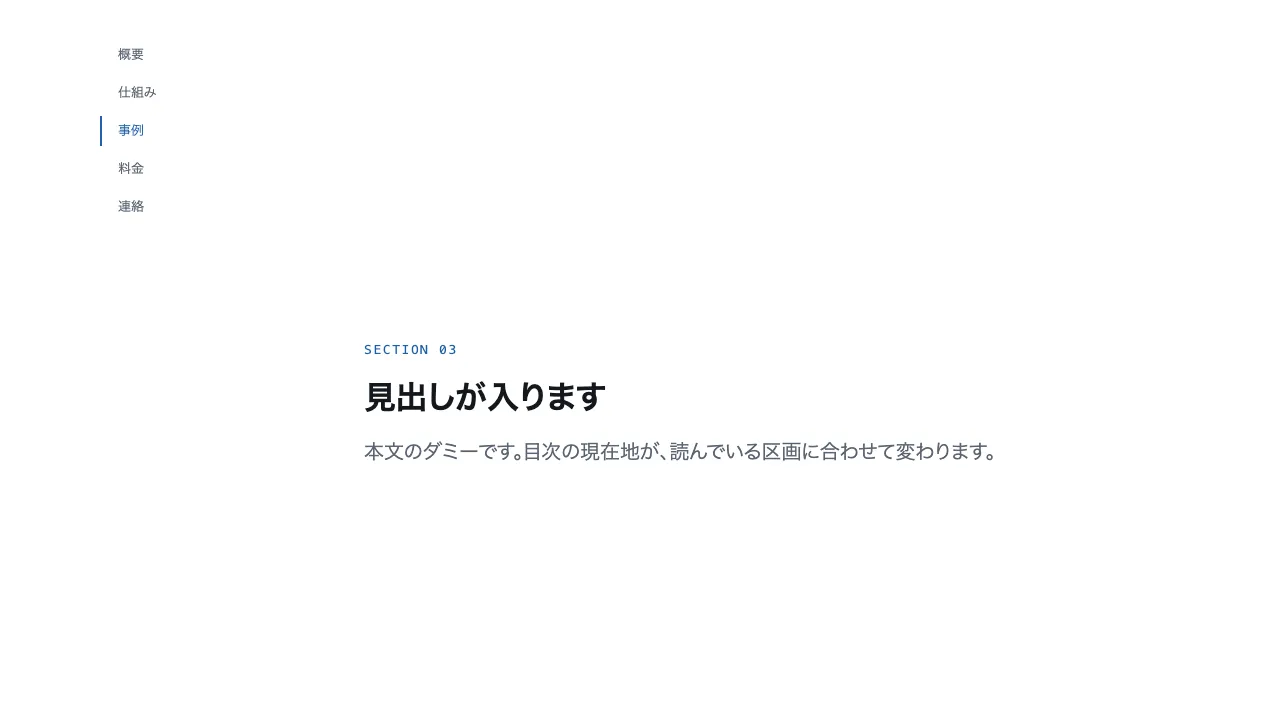
Use a two-column layout: a table of contents on the left, sticky 40px below the top edge, and five sections of at least 70vh on the right.
Give the sections the ids sec-1 through sec-5, and make each table of contents item an in-page link (href="#sec-n").
Use IntersectionObserver to find the section inside the central 10% band of the viewport, and set aria-current="true" only on its matching item.
The current item takes the accent colour for its text and its 2px left rule. At 375px width, fix the table of contents as one horizontal row at the top edge and let the sections continue below it.
Implement with CSS and IntersectionObserver only; no library.

Do not drop:
- Each table of contents item is an in-page link (#sec-n), and the current item carries aria-current="true"
- Decide the current section by a band at the centre of the viewport, not by section top edges
- At 375px the table of contents is a fixed horizontal row at the top and never exceeds the width

A working example (one self-contained HTML file): https://design-vault.pages.dev/designs/motion-scrollspy/demo.html

Spec

701 B
# Sticky
https://design-vault.pages.dev/ai/assets/motion-sticky.json

---

# Pin + scrub
https://design-vault.pages.dev/ai/assets/motion-pin-scrub.json

---

# Scrollytelling
https://design-vault.pages.dev/ai/assets/motion-scrollytelling.json

---

# Stacking cards
https://design-vault.pages.dev/ai/assets/motion-stacking-cards.json

---

# Scroll snap
https://design-vault.pages.dev/ai/assets/motion-scroll-snap.json

---

# Horizontal scroll
https://design-vault.pages.dev/ai/assets/motion-horizontal-scroll.json

---

# Hide-on-scroll header
https://design-vault.pages.dev/ai/assets/motion-hide-on-scroll-header.json

---

# Scrollspy
https://design-vault.pages.dev/ai/assets/motion-scrollspy.json

Files

01 motion-sticky/demo.html

8.2 KB

/designs/motion-sticky/demo.html

Show contents
<!doctype html>
<html lang="ja">
<head>
<meta charset="utf-8">
<meta name="viewport" content="width=device-width, initial-scale=1">
<title>17 スティッキー — position: sticky</title>
<style>
/* dv-motion-base:start */
:root {
  --ground: #FFFFFF;
  --surface: #F3F5F8;
  --ink: #14181F;
  --muted: #5A6472;
  --accent: #1F5FA8;
  --rule: #D8DDE4;
  --accent-soft: color-mix(in srgb, var(--accent) 12%, var(--ground));
  --accent-mid: color-mix(in srgb, var(--accent) 45%, var(--ground));
  --shade: color-mix(in srgb, var(--ink) 14%, transparent);

  --font: "Zen Kaku Gothic New", "Hiragino Sans", "Noto Sans JP", "Yu Gothic", system-ui, sans-serif;
  --mono: ui-monospace, "SF Mono", Menlo, Consolas, monospace;

  --t-label: 13px;
  --t-body: 16px;
  --t-lead: 20px;
  --t-h2: 32px;
  --t-h1: clamp(40px, 7vw, 72px);

  --s1: 4px;
  --s2: 8px;
  --s3: 16px;
  --s4: 24px;
  --s5: 40px;
  --s6: 64px;
  --s7: 104px;

  --radius: 12px;
  --ease: cubic-bezier(.2, .7, .2, 1);
  --dur: .7s;
  --measure: 1080px;
}
*, *::before, *::after { box-sizing: border-box; }
html { -webkit-text-size-adjust: 100%; }
body {
  margin: 0;
  background: var(--ground);
  color: var(--ink);
  font-family: var(--font);
  font-size: var(--t-body);
  line-height: 1.7;
  font-feature-settings: "palt";
  overflow-x: hidden;
}
h1, h2, h3, p, ul, ol, figure { margin: 0; padding: 0; }
ul, ol { list-style: none; }
.dv-wrap { width: min(100% - 2 * var(--s4), var(--measure)); margin-inline: auto; }
.dv-label {
  min-height: 72vh;
  display: grid;
  align-content: center;
  gap: var(--s3);
  padding-block: var(--s6);
  border-bottom: 1px solid var(--rule);
}
.dv-num { font-family: var(--mono); font-size: var(--t-lead); font-weight: 700; color: var(--accent); letter-spacing: .04em; }
.dv-name { font-size: var(--t-h1); font-weight: 700; line-height: 1.15; letter-spacing: .01em; }
.dv-ai { font-family: var(--mono); font-size: var(--t-lead); color: var(--muted); }
.dv-desc { font-size: var(--t-lead); color: var(--ink); }
.dv-hint { font-size: var(--t-label); color: var(--muted); letter-spacing: .12em; margin-top: var(--s4); }
.dv-stage { padding-block: var(--s7); }
.dv-h2 { font-size: var(--t-h2); font-weight: 700; line-height: 1.3; }
.dv-lead { font-size: var(--t-lead); color: var(--muted); }
.dv-eyebrow { font-family: var(--mono); font-size: var(--t-label); color: var(--accent); letter-spacing: .12em; text-transform: uppercase; }
.dv-card { background: var(--surface); border: 1px solid var(--rule); border-radius: var(--radius); padding: var(--s4); }
.dv-ph {
  border-radius: var(--radius);
  background: linear-gradient(135deg, var(--accent-soft), var(--accent-mid) 60%, var(--accent));
  aspect-ratio: 16 / 9;
}
.dv-ph--alt { background: linear-gradient(200deg, var(--surface), var(--accent-soft) 55%, var(--accent-mid)); }
.dv-ph--ink { background: linear-gradient(160deg, var(--ink), color-mix(in srgb, var(--ink) 55%, var(--accent))); }
.dv-end {
  min-height: 60vh;
  display: grid;
  place-items: center;
  border-top: 1px solid var(--rule);
  color: var(--muted);
  font-family: var(--mono);
  font-size: var(--t-label);
  letter-spacing: .12em;
}
/* dv-motion-base:end */

/* ---- この演出だけの CSS。色は var(--…) か color-mix() のみ ---- */
.stk-sec { min-height: 100vh; }
.stk-head {
  position: sticky;
  top: 0;
  z-index: 1;
  background: var(--ground);
  border-bottom: 1px solid var(--rule);
  padding-block: var(--s3);
}
.stk-body { display: grid; gap: var(--s4); padding-block: var(--s5); }

@media (prefers-reduced-motion: reduce) {
  .stk-head { position: static; }
}
</style>
</head>
<body data-motion-number="17">
<header class="dv-label">
  <div class="dv-wrap">
    <p class="dv-num">17</p>
    <h1 class="dv-name">スティッキー</h1>
    <p class="dv-ai">position: sticky</p>
    <p class="dv-desc">見出しが上に貼り付く</p>
    <p class="dv-hint">SCROLL ↓</p>
  </div>
</header>

<main class="dv-stage">
  <div class="dv-wrap">
    <section class="stk-sec">
      <header class="stk-head">
        <p class="dv-eyebrow">Section 01 / 04</p>
        <h2 class="dv-h2">見出しが入ります</h2>
      </header>
      <div class="stk-body">
        <p class="dv-lead">本文のダミーです。見出しは自分の区画の中でだけ貼り付きます。</p>
        <div class="dv-ph"></div>
      </div>
    </section>
    <section class="stk-sec">
      <header class="stk-head">
        <p class="dv-eyebrow">Section 02 / 04</p>
        <h2 class="dv-h2">見出しが入ります</h2>
      </header>
      <div class="stk-body">
        <p class="dv-lead">本文のダミーです。次の見出しが来ると、この見出しは押し出されます。</p>
        <div class="dv-ph dv-ph--alt"></div>
      </div>
    </section>
    <section class="stk-sec">
      <header class="stk-head">
        <p class="dv-eyebrow">Section 03 / 04</p>
        <h2 class="dv-h2">見出しが入ります</h2>
      </header>
      <div class="stk-body">
        <p class="dv-lead">本文のダミーです。区画ごとに見出しが入れ替わります。</p>
        <div class="dv-ph dv-ph--ink"></div>
      </div>
    </section>
    <section class="stk-sec">
      <header class="stk-head">
        <p class="dv-eyebrow">Section 04 / 04</p>
        <h2 class="dv-h2">見出しが入ります</h2>
      </header>
      <div class="stk-body">
        <p class="dv-lead">本文のダミーです。最後の区画の見出しは、ページの終わりまで残ります。</p>
        <div class="dv-ph"></div>
      </div>
    </section>
  </div>
</main>

<footer class="dv-end">END — 17 スティッキー</footer>

<script>
/* dv-motion-helpers:start */
const dvReduce = matchMedia('(prefers-reduced-motion: reduce)').matches;
document.documentElement.classList.add('js');

/**
 * 画面に入った要素へ .is-in を付ける。
 * data-reveal="repeat" の要素は画面を出たら外す(何度でも再生)。
 */
function dvReveal(selector = '[data-reveal]', { threshold = 0.2, rootMargin = '0px 0px -8% 0px' } = {}) {
  const els = [...document.querySelectorAll(selector)];
  if (dvReduce || !('IntersectionObserver' in window)) {
    els.forEach((el) => el.classList.add('is-in'));
    return;
  }
  const io = new IntersectionObserver((entries) => {
    for (const e of entries) {
      if (e.isIntersecting) {
        e.target.classList.add('is-in');
        if (e.target.dataset.reveal !== 'repeat') io.unobserve(e.target);
      } else if (e.target.dataset.reveal === 'repeat') {
        e.target.classList.remove('is-in');
      }
    }
  }, { threshold, rootMargin });
  els.forEach((el) => io.observe(el));
}

/**
 * スクロール量を 0〜1 にして、各 [data-progress] 要素の CSS 変数 --p に書く。
 *   data-progress="through" : 要素の上端が画面の下端に来たとき 0、下端が画面の上端を抜けたとき 1
 *   data-progress="pin"     : 要素の上端が画面の上端に来たとき 0、下端が画面の下端に来たとき 1
 *                             (中に position: sticky の箱を持つ、背の高い区画用)
 *   data-progress="page"    : ページ全体のスクロール量
 * onUpdate(el, p) を渡すと、値が変わるたびに呼ばれる。
 */
function dvProgress(onUpdate) {
  const els = [...document.querySelectorAll('[data-progress]')];
  const clamp = (n) => Math.min(1, Math.max(0, n));
  let queued = false;
  const measure = () => {
    queued = false;
    const vh = window.innerHeight;
    for (const el of els) {
      const r = el.getBoundingClientRect();
      let p;
      if (el.dataset.progress === 'pin') p = r.height > vh ? -r.top / (r.height - vh) : 0;
      else if (el.dataset.progress === 'page') {
        const max = document.documentElement.scrollHeight - vh;
        p = max > 0 ? window.scrollY / max : 0;
      } else p = (vh - r.top) / (vh + r.height);
      p = clamp(p);
      el.style.setProperty('--p', p.toFixed(4));
      if (onUpdate) onUpdate(el, p);
    }
  };
  const request = () => {
    if (!queued) { queued = true; requestAnimationFrame(measure); }
  };
  addEventListener('scroll', request, { passive: true });
  addEventListener('resize', request);
  measure();
}
/* dv-motion-helpers:end */

/* ---- この演出だけの JS ---- */

</script>
</body>
</html>

02 motion-pin-scrub/demo.html

9.2 KB

/designs/motion-pin-scrub/demo.html

Show contents
<!doctype html>
<html lang="ja">
<head>
<meta charset="utf-8">
<meta name="viewport" content="width=device-width, initial-scale=1">
<title>18 ピン留め+スクラブ — Pin + scrub</title>
<style>
/* dv-motion-base:start */
:root {
  --ground: #FFFFFF;
  --surface: #F3F5F8;
  --ink: #14181F;
  --muted: #5A6472;
  --accent: #1F5FA8;
  --rule: #D8DDE4;
  --accent-soft: color-mix(in srgb, var(--accent) 12%, var(--ground));
  --accent-mid: color-mix(in srgb, var(--accent) 45%, var(--ground));
  --shade: color-mix(in srgb, var(--ink) 14%, transparent);

  --font: "Zen Kaku Gothic New", "Hiragino Sans", "Noto Sans JP", "Yu Gothic", system-ui, sans-serif;
  --mono: ui-monospace, "SF Mono", Menlo, Consolas, monospace;

  --t-label: 13px;
  --t-body: 16px;
  --t-lead: 20px;
  --t-h2: 32px;
  --t-h1: clamp(40px, 7vw, 72px);

  --s1: 4px;
  --s2: 8px;
  --s3: 16px;
  --s4: 24px;
  --s5: 40px;
  --s6: 64px;
  --s7: 104px;

  --radius: 12px;
  --ease: cubic-bezier(.2, .7, .2, 1);
  --dur: .7s;
  --measure: 1080px;
}
*, *::before, *::after { box-sizing: border-box; }
html { -webkit-text-size-adjust: 100%; }
body {
  margin: 0;
  background: var(--ground);
  color: var(--ink);
  font-family: var(--font);
  font-size: var(--t-body);
  line-height: 1.7;
  font-feature-settings: "palt";
  overflow-x: hidden;
}
h1, h2, h3, p, ul, ol, figure { margin: 0; padding: 0; }
ul, ol { list-style: none; }
.dv-wrap { width: min(100% - 2 * var(--s4), var(--measure)); margin-inline: auto; }
.dv-label {
  min-height: 72vh;
  display: grid;
  align-content: center;
  gap: var(--s3);
  padding-block: var(--s6);
  border-bottom: 1px solid var(--rule);
}
.dv-num { font-family: var(--mono); font-size: var(--t-lead); font-weight: 700; color: var(--accent); letter-spacing: .04em; }
.dv-name { font-size: var(--t-h1); font-weight: 700; line-height: 1.15; letter-spacing: .01em; }
.dv-ai { font-family: var(--mono); font-size: var(--t-lead); color: var(--muted); }
.dv-desc { font-size: var(--t-lead); color: var(--ink); }
.dv-hint { font-size: var(--t-label); color: var(--muted); letter-spacing: .12em; margin-top: var(--s4); }
.dv-stage { padding-block: var(--s7); }
.dv-h2 { font-size: var(--t-h2); font-weight: 700; line-height: 1.3; }
.dv-lead { font-size: var(--t-lead); color: var(--muted); }
.dv-eyebrow { font-family: var(--mono); font-size: var(--t-label); color: var(--accent); letter-spacing: .12em; text-transform: uppercase; }
.dv-card { background: var(--surface); border: 1px solid var(--rule); border-radius: var(--radius); padding: var(--s4); }
.dv-ph {
  border-radius: var(--radius);
  background: linear-gradient(135deg, var(--accent-soft), var(--accent-mid) 60%, var(--accent));
  aspect-ratio: 16 / 9;
}
.dv-ph--alt { background: linear-gradient(200deg, var(--surface), var(--accent-soft) 55%, var(--accent-mid)); }
.dv-ph--ink { background: linear-gradient(160deg, var(--ink), color-mix(in srgb, var(--ink) 55%, var(--accent))); }
.dv-end {
  min-height: 60vh;
  display: grid;
  place-items: center;
  border-top: 1px solid var(--rule);
  color: var(--muted);
  font-family: var(--mono);
  font-size: var(--t-label);
  letter-spacing: .12em;
}
/* dv-motion-base:end */

/* ---- この演出だけの CSS。色は var(--…) か color-mix() のみ ---- */
.pin-zone { height: 400vh; }
.pin-box {
  position: sticky;
  top: 0;
  height: 100vh;
  display: grid;
  align-content: center;
  gap: var(--s4);
}
.pin-steps { display: grid; }
.pin-step {
  grid-area: 1 / 1;
  opacity: 0;
  transform: translateY(24px);
  transition: opacity var(--dur) var(--ease), transform var(--dur) var(--ease);
}
.pin-step.is-on { opacity: 1; transform: none; }
.pin-step .dv-ph { margin-top: var(--s3); }
html:not(.js) .pin-step { opacity: 1; transform: none; }
html:not(.js) .pin-step + .pin-step { display: none; }
.pin-ticks { display: grid; grid-template-columns: repeat(4, 1fr); gap: var(--s2); }
.pin-tick {
  height: 4px;
  border-radius: 2px;
  background: var(--rule);
  transition: background-color var(--dur) var(--ease);
}
.pin-tick.is-on { background: var(--accent); }

@media (prefers-reduced-motion: reduce) {
  .pin-zone { height: auto; }
  .pin-box { position: static; height: auto; padding-block: var(--s7); }
  .pin-step, .pin-step.is-on { transition: none; }
  .pin-ticks { display: none; }
}
</style>
</head>
<body data-motion-number="18">
<header class="dv-label">
  <div class="dv-wrap">
    <p class="dv-num">18</p>
    <h1 class="dv-name">ピン留め+スクラブ</h1>
    <p class="dv-ai">Pin + scrub</p>
    <p class="dv-desc">画面を固定して中身だけ進む</p>
    <p class="dv-hint">SCROLL ↓</p>
  </div>
</header>

<main class="dv-stage">
  <div class="dv-wrap">
    <section class="pin-zone" data-progress="pin">
      <div class="pin-box">
        <div class="pin-steps">
          <article class="pin-step">
            <p class="dv-eyebrow">Step 01</p>
            <h2 class="dv-h2">見出しが入ります</h2>
            <p class="dv-lead">本文のダミーです。段階ごとに中身が入れ替わります。</p>
            <div class="dv-ph"></div>
          </article>
          <article class="pin-step">
            <p class="dv-eyebrow">Step 02</p>
            <h2 class="dv-h2">見出しが入ります</h2>
            <p class="dv-lead">本文のダミーです。画面は動かず、中身だけが進みます。</p>
            <div class="dv-ph dv-ph--alt"></div>
          </article>
          <article class="pin-step">
            <p class="dv-eyebrow">Step 03</p>
            <h2 class="dv-h2">見出しが入ります</h2>
            <p class="dv-lead">本文のダミーです。ここまでの段階は目盛りで確かめられます。</p>
            <div class="dv-ph dv-ph--ink"></div>
          </article>
          <article class="pin-step">
            <p class="dv-eyebrow">Step 04</p>
            <h2 class="dv-h2">見出しが入ります</h2>
            <p class="dv-lead">本文のダミーです。最後の段階で、固定が解けます。</p>
            <div class="dv-ph"></div>
          </article>
        </div>
        <div class="pin-ticks" aria-hidden="true">
          <span class="pin-tick"></span>
          <span class="pin-tick"></span>
          <span class="pin-tick"></span>
          <span class="pin-tick"></span>
        </div>
      </div>
    </section>
  </div>
</main>

<footer class="dv-end">END — 18 ピン留め+スクラブ</footer>

<script>
/* dv-motion-helpers:start */
const dvReduce = matchMedia('(prefers-reduced-motion: reduce)').matches;
document.documentElement.classList.add('js');

/**
 * 画面に入った要素へ .is-in を付ける。
 * data-reveal="repeat" の要素は画面を出たら外す(何度でも再生)。
 */
function dvReveal(selector = '[data-reveal]', { threshold = 0.2, rootMargin = '0px 0px -8% 0px' } = {}) {
  const els = [...document.querySelectorAll(selector)];
  if (dvReduce || !('IntersectionObserver' in window)) {
    els.forEach((el) => el.classList.add('is-in'));
    return;
  }
  const io = new IntersectionObserver((entries) => {
    for (const e of entries) {
      if (e.isIntersecting) {
        e.target.classList.add('is-in');
        if (e.target.dataset.reveal !== 'repeat') io.unobserve(e.target);
      } else if (e.target.dataset.reveal === 'repeat') {
        e.target.classList.remove('is-in');
      }
    }
  }, { threshold, rootMargin });
  els.forEach((el) => io.observe(el));
}

/**
 * スクロール量を 0〜1 にして、各 [data-progress] 要素の CSS 変数 --p に書く。
 *   data-progress="through" : 要素の上端が画面の下端に来たとき 0、下端が画面の上端を抜けたとき 1
 *   data-progress="pin"     : 要素の上端が画面の上端に来たとき 0、下端が画面の下端に来たとき 1
 *                             (中に position: sticky の箱を持つ、背の高い区画用)
 *   data-progress="page"    : ページ全体のスクロール量
 * onUpdate(el, p) を渡すと、値が変わるたびに呼ばれる。
 */
function dvProgress(onUpdate) {
  const els = [...document.querySelectorAll('[data-progress]')];
  const clamp = (n) => Math.min(1, Math.max(0, n));
  let queued = false;
  const measure = () => {
    queued = false;
    const vh = window.innerHeight;
    for (const el of els) {
      const r = el.getBoundingClientRect();
      let p;
      if (el.dataset.progress === 'pin') p = r.height > vh ? -r.top / (r.height - vh) : 0;
      else if (el.dataset.progress === 'page') {
        const max = document.documentElement.scrollHeight - vh;
        p = max > 0 ? window.scrollY / max : 0;
      } else p = (vh - r.top) / (vh + r.height);
      p = clamp(p);
      el.style.setProperty('--p', p.toFixed(4));
      if (onUpdate) onUpdate(el, p);
    }
  };
  const request = () => {
    if (!queued) { queued = true; requestAnimationFrame(measure); }
  };
  addEventListener('scroll', request, { passive: true });
  addEventListener('resize', request);
  measure();
}
/* dv-motion-helpers:end */

/* ---- この演出だけの JS ---- */
dvProgress((el, p) => {
  const k = dvReduce ? 3 : Math.min(3, Math.floor(p * 4));
  el.querySelectorAll('.pin-step').forEach((s, i) => s.classList.toggle('is-on', i === k));
  el.querySelectorAll('.pin-tick').forEach((t, i) => t.classList.toggle('is-on', i <= k));
});
</script>
</body>
</html>

03 motion-scrollytelling/demo.html

9.8 KB

/designs/motion-scrollytelling/demo.html

Show contents
<!doctype html>
<html lang="ja">
<head>
<meta charset="utf-8">
<meta name="viewport" content="width=device-width, initial-scale=1">
<title>19 スクロールテリング — Scrollytelling</title>
<style>
/* dv-motion-base:start */
:root {
  --ground: #FFFFFF;
  --surface: #F3F5F8;
  --ink: #14181F;
  --muted: #5A6472;
  --accent: #1F5FA8;
  --rule: #D8DDE4;
  --accent-soft: color-mix(in srgb, var(--accent) 12%, var(--ground));
  --accent-mid: color-mix(in srgb, var(--accent) 45%, var(--ground));
  --shade: color-mix(in srgb, var(--ink) 14%, transparent);

  --font: "Zen Kaku Gothic New", "Hiragino Sans", "Noto Sans JP", "Yu Gothic", system-ui, sans-serif;
  --mono: ui-monospace, "SF Mono", Menlo, Consolas, monospace;

  --t-label: 13px;
  --t-body: 16px;
  --t-lead: 20px;
  --t-h2: 32px;
  --t-h1: clamp(40px, 7vw, 72px);

  --s1: 4px;
  --s2: 8px;
  --s3: 16px;
  --s4: 24px;
  --s5: 40px;
  --s6: 64px;
  --s7: 104px;

  --radius: 12px;
  --ease: cubic-bezier(.2, .7, .2, 1);
  --dur: .7s;
  --measure: 1080px;
}
*, *::before, *::after { box-sizing: border-box; }
html { -webkit-text-size-adjust: 100%; }
body {
  margin: 0;
  background: var(--ground);
  color: var(--ink);
  font-family: var(--font);
  font-size: var(--t-body);
  line-height: 1.7;
  font-feature-settings: "palt";
  overflow-x: hidden;
}
h1, h2, h3, p, ul, ol, figure { margin: 0; padding: 0; }
ul, ol { list-style: none; }
.dv-wrap { width: min(100% - 2 * var(--s4), var(--measure)); margin-inline: auto; }
.dv-label {
  min-height: 72vh;
  display: grid;
  align-content: center;
  gap: var(--s3);
  padding-block: var(--s6);
  border-bottom: 1px solid var(--rule);
}
.dv-num { font-family: var(--mono); font-size: var(--t-lead); font-weight: 700; color: var(--accent); letter-spacing: .04em; }
.dv-name { font-size: var(--t-h1); font-weight: 700; line-height: 1.15; letter-spacing: .01em; }
.dv-ai { font-family: var(--mono); font-size: var(--t-lead); color: var(--muted); }
.dv-desc { font-size: var(--t-lead); color: var(--ink); }
.dv-hint { font-size: var(--t-label); color: var(--muted); letter-spacing: .12em; margin-top: var(--s4); }
.dv-stage { padding-block: var(--s7); }
.dv-h2 { font-size: var(--t-h2); font-weight: 700; line-height: 1.3; }
.dv-lead { font-size: var(--t-lead); color: var(--muted); }
.dv-eyebrow { font-family: var(--mono); font-size: var(--t-label); color: var(--accent); letter-spacing: .12em; text-transform: uppercase; }
.dv-card { background: var(--surface); border: 1px solid var(--rule); border-radius: var(--radius); padding: var(--s4); }
.dv-ph {
  border-radius: var(--radius);
  background: linear-gradient(135deg, var(--accent-soft), var(--accent-mid) 60%, var(--accent));
  aspect-ratio: 16 / 9;
}
.dv-ph--alt { background: linear-gradient(200deg, var(--surface), var(--accent-soft) 55%, var(--accent-mid)); }
.dv-ph--ink { background: linear-gradient(160deg, var(--ink), color-mix(in srgb, var(--ink) 55%, var(--accent))); }
.dv-end {
  min-height: 60vh;
  display: grid;
  place-items: center;
  border-top: 1px solid var(--rule);
  color: var(--muted);
  font-family: var(--mono);
  font-size: var(--t-label);
  letter-spacing: .12em;
}
/* dv-motion-base:end */

/* ---- この演出だけの CSS。色は var(--…) か color-mix() のみ ---- */
.st-grid {
  display: grid;
  grid-template-columns: minmax(0, 1fr) minmax(0, 1fr);
  gap: var(--s6);
  align-items: start;
}
.st-step { min-height: 80vh; display: grid; align-content: center; gap: var(--s3); }
.js .st-step { opacity: .35; transition: opacity var(--dur) var(--ease); }
.js .st-step.is-on { opacity: 1; }
.st-figure { position: sticky; top: var(--s5); }
.st-frame { position: relative; height: min(70vh, 520px); }
.st-panel {
  position: absolute;
  inset: 0;
  display: flex;
  flex-direction: column;
  gap: var(--s3);
  opacity: 0;
  transition: opacity var(--dur) var(--ease);
}
.st-panel.is-on { opacity: 1; }
.st-panel .dv-ph { flex: 1; aspect-ratio: auto; }
.st-ph4 { background: repeating-linear-gradient(45deg, var(--accent-soft) 0 12px, var(--surface) 12px 24px); }
html:not(.js) .st-panel { opacity: 1; }
html:not(.js) .st-panel + .st-panel { display: none; }

@media (max-width: 640px) {
  .st-grid { grid-template-columns: minmax(0, 1fr); gap: var(--s4); }
  .st-figure { order: -1; top: 0; z-index: 1; background: var(--ground); padding-block: var(--s2); }
  .st-frame { height: 38vh; }
}

@media (prefers-reduced-motion: reduce) {
  .js .st-step, .st-panel { transition: none; }
}
</style>
</head>
<body data-motion-number="19">
<header class="dv-label">
  <div class="dv-wrap">
    <p class="dv-num">19</p>
    <h1 class="dv-name">スクロールテリング</h1>
    <p class="dv-ai">Scrollytelling</p>
    <p class="dv-desc">文章に合わせて固定図が切り替わる</p>
    <p class="dv-hint">SCROLL ↓</p>
  </div>
</header>

<main class="dv-stage">
  <div class="dv-wrap st-grid">
    <div class="st-text">
      <section class="st-step">
        <p class="dv-eyebrow">Step 01</p>
        <h2 class="dv-h2">見出しが入ります</h2>
        <p class="dv-lead">本文のダミーです。読んでいる段に合わせて、右の図が切り替わります。</p>
      </section>
      <section class="st-step">
        <p class="dv-eyebrow">Step 02</p>
        <h2 class="dv-h2">見出しが入ります</h2>
        <p class="dv-lead">本文のダミーです。図は文章と同じ番号の段を指します。</p>
      </section>
      <section class="st-step">
        <p class="dv-eyebrow">Step 03</p>
        <h2 class="dv-h2">見出しが入ります</h2>
        <p class="dv-lead">本文のダミーです。文章は流れ、図は画面に留まります。</p>
      </section>
      <section class="st-step">
        <p class="dv-eyebrow">Step 04</p>
        <h2 class="dv-h2">見出しが入ります</h2>
        <p class="dv-lead">本文のダミーです。最後の段の図が、そのまま残ります。</p>
      </section>
    </div>
    <div class="st-figure">
      <div class="st-frame">
        <figure class="st-panel">
          <p class="dv-eyebrow">図 01</p>
          <div class="dv-ph"></div>
        </figure>
        <figure class="st-panel">
          <p class="dv-eyebrow">図 02</p>
          <div class="dv-ph dv-ph--alt"></div>
        </figure>
        <figure class="st-panel">
          <p class="dv-eyebrow">図 03</p>
          <div class="dv-ph dv-ph--ink"></div>
        </figure>
        <figure class="st-panel">
          <p class="dv-eyebrow">図 04</p>
          <div class="dv-ph st-ph4"></div>
        </figure>
      </div>
    </div>
  </div>
</main>

<footer class="dv-end">END — 19 スクロールテリング</footer>

<script>
/* dv-motion-helpers:start */
const dvReduce = matchMedia('(prefers-reduced-motion: reduce)').matches;
document.documentElement.classList.add('js');

/**
 * 画面に入った要素へ .is-in を付ける。
 * data-reveal="repeat" の要素は画面を出たら外す(何度でも再生)。
 */
function dvReveal(selector = '[data-reveal]', { threshold = 0.2, rootMargin = '0px 0px -8% 0px' } = {}) {
  const els = [...document.querySelectorAll(selector)];
  if (dvReduce || !('IntersectionObserver' in window)) {
    els.forEach((el) => el.classList.add('is-in'));
    return;
  }
  const io = new IntersectionObserver((entries) => {
    for (const e of entries) {
      if (e.isIntersecting) {
        e.target.classList.add('is-in');
        if (e.target.dataset.reveal !== 'repeat') io.unobserve(e.target);
      } else if (e.target.dataset.reveal === 'repeat') {
        e.target.classList.remove('is-in');
      }
    }
  }, { threshold, rootMargin });
  els.forEach((el) => io.observe(el));
}

/**
 * スクロール量を 0〜1 にして、各 [data-progress] 要素の CSS 変数 --p に書く。
 *   data-progress="through" : 要素の上端が画面の下端に来たとき 0、下端が画面の上端を抜けたとき 1
 *   data-progress="pin"     : 要素の上端が画面の上端に来たとき 0、下端が画面の下端に来たとき 1
 *                             (中に position: sticky の箱を持つ、背の高い区画用)
 *   data-progress="page"    : ページ全体のスクロール量
 * onUpdate(el, p) を渡すと、値が変わるたびに呼ばれる。
 */
function dvProgress(onUpdate) {
  const els = [...document.querySelectorAll('[data-progress]')];
  const clamp = (n) => Math.min(1, Math.max(0, n));
  let queued = false;
  const measure = () => {
    queued = false;
    const vh = window.innerHeight;
    for (const el of els) {
      const r = el.getBoundingClientRect();
      let p;
      if (el.dataset.progress === 'pin') p = r.height > vh ? -r.top / (r.height - vh) : 0;
      else if (el.dataset.progress === 'page') {
        const max = document.documentElement.scrollHeight - vh;
        p = max > 0 ? window.scrollY / max : 0;
      } else p = (vh - r.top) / (vh + r.height);
      p = clamp(p);
      el.style.setProperty('--p', p.toFixed(4));
      if (onUpdate) onUpdate(el, p);
    }
  };
  const request = () => {
    if (!queued) { queued = true; requestAnimationFrame(measure); }
  };
  addEventListener('scroll', request, { passive: true });
  addEventListener('resize', request);
  measure();
}
/* dv-motion-helpers:end */

/* ---- この演出だけの JS ---- */
const steps = [...document.querySelectorAll('.st-step')];
const panels = [...document.querySelectorAll('.st-panel')];
const showStep = (k) => {
  steps.forEach((s, i) => s.classList.toggle('is-on', i === k));
  panels.forEach((f, i) => f.classList.toggle('is-on', i === k));
};
if (dvReduce || !('IntersectionObserver' in window)) {
  showStep(dvReduce ? steps.length - 1 : 0);
} else {
  const io = new IntersectionObserver((entries) => {
    for (const e of entries) if (e.isIntersecting) showStep(steps.indexOf(e.target));
  }, { rootMargin: '-45% 0px -45% 0px' });
  steps.forEach((s) => io.observe(s));
}
</script>
</body>
</html>
04 motion-stacking-cards/demo.html

8.8 KB

/designs/motion-stacking-cards/demo.html

Show contents
<!doctype html>
<html lang="ja">
<head>
<meta charset="utf-8">
<meta name="viewport" content="width=device-width, initial-scale=1">
<title>20 カードスタック — Stacking cards</title>
<style>
/* dv-motion-base:start */
:root {
  --ground: #FFFFFF;
  --surface: #F3F5F8;
  --ink: #14181F;
  --muted: #5A6472;
  --accent: #1F5FA8;
  --rule: #D8DDE4;
  --accent-soft: color-mix(in srgb, var(--accent) 12%, var(--ground));
  --accent-mid: color-mix(in srgb, var(--accent) 45%, var(--ground));
  --shade: color-mix(in srgb, var(--ink) 14%, transparent);

  --font: "Zen Kaku Gothic New", "Hiragino Sans", "Noto Sans JP", "Yu Gothic", system-ui, sans-serif;
  --mono: ui-monospace, "SF Mono", Menlo, Consolas, monospace;

  --t-label: 13px;
  --t-body: 16px;
  --t-lead: 20px;
  --t-h2: 32px;
  --t-h1: clamp(40px, 7vw, 72px);

  --s1: 4px;
  --s2: 8px;
  --s3: 16px;
  --s4: 24px;
  --s5: 40px;
  --s6: 64px;
  --s7: 104px;

  --radius: 12px;
  --ease: cubic-bezier(.2, .7, .2, 1);
  --dur: .7s;
  --measure: 1080px;
}
*, *::before, *::after { box-sizing: border-box; }
html { -webkit-text-size-adjust: 100%; }
body {
  margin: 0;
  background: var(--ground);
  color: var(--ink);
  font-family: var(--font);
  font-size: var(--t-body);
  line-height: 1.7;
  font-feature-settings: "palt";
  overflow-x: hidden;
}
h1, h2, h3, p, ul, ol, figure { margin: 0; padding: 0; }
ul, ol { list-style: none; }
.dv-wrap { width: min(100% - 2 * var(--s4), var(--measure)); margin-inline: auto; }
.dv-label {
  min-height: 72vh;
  display: grid;
  align-content: center;
  gap: var(--s3);
  padding-block: var(--s6);
  border-bottom: 1px solid var(--rule);
}
.dv-num { font-family: var(--mono); font-size: var(--t-lead); font-weight: 700; color: var(--accent); letter-spacing: .04em; }
.dv-name { font-size: var(--t-h1); font-weight: 700; line-height: 1.15; letter-spacing: .01em; }
.dv-ai { font-family: var(--mono); font-size: var(--t-lead); color: var(--muted); }
.dv-desc { font-size: var(--t-lead); color: var(--ink); }
.dv-hint { font-size: var(--t-label); color: var(--muted); letter-spacing: .12em; margin-top: var(--s4); }
.dv-stage { padding-block: var(--s7); }
.dv-h2 { font-size: var(--t-h2); font-weight: 700; line-height: 1.3; }
.dv-lead { font-size: var(--t-lead); color: var(--muted); }
.dv-eyebrow { font-family: var(--mono); font-size: var(--t-label); color: var(--accent); letter-spacing: .12em; text-transform: uppercase; }
.dv-card { background: var(--surface); border: 1px solid var(--rule); border-radius: var(--radius); padding: var(--s4); }
.dv-ph {
  border-radius: var(--radius);
  background: linear-gradient(135deg, var(--accent-soft), var(--accent-mid) 60%, var(--accent));
  aspect-ratio: 16 / 9;
}
.dv-ph--alt { background: linear-gradient(200deg, var(--surface), var(--accent-soft) 55%, var(--accent-mid)); }
.dv-ph--ink { background: linear-gradient(160deg, var(--ink), color-mix(in srgb, var(--ink) 55%, var(--accent))); }
.dv-end {
  min-height: 60vh;
  display: grid;
  place-items: center;
  border-top: 1px solid var(--rule);
  color: var(--muted);
  font-family: var(--mono);
  font-size: var(--t-label);
  letter-spacing: .12em;
}
/* dv-motion-base:end */

/* ---- この演出だけの CSS。色は var(--…) か color-mix() のみ ---- */
.sc-card {
  position: sticky;
  top: calc(var(--s5) + var(--i) * 16px);
  z-index: var(--i);
  min-height: 60vh;
  display: grid;
  align-content: start;
  gap: var(--s3);
  padding: var(--s4);
  background: var(--surface);
  border: 1px solid var(--rule);
  border-radius: var(--radius);
  box-shadow: 0 -8px 24px var(--shade);
  transform: scale(calc(1 - var(--under, 0) * 0.05));
  transform-origin: center top;
}
.sc-card + .sc-card { margin-top: var(--s4); }

@media (prefers-reduced-motion: reduce) {
  .sc-card { position: static; transform: none; }
}
</style>
</head>
<body data-motion-number="20">
<header class="dv-label">
  <div class="dv-wrap">
    <p class="dv-num">20</p>
    <h1 class="dv-name">カードスタック</h1>
    <p class="dv-ai">Stacking cards</p>
    <p class="dv-desc">カードが重なっていく</p>
    <p class="dv-hint">SCROLL ↓</p>
  </div>
</header>

<main class="dv-stage">
  <div class="dv-wrap">
    <div class="sc-list">
      <article class="sc-card" data-progress="through" style="--i: 0">
        <p class="dv-eyebrow">Card 01 / 05</p>
        <h2 class="dv-h2">見出しが入ります</h2>
        <p class="dv-lead">本文のダミーです。カードは下から重なってきます。</p>
        <div class="dv-ph"></div>
      </article>
      <article class="sc-card" data-progress="through" style="--i: 1">
        <p class="dv-eyebrow">Card 02 / 05</p>
        <h2 class="dv-h2">見出しが入ります</h2>
        <p class="dv-lead">本文のダミーです。後のカードほど手前に重なります。</p>
        <div class="dv-ph dv-ph--alt"></div>
      </article>
      <article class="sc-card" data-progress="through" style="--i: 2">
        <p class="dv-eyebrow">Card 03 / 05</p>
        <h2 class="dv-h2">見出しが入ります</h2>
        <p class="dv-lead">本文のダミーです。下になったカードは少しずつ縮みます。</p>
        <div class="dv-ph dv-ph--ink"></div>
      </article>
      <article class="sc-card" data-progress="through" style="--i: 3">
        <p class="dv-eyebrow">Card 04 / 05</p>
        <h2 class="dv-h2">見出しが入ります</h2>
        <p class="dv-lead">本文のダミーです。重なりの数は、カードの枚数で決まります。</p>
        <div class="dv-ph"></div>
      </article>
      <article class="sc-card" data-progress="through" style="--i: 4">
        <p class="dv-eyebrow">Card 05 / 05</p>
        <h2 class="dv-h2">見出しが入ります</h2>
        <p class="dv-lead">本文のダミーです。最後のカードは縮まずに残ります。</p>
        <div class="dv-ph dv-ph--alt"></div>
      </article>
    </div>
  </div>
</main>

<footer class="dv-end">END — 20 カードスタック</footer>

<script>
/* dv-motion-helpers:start */
const dvReduce = matchMedia('(prefers-reduced-motion: reduce)').matches;
document.documentElement.classList.add('js');

/**
 * 画面に入った要素へ .is-in を付ける。
 * data-reveal="repeat" の要素は画面を出たら外す(何度でも再生)。
 */
function dvReveal(selector = '[data-reveal]', { threshold = 0.2, rootMargin = '0px 0px -8% 0px' } = {}) {
  const els = [...document.querySelectorAll(selector)];
  if (dvReduce || !('IntersectionObserver' in window)) {
    els.forEach((el) => el.classList.add('is-in'));
    return;
  }
  const io = new IntersectionObserver((entries) => {
    for (const e of entries) {
      if (e.isIntersecting) {
        e.target.classList.add('is-in');
        if (e.target.dataset.reveal !== 'repeat') io.unobserve(e.target);
      } else if (e.target.dataset.reveal === 'repeat') {
        e.target.classList.remove('is-in');
      }
    }
  }, { threshold, rootMargin });
  els.forEach((el) => io.observe(el));
}

/**
 * スクロール量を 0〜1 にして、各 [data-progress] 要素の CSS 変数 --p に書く。
 *   data-progress="through" : 要素の上端が画面の下端に来たとき 0、下端が画面の上端を抜けたとき 1
 *   data-progress="pin"     : 要素の上端が画面の上端に来たとき 0、下端が画面の下端に来たとき 1
 *                             (中に position: sticky の箱を持つ、背の高い区画用)
 *   data-progress="page"    : ページ全体のスクロール量
 * onUpdate(el, p) を渡すと、値が変わるたびに呼ばれる。
 */
function dvProgress(onUpdate) {
  const els = [...document.querySelectorAll('[data-progress]')];
  const clamp = (n) => Math.min(1, Math.max(0, n));
  let queued = false;
  const measure = () => {
    queued = false;
    const vh = window.innerHeight;
    for (const el of els) {
      const r = el.getBoundingClientRect();
      let p;
      if (el.dataset.progress === 'pin') p = r.height > vh ? -r.top / (r.height - vh) : 0;
      else if (el.dataset.progress === 'page') {
        const max = document.documentElement.scrollHeight - vh;
        p = max > 0 ? window.scrollY / max : 0;
      } else p = (vh - r.top) / (vh + r.height);
      p = clamp(p);
      el.style.setProperty('--p', p.toFixed(4));
      if (onUpdate) onUpdate(el, p);
    }
  };
  const request = () => {
    if (!queued) { queued = true; requestAnimationFrame(measure); }
  };
  addEventListener('scroll', request, { passive: true });
  addEventListener('resize', request);
  measure();
}
/* dv-motion-helpers:end */

/* ---- この演出だけの JS ---- */
dvProgress((el) => {
  const next = el.nextElementSibling;
  let under = 0;
  if (next) {
    const stuck = parseFloat(getComputedStyle(next).top);
    under = Math.min(1, Math.max(0, 1 - (next.getBoundingClientRect().top - stuck) / next.offsetHeight));
  }
  el.style.setProperty('--under', under.toFixed(4));
});
</script>
</body>
</html>

05 motion-scroll-snap/demo.html

8.0 KB

/designs/motion-scroll-snap/demo.html

Show contents
<!doctype html>
<html lang="ja">
<head>
<meta charset="utf-8">
<meta name="viewport" content="width=device-width, initial-scale=1">
<title>21 スクロールスナップ — CSS scroll snap</title>
<style>
/* dv-motion-base:start */
:root {
  --ground: #FFFFFF;
  --surface: #F3F5F8;
  --ink: #14181F;
  --muted: #5A6472;
  --accent: #1F5FA8;
  --rule: #D8DDE4;
  --accent-soft: color-mix(in srgb, var(--accent) 12%, var(--ground));
  --accent-mid: color-mix(in srgb, var(--accent) 45%, var(--ground));
  --shade: color-mix(in srgb, var(--ink) 14%, transparent);

  --font: "Zen Kaku Gothic New", "Hiragino Sans", "Noto Sans JP", "Yu Gothic", system-ui, sans-serif;
  --mono: ui-monospace, "SF Mono", Menlo, Consolas, monospace;

  --t-label: 13px;
  --t-body: 16px;
  --t-lead: 20px;
  --t-h2: 32px;
  --t-h1: clamp(40px, 7vw, 72px);

  --s1: 4px;
  --s2: 8px;
  --s3: 16px;
  --s4: 24px;
  --s5: 40px;
  --s6: 64px;
  --s7: 104px;

  --radius: 12px;
  --ease: cubic-bezier(.2, .7, .2, 1);
  --dur: .7s;
  --measure: 1080px;
}
*, *::before, *::after { box-sizing: border-box; }
html { -webkit-text-size-adjust: 100%; }
body {
  margin: 0;
  background: var(--ground);
  color: var(--ink);
  font-family: var(--font);
  font-size: var(--t-body);
  line-height: 1.7;
  font-feature-settings: "palt";
  overflow-x: hidden;
}
h1, h2, h3, p, ul, ol, figure { margin: 0; padding: 0; }
ul, ol { list-style: none; }
.dv-wrap { width: min(100% - 2 * var(--s4), var(--measure)); margin-inline: auto; }
.dv-label {
  min-height: 72vh;
  display: grid;
  align-content: center;
  gap: var(--s3);
  padding-block: var(--s6);
  border-bottom: 1px solid var(--rule);
}
.dv-num { font-family: var(--mono); font-size: var(--t-lead); font-weight: 700; color: var(--accent); letter-spacing: .04em; }
.dv-name { font-size: var(--t-h1); font-weight: 700; line-height: 1.15; letter-spacing: .01em; }
.dv-ai { font-family: var(--mono); font-size: var(--t-lead); color: var(--muted); }
.dv-desc { font-size: var(--t-lead); color: var(--ink); }
.dv-hint { font-size: var(--t-label); color: var(--muted); letter-spacing: .12em; margin-top: var(--s4); }
.dv-stage { padding-block: var(--s7); }
.dv-h2 { font-size: var(--t-h2); font-weight: 700; line-height: 1.3; }
.dv-lead { font-size: var(--t-lead); color: var(--muted); }
.dv-eyebrow { font-family: var(--mono); font-size: var(--t-label); color: var(--accent); letter-spacing: .12em; text-transform: uppercase; }
.dv-card { background: var(--surface); border: 1px solid var(--rule); border-radius: var(--radius); padding: var(--s4); }
.dv-ph {
  border-radius: var(--radius);
  background: linear-gradient(135deg, var(--accent-soft), var(--accent-mid) 60%, var(--accent));
  aspect-ratio: 16 / 9;
}
.dv-ph--alt { background: linear-gradient(200deg, var(--surface), var(--accent-soft) 55%, var(--accent-mid)); }
.dv-ph--ink { background: linear-gradient(160deg, var(--ink), color-mix(in srgb, var(--ink) 55%, var(--accent))); }
.dv-end {
  min-height: 60vh;
  display: grid;
  place-items: center;
  border-top: 1px solid var(--rule);
  color: var(--muted);
  font-family: var(--mono);
  font-size: var(--t-label);
  letter-spacing: .12em;
}
/* dv-motion-base:end */

/* ---- この演出だけの CSS。色は var(--…) か color-mix() のみ ---- */
html { scroll-snap-type: y mandatory; }
.dv-label,
.dv-end,
.snap { min-height: 100vh; scroll-snap-align: start; }
.dv-stage { padding-block: 0; }
.snap { display: grid; align-items: center; }
.snap--alt { background: var(--surface); }
.snap-body { display: grid; gap: var(--s3); }
.snap .dv-ph { aspect-ratio: auto; height: min(44vh, 420px); }
.js [data-reveal] { opacity: 0; transform: translateY(24px); transition: opacity var(--dur) var(--ease), transform var(--dur) var(--ease); }
.js [data-reveal].is-in { opacity: 1; transform: none; }

@media (prefers-reduced-motion: reduce) {
  html { scroll-snap-type: y proximity; }
  .js [data-reveal] { opacity: 1; transform: none; transition: none; }
}
</style>
</head>
<body data-motion-number="21">
<header class="dv-label">
  <div class="dv-wrap">
    <p class="dv-num">21</p>
    <h1 class="dv-name">スクロールスナップ</h1>
    <p class="dv-ai">CSS scroll snap</p>
    <p class="dv-desc">1画面ずつピタッと止まる</p>
    <p class="dv-hint">SCROLL ↓</p>
  </div>
</header>

<main class="dv-stage">
  <section class="snap">
    <div class="dv-wrap snap-body">
      <p class="dv-eyebrow">Screen 1 / 3</p>
      <h2 class="dv-h2">見出しが入ります</h2>
      <p class="dv-lead">本文のダミーです。区画の上端に止まると、この画面の中身が表示されます。</p>
      <div class="dv-ph" data-reveal></div>
    </div>
  </section>
  <section class="snap snap--alt">
    <div class="dv-wrap snap-body">
      <p class="dv-eyebrow">Screen 2 / 3</p>
      <h2 class="dv-h2">見出しが入ります</h2>
      <p class="dv-lead">本文のダミーです。指を離すと、いちばん近い画面の上端へ吸着します。</p>
      <div class="dv-ph dv-ph--alt" data-reveal></div>
    </div>
  </section>
  <section class="snap">
    <div class="dv-wrap snap-body">
      <p class="dv-eyebrow">Screen 3 / 3</p>
      <h2 class="dv-h2">見出しが入ります</h2>
      <p class="dv-lead">本文のダミーです。画面の途中で止まることはありません。</p>
      <div class="dv-ph dv-ph--ink" data-reveal></div>
    </div>
  </section>
</main>

<footer class="dv-end">END — 21 スクロールスナップ</footer>

<script>
/* dv-motion-helpers:start */
const dvReduce = matchMedia('(prefers-reduced-motion: reduce)').matches;
document.documentElement.classList.add('js');

/**
 * 画面に入った要素へ .is-in を付ける。
 * data-reveal="repeat" の要素は画面を出たら外す(何度でも再生)。
 */
function dvReveal(selector = '[data-reveal]', { threshold = 0.2, rootMargin = '0px 0px -8% 0px' } = {}) {
  const els = [...document.querySelectorAll(selector)];
  if (dvReduce || !('IntersectionObserver' in window)) {
    els.forEach((el) => el.classList.add('is-in'));
    return;
  }
  const io = new IntersectionObserver((entries) => {
    for (const e of entries) {
      if (e.isIntersecting) {
        e.target.classList.add('is-in');
        if (e.target.dataset.reveal !== 'repeat') io.unobserve(e.target);
      } else if (e.target.dataset.reveal === 'repeat') {
        e.target.classList.remove('is-in');
      }
    }
  }, { threshold, rootMargin });
  els.forEach((el) => io.observe(el));
}

/**
 * スクロール量を 0〜1 にして、各 [data-progress] 要素の CSS 変数 --p に書く。
 *   data-progress="through" : 要素の上端が画面の下端に来たとき 0、下端が画面の上端を抜けたとき 1
 *   data-progress="pin"     : 要素の上端が画面の上端に来たとき 0、下端が画面の下端に来たとき 1
 *                             (中に position: sticky の箱を持つ、背の高い区画用)
 *   data-progress="page"    : ページ全体のスクロール量
 * onUpdate(el, p) を渡すと、値が変わるたびに呼ばれる。
 */
function dvProgress(onUpdate) {
  const els = [...document.querySelectorAll('[data-progress]')];
  const clamp = (n) => Math.min(1, Math.max(0, n));
  let queued = false;
  const measure = () => {
    queued = false;
    const vh = window.innerHeight;
    for (const el of els) {
      const r = el.getBoundingClientRect();
      let p;
      if (el.dataset.progress === 'pin') p = r.height > vh ? -r.top / (r.height - vh) : 0;
      else if (el.dataset.progress === 'page') {
        const max = document.documentElement.scrollHeight - vh;
        p = max > 0 ? window.scrollY / max : 0;
      } else p = (vh - r.top) / (vh + r.height);
      p = clamp(p);
      el.style.setProperty('--p', p.toFixed(4));
      if (onUpdate) onUpdate(el, p);
    }
  };
  const request = () => {
    if (!queued) { queued = true; requestAnimationFrame(measure); }
  };
  addEventListener('scroll', request, { passive: true });
  addEventListener('resize', request);
  measure();
}
/* dv-motion-helpers:end */

/* ---- この演出だけの JS ---- */
dvReveal();
</script>
</body>
</html>

06 motion-horizontal-scroll/demo.html

8.3 KB

/designs/motion-horizontal-scroll/demo.html

Show contents
<!doctype html>
<html lang="ja">
<head>
<meta charset="utf-8">
<meta name="viewport" content="width=device-width, initial-scale=1">
<title>22 横スクロール — Horizontal scroll</title>
<style>
/* dv-motion-base:start */
:root {
  --ground: #FFFFFF;
  --surface: #F3F5F8;
  --ink: #14181F;
  --muted: #5A6472;
  --accent: #1F5FA8;
  --rule: #D8DDE4;
  --accent-soft: color-mix(in srgb, var(--accent) 12%, var(--ground));
  --accent-mid: color-mix(in srgb, var(--accent) 45%, var(--ground));
  --shade: color-mix(in srgb, var(--ink) 14%, transparent);

  --font: "Zen Kaku Gothic New", "Hiragino Sans", "Noto Sans JP", "Yu Gothic", system-ui, sans-serif;
  --mono: ui-monospace, "SF Mono", Menlo, Consolas, monospace;

  --t-label: 13px;
  --t-body: 16px;
  --t-lead: 20px;
  --t-h2: 32px;
  --t-h1: clamp(40px, 7vw, 72px);

  --s1: 4px;
  --s2: 8px;
  --s3: 16px;
  --s4: 24px;
  --s5: 40px;
  --s6: 64px;
  --s7: 104px;

  --radius: 12px;
  --ease: cubic-bezier(.2, .7, .2, 1);
  --dur: .7s;
  --measure: 1080px;
}
*, *::before, *::after { box-sizing: border-box; }
html { -webkit-text-size-adjust: 100%; }
body {
  margin: 0;
  background: var(--ground);
  color: var(--ink);
  font-family: var(--font);
  font-size: var(--t-body);
  line-height: 1.7;
  font-feature-settings: "palt";
  overflow-x: hidden;
}
h1, h2, h3, p, ul, ol, figure { margin: 0; padding: 0; }
ul, ol { list-style: none; }
.dv-wrap { width: min(100% - 2 * var(--s4), var(--measure)); margin-inline: auto; }
.dv-label {
  min-height: 72vh;
  display: grid;
  align-content: center;
  gap: var(--s3);
  padding-block: var(--s6);
  border-bottom: 1px solid var(--rule);
}
.dv-num { font-family: var(--mono); font-size: var(--t-lead); font-weight: 700; color: var(--accent); letter-spacing: .04em; }
.dv-name { font-size: var(--t-h1); font-weight: 700; line-height: 1.15; letter-spacing: .01em; }
.dv-ai { font-family: var(--mono); font-size: var(--t-lead); color: var(--muted); }
.dv-desc { font-size: var(--t-lead); color: var(--ink); }
.dv-hint { font-size: var(--t-label); color: var(--muted); letter-spacing: .12em; margin-top: var(--s4); }
.dv-stage { padding-block: var(--s7); }
.dv-h2 { font-size: var(--t-h2); font-weight: 700; line-height: 1.3; }
.dv-lead { font-size: var(--t-lead); color: var(--muted); }
.dv-eyebrow { font-family: var(--mono); font-size: var(--t-label); color: var(--accent); letter-spacing: .12em; text-transform: uppercase; }
.dv-card { background: var(--surface); border: 1px solid var(--rule); border-radius: var(--radius); padding: var(--s4); }
.dv-ph {
  border-radius: var(--radius);
  background: linear-gradient(135deg, var(--accent-soft), var(--accent-mid) 60%, var(--accent));
  aspect-ratio: 16 / 9;
}
.dv-ph--alt { background: linear-gradient(200deg, var(--surface), var(--accent-soft) 55%, var(--accent-mid)); }
.dv-ph--ink { background: linear-gradient(160deg, var(--ink), color-mix(in srgb, var(--ink) 55%, var(--accent))); }
.dv-end {
  min-height: 60vh;
  display: grid;
  place-items: center;
  border-top: 1px solid var(--rule);
  color: var(--muted);
  font-family: var(--mono);
  font-size: var(--t-label);
  letter-spacing: .12em;
}
/* dv-motion-base:end */

/* ---- この演出だけの CSS。色は var(--…) か color-mix() のみ ---- */
.hs-pin { height: 400vh; }
.hs-sticky {
  position: sticky;
  top: 0;
  height: 100vh;
  overflow: hidden;
  display: grid;
  align-content: center;
}
.hs-track {
  display: flex;
  gap: var(--s5);
  width: max-content;
  padding-inline: var(--s4);
  transform: translateX(calc(var(--p) * -1 * (100% - 100vw)));
}
.hs-card {
  flex: 0 0 min(82vw, 760px);
  height: min(60vh, 520px);
  display: grid;
  grid-template-rows: auto auto minmax(0, 1fr);
  gap: var(--s3);
  padding: var(--s4);
  background: var(--surface);
  border: 1px solid var(--rule);
  border-radius: var(--radius);
}
.hs-card .dv-ph { aspect-ratio: auto; min-height: 0; }

@media (prefers-reduced-motion: reduce) {
  .hs-pin { height: auto; }
  .hs-sticky { position: static; height: auto; overflow: visible; }
  .hs-track { width: auto; flex-wrap: wrap; transform: none; }
}
</style>
</head>
<body data-motion-number="22">
<header class="dv-label">
  <div class="dv-wrap">
    <p class="dv-num">22</p>
    <h1 class="dv-name">横スクロール</h1>
    <p class="dv-ai">Horizontal scroll</p>
    <p class="dv-desc">縦スクロールで横に流れる</p>
    <p class="dv-hint">SCROLL ↓</p>
  </div>
</header>

<main class="dv-stage">
  <section class="hs-pin" data-progress="pin">
    <div class="hs-sticky">
      <div class="hs-track">
        <article class="hs-card">
          <p class="dv-eyebrow">Panel 01</p>
          <h2 class="dv-h2">見出しが入ります</h2>
          <div class="dv-ph"></div>
        </article>
        <article class="hs-card">
          <p class="dv-eyebrow">Panel 02</p>
          <h2 class="dv-h2">見出しが入ります</h2>
          <div class="dv-ph dv-ph--alt"></div>
        </article>
        <article class="hs-card">
          <p class="dv-eyebrow">Panel 03</p>
          <h2 class="dv-h2">見出しが入ります</h2>
          <div class="dv-ph dv-ph--ink"></div>
        </article>
        <article class="hs-card">
          <p class="dv-eyebrow">Panel 04</p>
          <h2 class="dv-h2">見出しが入ります</h2>
          <div class="dv-ph"></div>
        </article>
        <article class="hs-card">
          <p class="dv-eyebrow">Panel 05</p>
          <h2 class="dv-h2">見出しが入ります</h2>
          <div class="dv-ph dv-ph--alt"></div>
        </article>
      </div>
    </div>
  </section>
  <div class="dv-wrap">
    <p class="dv-lead">帯が右端まで流れ切ると、縦スクロールが通常どおり戻ります。</p>
  </div>
</main>

<footer class="dv-end">END — 22 横スクロール</footer>

<script>
/* dv-motion-helpers:start */
const dvReduce = matchMedia('(prefers-reduced-motion: reduce)').matches;
document.documentElement.classList.add('js');

/**
 * 画面に入った要素へ .is-in を付ける。
 * data-reveal="repeat" の要素は画面を出たら外す(何度でも再生)。
 */
function dvReveal(selector = '[data-reveal]', { threshold = 0.2, rootMargin = '0px 0px -8% 0px' } = {}) {
  const els = [...document.querySelectorAll(selector)];
  if (dvReduce || !('IntersectionObserver' in window)) {
    els.forEach((el) => el.classList.add('is-in'));
    return;
  }
  const io = new IntersectionObserver((entries) => {
    for (const e of entries) {
      if (e.isIntersecting) {
        e.target.classList.add('is-in');
        if (e.target.dataset.reveal !== 'repeat') io.unobserve(e.target);
      } else if (e.target.dataset.reveal === 'repeat') {
        e.target.classList.remove('is-in');
      }
    }
  }, { threshold, rootMargin });
  els.forEach((el) => io.observe(el));
}

/**
 * スクロール量を 0〜1 にして、各 [data-progress] 要素の CSS 変数 --p に書く。
 *   data-progress="through" : 要素の上端が画面の下端に来たとき 0、下端が画面の上端を抜けたとき 1
 *   data-progress="pin"     : 要素の上端が画面の上端に来たとき 0、下端が画面の下端に来たとき 1
 *                             (中に position: sticky の箱を持つ、背の高い区画用)
 *   data-progress="page"    : ページ全体のスクロール量
 * onUpdate(el, p) を渡すと、値が変わるたびに呼ばれる。
 */
function dvProgress(onUpdate) {
  const els = [...document.querySelectorAll('[data-progress]')];
  const clamp = (n) => Math.min(1, Math.max(0, n));
  let queued = false;
  const measure = () => {
    queued = false;
    const vh = window.innerHeight;
    for (const el of els) {
      const r = el.getBoundingClientRect();
      let p;
      if (el.dataset.progress === 'pin') p = r.height > vh ? -r.top / (r.height - vh) : 0;
      else if (el.dataset.progress === 'page') {
        const max = document.documentElement.scrollHeight - vh;
        p = max > 0 ? window.scrollY / max : 0;
      } else p = (vh - r.top) / (vh + r.height);
      p = clamp(p);
      el.style.setProperty('--p', p.toFixed(4));
      if (onUpdate) onUpdate(el, p);
    }
  };
  const request = () => {
    if (!queued) { queued = true; requestAnimationFrame(measure); }
  };
  addEventListener('scroll', request, { passive: true });
  addEventListener('resize', request);
  measure();
}
/* dv-motion-helpers:end */

/* ---- この演出だけの JS ---- */
dvProgress();
</script>
</body>
</html>

07 motion-hide-on-scroll-header/demo.html

9.0 KB

/designs/motion-hide-on-scroll-header/demo.html

Show contents
<!doctype html>
<html lang="ja">
<head>
<meta charset="utf-8">
<meta name="viewport" content="width=device-width, initial-scale=1">
<title>23 隠れるヘッダー — Hide-on-scroll header</title>
<style>
/* dv-motion-base:start */
:root {
  --ground: #FFFFFF;
  --surface: #F3F5F8;
  --ink: #14181F;
  --muted: #5A6472;
  --accent: #1F5FA8;
  --rule: #D8DDE4;
  --accent-soft: color-mix(in srgb, var(--accent) 12%, var(--ground));
  --accent-mid: color-mix(in srgb, var(--accent) 45%, var(--ground));
  --shade: color-mix(in srgb, var(--ink) 14%, transparent);

  --font: "Zen Kaku Gothic New", "Hiragino Sans", "Noto Sans JP", "Yu Gothic", system-ui, sans-serif;
  --mono: ui-monospace, "SF Mono", Menlo, Consolas, monospace;

  --t-label: 13px;
  --t-body: 16px;
  --t-lead: 20px;
  --t-h2: 32px;
  --t-h1: clamp(40px, 7vw, 72px);

  --s1: 4px;
  --s2: 8px;
  --s3: 16px;
  --s4: 24px;
  --s5: 40px;
  --s6: 64px;
  --s7: 104px;

  --radius: 12px;
  --ease: cubic-bezier(.2, .7, .2, 1);
  --dur: .7s;
  --measure: 1080px;
}
*, *::before, *::after { box-sizing: border-box; }
html { -webkit-text-size-adjust: 100%; }
body {
  margin: 0;
  background: var(--ground);
  color: var(--ink);
  font-family: var(--font);
  font-size: var(--t-body);
  line-height: 1.7;
  font-feature-settings: "palt";
  overflow-x: hidden;
}
h1, h2, h3, p, ul, ol, figure { margin: 0; padding: 0; }
ul, ol { list-style: none; }
.dv-wrap { width: min(100% - 2 * var(--s4), var(--measure)); margin-inline: auto; }
.dv-label {
  min-height: 72vh;
  display: grid;
  align-content: center;
  gap: var(--s3);
  padding-block: var(--s6);
  border-bottom: 1px solid var(--rule);
}
.dv-num { font-family: var(--mono); font-size: var(--t-lead); font-weight: 700; color: var(--accent); letter-spacing: .04em; }
.dv-name { font-size: var(--t-h1); font-weight: 700; line-height: 1.15; letter-spacing: .01em; }
.dv-ai { font-family: var(--mono); font-size: var(--t-lead); color: var(--muted); }
.dv-desc { font-size: var(--t-lead); color: var(--ink); }
.dv-hint { font-size: var(--t-label); color: var(--muted); letter-spacing: .12em; margin-top: var(--s4); }
.dv-stage { padding-block: var(--s7); }
.dv-h2 { font-size: var(--t-h2); font-weight: 700; line-height: 1.3; }
.dv-lead { font-size: var(--t-lead); color: var(--muted); }
.dv-eyebrow { font-family: var(--mono); font-size: var(--t-label); color: var(--accent); letter-spacing: .12em; text-transform: uppercase; }
.dv-card { background: var(--surface); border: 1px solid var(--rule); border-radius: var(--radius); padding: var(--s4); }
.dv-ph {
  border-radius: var(--radius);
  background: linear-gradient(135deg, var(--accent-soft), var(--accent-mid) 60%, var(--accent));
  aspect-ratio: 16 / 9;
}
.dv-ph--alt { background: linear-gradient(200deg, var(--surface), var(--accent-soft) 55%, var(--accent-mid)); }
.dv-ph--ink { background: linear-gradient(160deg, var(--ink), color-mix(in srgb, var(--ink) 55%, var(--accent))); }
.dv-end {
  min-height: 60vh;
  display: grid;
  place-items: center;
  border-top: 1px solid var(--rule);
  color: var(--muted);
  font-family: var(--mono);
  font-size: var(--t-label);
  letter-spacing: .12em;
}
/* dv-motion-base:end */

/* ---- この演出だけの CSS。色は var(--…) か color-mix() のみ ---- */
.hd-bar {
  position: fixed;
  top: 0;
  left: 0;
  right: 0;
  z-index: 10;
  height: 64px;
  display: flex;
  align-items: center;
  justify-content: space-between;
  gap: var(--s3);
  padding-inline: var(--s4);
  background: color-mix(in srgb, var(--ground) 92%, transparent);
  border-bottom: 1px solid var(--rule);
  transition: transform var(--dur) var(--ease);
}
.hd-brand { font-family: var(--mono); font-weight: 700; color: var(--ink); }
.hd-bar ul { display: flex; gap: var(--s4); font-size: var(--t-label); color: var(--muted); }
.hd-section { min-height: 80vh; display: grid; align-content: center; }
.js .hd-bar.is-hidden { transform: translateY(-100%); }

@media (prefers-reduced-motion: reduce) {
  .hd-bar { transition: none; }
}
</style>
</head>
<body data-motion-number="23">
<header class="dv-label">
  <div class="dv-wrap">
    <p class="dv-num">23</p>
    <h1 class="dv-name">隠れるヘッダー</h1>
    <p class="dv-ai">Hide-on-scroll header</p>
    <p class="dv-desc">下で隠れ、戻すと出る</p>
    <p class="dv-hint">SCROLL ↓</p>
  </div>
</header>

<main class="dv-stage">
  <header class="hd-bar">
    <p class="hd-brand">ロゴ</p>
    <nav aria-label="主要メニュー">
      <ul>
        <li>製品</li>
        <li>事例</li>
        <li>料金</li>
      </ul>
    </nav>
  </header>
  <section class="hd-section">
    <div class="dv-wrap">
      <p class="dv-eyebrow">Section 1</p>
      <h2 class="dv-h2">見出しが入ります</h2>
      <p class="dv-lead">本文のダミーです。下へ進むとバーが隠れ、上へ戻すと現れます。</p>
    </div>
  </section>
  <section class="hd-section">
    <div class="dv-wrap">
      <p class="dv-eyebrow">Section 2</p>
      <h2 class="dv-h2">見出しが入ります</h2>
      <p class="dv-lead">本文のダミーです。下へ進むとバーが隠れ、上へ戻すと現れます。</p>
    </div>
  </section>
  <section class="hd-section">
    <div class="dv-wrap">
      <p class="dv-eyebrow">Section 3</p>
      <h2 class="dv-h2">見出しが入ります</h2>
      <p class="dv-lead">本文のダミーです。下へ進むとバーが隠れ、上へ戻すと現れます。</p>
    </div>
  </section>
  <section class="hd-section">
    <div class="dv-wrap">
      <p class="dv-eyebrow">Section 4</p>
      <h2 class="dv-h2">見出しが入ります</h2>
      <p class="dv-lead">本文のダミーです。下へ進むとバーが隠れ、上へ戻すと現れます。</p>
    </div>
  </section>
</main>

<footer class="dv-end">END — 23 隠れるヘッダー</footer>

<script>
/* dv-motion-helpers:start */
const dvReduce = matchMedia('(prefers-reduced-motion: reduce)').matches;
document.documentElement.classList.add('js');

/**
 * 画面に入った要素へ .is-in を付ける。
 * data-reveal="repeat" の要素は画面を出たら外す(何度でも再生)。
 */
function dvReveal(selector = '[data-reveal]', { threshold = 0.2, rootMargin = '0px 0px -8% 0px' } = {}) {
  const els = [...document.querySelectorAll(selector)];
  if (dvReduce || !('IntersectionObserver' in window)) {
    els.forEach((el) => el.classList.add('is-in'));
    return;
  }
  const io = new IntersectionObserver((entries) => {
    for (const e of entries) {
      if (e.isIntersecting) {
        e.target.classList.add('is-in');
        if (e.target.dataset.reveal !== 'repeat') io.unobserve(e.target);
      } else if (e.target.dataset.reveal === 'repeat') {
        e.target.classList.remove('is-in');
      }
    }
  }, { threshold, rootMargin });
  els.forEach((el) => io.observe(el));
}

/**
 * スクロール量を 0〜1 にして、各 [data-progress] 要素の CSS 変数 --p に書く。
 *   data-progress="through" : 要素の上端が画面の下端に来たとき 0、下端が画面の上端を抜けたとき 1
 *   data-progress="pin"     : 要素の上端が画面の上端に来たとき 0、下端が画面の下端に来たとき 1
 *                             (中に position: sticky の箱を持つ、背の高い区画用)
 *   data-progress="page"    : ページ全体のスクロール量
 * onUpdate(el, p) を渡すと、値が変わるたびに呼ばれる。
 */
function dvProgress(onUpdate) {
  const els = [...document.querySelectorAll('[data-progress]')];
  const clamp = (n) => Math.min(1, Math.max(0, n));
  let queued = false;
  const measure = () => {
    queued = false;
    const vh = window.innerHeight;
    for (const el of els) {
      const r = el.getBoundingClientRect();
      let p;
      if (el.dataset.progress === 'pin') p = r.height > vh ? -r.top / (r.height - vh) : 0;
      else if (el.dataset.progress === 'page') {
        const max = document.documentElement.scrollHeight - vh;
        p = max > 0 ? window.scrollY / max : 0;
      } else p = (vh - r.top) / (vh + r.height);
      p = clamp(p);
      el.style.setProperty('--p', p.toFixed(4));
      if (onUpdate) onUpdate(el, p);
    }
  };
  const request = () => {
    if (!queued) { queued = true; requestAnimationFrame(measure); }
  };
  addEventListener('scroll', request, { passive: true });
  addEventListener('resize', request);
  measure();
}
/* dv-motion-helpers:end */

/* ---- この演出だけの JS ---- */
const hdBar = document.querySelector('.hd-bar');
const hdLabel = document.querySelector('.dv-label');
if (!dvReduce) {
  // 直前に採った位置から 8px 以上動いたときだけ、向きを見て切り替える。
  // 名札の中(名札の高さより上)は、向きに関係なく隠したままにする。
  let lastY = window.scrollY;
  hdBar.classList.add('is-hidden');
  addEventListener('scroll', () => {
    const y = window.scrollY;
    if (Math.abs(y - lastY) < 8) return;
    const down = y > lastY;
    lastY = y;
    hdBar.classList.toggle('is-hidden', down || y < hdLabel.offsetHeight);
  }, { passive: true });
}
</script>
</body>
</html>

08 motion-scrollspy/demo.html

9.9 KB

/designs/motion-scrollspy/demo.html

Show contents
<!doctype html>
<html lang="ja">
<head>
<meta charset="utf-8">
<meta name="viewport" content="width=device-width, initial-scale=1">
<title>24 スクロールスパイ — Scrollspy</title>
<style>
/* dv-motion-base:start */
:root {
  --ground: #FFFFFF;
  --surface: #F3F5F8;
  --ink: #14181F;
  --muted: #5A6472;
  --accent: #1F5FA8;
  --rule: #D8DDE4;
  --accent-soft: color-mix(in srgb, var(--accent) 12%, var(--ground));
  --accent-mid: color-mix(in srgb, var(--accent) 45%, var(--ground));
  --shade: color-mix(in srgb, var(--ink) 14%, transparent);

  --font: "Zen Kaku Gothic New", "Hiragino Sans", "Noto Sans JP", "Yu Gothic", system-ui, sans-serif;
  --mono: ui-monospace, "SF Mono", Menlo, Consolas, monospace;

  --t-label: 13px;
  --t-body: 16px;
  --t-lead: 20px;
  --t-h2: 32px;
  --t-h1: clamp(40px, 7vw, 72px);

  --s1: 4px;
  --s2: 8px;
  --s3: 16px;
  --s4: 24px;
  --s5: 40px;
  --s6: 64px;
  --s7: 104px;

  --radius: 12px;
  --ease: cubic-bezier(.2, .7, .2, 1);
  --dur: .7s;
  --measure: 1080px;
}
*, *::before, *::after { box-sizing: border-box; }
html { -webkit-text-size-adjust: 100%; }
body {
  margin: 0;
  background: var(--ground);
  color: var(--ink);
  font-family: var(--font);
  font-size: var(--t-body);
  line-height: 1.7;
  font-feature-settings: "palt";
  overflow-x: hidden;
}
h1, h2, h3, p, ul, ol, figure { margin: 0; padding: 0; }
ul, ol { list-style: none; }
.dv-wrap { width: min(100% - 2 * var(--s4), var(--measure)); margin-inline: auto; }
.dv-label {
  min-height: 72vh;
  display: grid;
  align-content: center;
  gap: var(--s3);
  padding-block: var(--s6);
  border-bottom: 1px solid var(--rule);
}
.dv-num { font-family: var(--mono); font-size: var(--t-lead); font-weight: 700; color: var(--accent); letter-spacing: .04em; }
.dv-name { font-size: var(--t-h1); font-weight: 700; line-height: 1.15; letter-spacing: .01em; }
.dv-ai { font-family: var(--mono); font-size: var(--t-lead); color: var(--muted); }
.dv-desc { font-size: var(--t-lead); color: var(--ink); }
.dv-hint { font-size: var(--t-label); color: var(--muted); letter-spacing: .12em; margin-top: var(--s4); }
.dv-stage { padding-block: var(--s7); }
.dv-h2 { font-size: var(--t-h2); font-weight: 700; line-height: 1.3; }
.dv-lead { font-size: var(--t-lead); color: var(--muted); }
.dv-eyebrow { font-family: var(--mono); font-size: var(--t-label); color: var(--accent); letter-spacing: .12em; text-transform: uppercase; }
.dv-card { background: var(--surface); border: 1px solid var(--rule); border-radius: var(--radius); padding: var(--s4); }
.dv-ph {
  border-radius: var(--radius);
  background: linear-gradient(135deg, var(--accent-soft), var(--accent-mid) 60%, var(--accent));
  aspect-ratio: 16 / 9;
}
.dv-ph--alt { background: linear-gradient(200deg, var(--surface), var(--accent-soft) 55%, var(--accent-mid)); }
.dv-ph--ink { background: linear-gradient(160deg, var(--ink), color-mix(in srgb, var(--ink) 55%, var(--accent))); }
.dv-end {
  min-height: 60vh;
  display: grid;
  place-items: center;
  border-top: 1px solid var(--rule);
  color: var(--muted);
  font-family: var(--mono);
  font-size: var(--t-label);
  letter-spacing: .12em;
}
/* dv-motion-base:end */

/* ---- この演出だけの CSS。色は var(--…) か color-mix() のみ ---- */
.sp-layout { display: grid; gap: var(--s4); }
.sp-toc {
  position: sticky;
  top: 0;
  z-index: 1;
  background: var(--ground);
  border-bottom: 1px solid var(--rule);
  padding-block: var(--s2);
}
.sp-toc ol { display: flex; justify-content: space-between; gap: var(--s2); }
.sp-toc a {
  display: block;
  padding-block: var(--s1);
  font-size: var(--t-label);
  color: var(--muted);
  text-decoration: none;
  border-bottom: 2px solid transparent;
  transition: color var(--dur) var(--ease), border-color var(--dur) var(--ease);
}
.sp-toc a[aria-current="true"] { color: var(--accent); border-color: var(--accent); }
.sp-sec {
  min-height: 70vh;
  display: grid;
  align-content: center;
  gap: var(--s3);
  scroll-margin-top: 64px;
}

@media (min-width: 720px) {
  .sp-layout { grid-template-columns: 200px minmax(0, 1fr); align-items: start; gap: var(--s6); }
  .sp-toc { top: var(--s5); padding: 0; background: none; border-bottom: 0; }
  .sp-toc ol { flex-direction: column; justify-content: flex-start; gap: var(--s2); }
  .sp-toc a { border-bottom: 0; border-left: 2px solid transparent; padding: var(--s1) var(--s3); }
  .sp-sec { scroll-margin-top: var(--s5); }
}

@media (prefers-reduced-motion: reduce) {
  .sp-toc a { transition: none; }
}
</style>
</head>
<body data-motion-number="24">
<header class="dv-label">
  <div class="dv-wrap">
    <p class="dv-num">24</p>
    <h1 class="dv-name">スクロールスパイ</h1>
    <p class="dv-ai">Scrollspy</p>
    <p class="dv-desc">目次が現在地をハイライト</p>
    <p class="dv-hint">SCROLL ↓</p>
  </div>
</header>

<main class="dv-stage">
  <div class="dv-wrap sp-layout">
    <nav class="sp-toc" aria-label="目次">
      <ol>
        <li><a href="#sec-1">概要</a></li>
        <li><a href="#sec-2">仕組み</a></li>
        <li><a href="#sec-3">事例</a></li>
        <li><a href="#sec-4">料金</a></li>
        <li><a href="#sec-5">連絡</a></li>
      </ol>
    </nav>
    <div class="sp-body">
      <section class="sp-sec" id="sec-1">
        <p class="dv-eyebrow">Section 01</p>
        <h2 class="dv-h2">見出しが入ります</h2>
        <p class="dv-lead">本文のダミーです。目次の現在地が、読んでいる区画に合わせて変わります。</p>
      </section>
      <section class="sp-sec" id="sec-2">
        <p class="dv-eyebrow">Section 02</p>
        <h2 class="dv-h2">見出しが入ります</h2>
        <p class="dv-lead">本文のダミーです。目次の現在地が、読んでいる区画に合わせて変わります。</p>
      </section>
      <section class="sp-sec" id="sec-3">
        <p class="dv-eyebrow">Section 03</p>
        <h2 class="dv-h2">見出しが入ります</h2>
        <p class="dv-lead">本文のダミーです。目次の現在地が、読んでいる区画に合わせて変わります。</p>
      </section>
      <section class="sp-sec" id="sec-4">
        <p class="dv-eyebrow">Section 04</p>
        <h2 class="dv-h2">見出しが入ります</h2>
        <p class="dv-lead">本文のダミーです。目次の現在地が、読んでいる区画に合わせて変わります。</p>
      </section>
      <section class="sp-sec" id="sec-5">
        <p class="dv-eyebrow">Section 05</p>
        <h2 class="dv-h2">見出しが入ります</h2>
        <p class="dv-lead">本文のダミーです。目次の現在地が、読んでいる区画に合わせて変わります。</p>
      </section>
    </div>
  </div>
</main>

<footer class="dv-end">END — 24 スクロールスパイ</footer>

<script>
/* dv-motion-helpers:start */
const dvReduce = matchMedia('(prefers-reduced-motion: reduce)').matches;
document.documentElement.classList.add('js');

/**
 * 画面に入った要素へ .is-in を付ける。
 * data-reveal="repeat" の要素は画面を出たら外す(何度でも再生)。
 */
function dvReveal(selector = '[data-reveal]', { threshold = 0.2, rootMargin = '0px 0px -8% 0px' } = {}) {
  const els = [...document.querySelectorAll(selector)];
  if (dvReduce || !('IntersectionObserver' in window)) {
    els.forEach((el) => el.classList.add('is-in'));
    return;
  }
  const io = new IntersectionObserver((entries) => {
    for (const e of entries) {
      if (e.isIntersecting) {
        e.target.classList.add('is-in');
        if (e.target.dataset.reveal !== 'repeat') io.unobserve(e.target);
      } else if (e.target.dataset.reveal === 'repeat') {
        e.target.classList.remove('is-in');
      }
    }
  }, { threshold, rootMargin });
  els.forEach((el) => io.observe(el));
}

/**
 * スクロール量を 0〜1 にして、各 [data-progress] 要素の CSS 変数 --p に書く。
 *   data-progress="through" : 要素の上端が画面の下端に来たとき 0、下端が画面の上端を抜けたとき 1
 *   data-progress="pin"     : 要素の上端が画面の上端に来たとき 0、下端が画面の下端に来たとき 1
 *                             (中に position: sticky の箱を持つ、背の高い区画用)
 *   data-progress="page"    : ページ全体のスクロール量
 * onUpdate(el, p) を渡すと、値が変わるたびに呼ばれる。
 */
function dvProgress(onUpdate) {
  const els = [...document.querySelectorAll('[data-progress]')];
  const clamp = (n) => Math.min(1, Math.max(0, n));
  let queued = false;
  const measure = () => {
    queued = false;
    const vh = window.innerHeight;
    for (const el of els) {
      const r = el.getBoundingClientRect();
      let p;
      if (el.dataset.progress === 'pin') p = r.height > vh ? -r.top / (r.height - vh) : 0;
      else if (el.dataset.progress === 'page') {
        const max = document.documentElement.scrollHeight - vh;
        p = max > 0 ? window.scrollY / max : 0;
      } else p = (vh - r.top) / (vh + r.height);
      p = clamp(p);
      el.style.setProperty('--p', p.toFixed(4));
      if (onUpdate) onUpdate(el, p);
    }
  };
  const request = () => {
    if (!queued) { queued = true; requestAnimationFrame(measure); }
  };
  addEventListener('scroll', request, { passive: true });
  addEventListener('resize', request);
  measure();
}
/* dv-motion-helpers:end */

/* ---- この演出だけの JS ---- */
const spLinks = [...document.querySelectorAll('.sp-toc a')];
const spMark = (id, on) => {
  for (const a of spLinks) {
    if (a.getAttribute('href') !== `#${id}`) continue;
    if (on) a.setAttribute('aria-current', 'true');
    else a.removeAttribute('aria-current');
  }
};
// 画面の中央 10% の帯に入っている区画が現在地になる。
const spIO = new IntersectionObserver((entries) => {
  for (const e of entries) spMark(e.target.id, e.isIntersecting);
}, { rootMargin: '-45% 0px -45% 0px' });
document.querySelectorAll('.sp-sec').forEach((s) => spIO.observe(s));
</script>
</body>
</html>