Design Vault Search use case, structure, colour, notes /
Index Categories Tags 日本語

Deck

Scroll-linked 09–16 — Effects That Advance as Far as You Scroll

Eight effects from the progress bar to the marquee. They run on scroll distance rather than time: stop and they stop, go back and they rewind

8 slides

Take it with you JSON However many slides, one action. They are joined in order, so the sequence survives the paste. A slot with no spec carries its title and the address of its JSON

Reading order

  1. 01 Motion Scroll-linked animation Scroll-linked animation
  2. 02 Motion Parallax scrolling Parallax scrolling
  3. 03 Motion Scale on scroll Scale on scroll
  4. 04 Motion Scroll-scrubbed image sequence Scroll-scrubbed image sequence
  5. 05 Motion SVG line drawing SVG line drawing
  6. 06 Motion Text fill on scroll Text fill on scroll
  7. 07 Motion Background color transition Background color transition
  8. 08 Motion Marquee (scroll velocity) Marquee (scroll velocity)

About this deck

Take it with you

Copy and paste, or save a file and hand it over. For a machine with no network, one “Everything” file is enough.

Everything

scroll-motion-linked-everything.md

Everything in this panel, including the contents behind each URL, in one Markdown file

Prompt

7.6 KB
# Scroll-linked animation
Scroll-linked animation — Scroll-linked animation

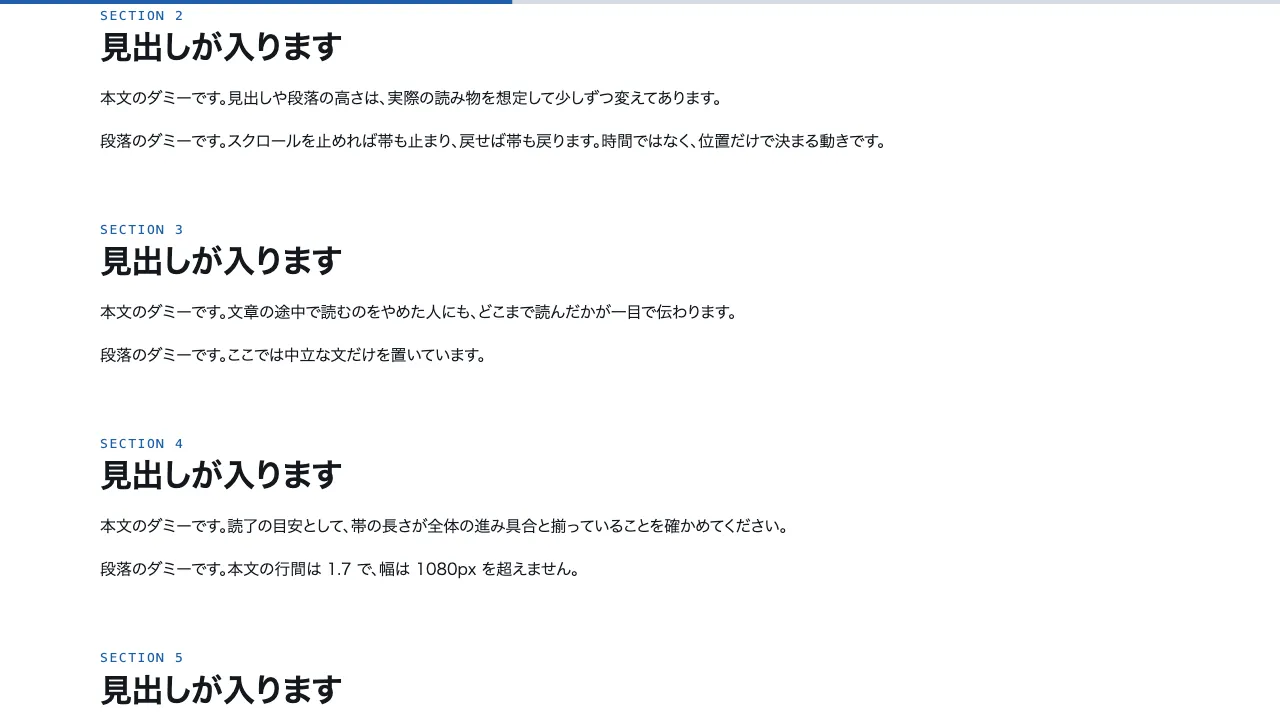
Fix a 4px reading progress bar to the top of a long article. The bar grows from the left edge and reaches exactly 100% at the end of the page.
Drive the fill with `scaleX(var(--p))` and set its transform-origin to the left edge. Let --p be the page scroll amount `scrollY / (scrollHeight - innerHeight)` clamped to 0–1, and read scroll inside requestAnimationFrame so it updates once per frame.
Use one thin grey track and one accent-coloured fill. Keep the text within 1080px, line-height 1.7, split into 8 sections.
Implement with CSS and plain JavaScript only; do not use a library.

Do not drop:
- The bar's width depends only on scroll position, never on time
- The bar reaches exactly 100% at the end of the page
- With reduced motion, drop the transition so the bar follows at once

A working example (one self-contained HTML file): https://design-vault.pages.dev/designs/motion-scroll-linked/demo.html

---

# Parallax scrolling
Parallax scrolling — Parallax scrolling

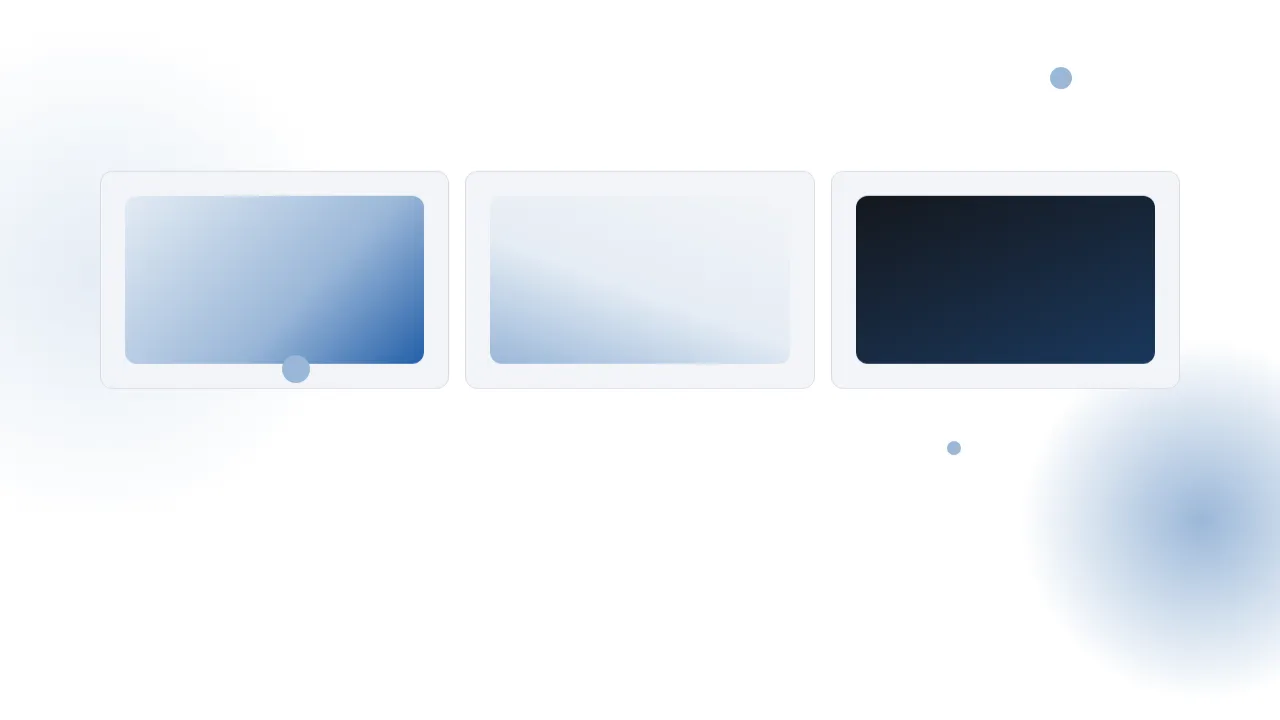
Build a three-layer parallax. The back layer (coefficient 0.3), the middle layer (0.7) and the front layer (1.3) move upward at different speeds for the same scroll amount.
Give each layer `transform: translate3d(0, calc(var(--p) * var(--k) * -300px), 0)`, with --p taken as 0–1 from the scroll progress of a 240vh section. Keep the layers in a 100vh sticky box.
Make the front layer larger and the back layer fainter, and build depth with colour gradients alone, without blur.
Implement with CSS and plain JavaScript only; do not use a library.

Do not drop:
- Layer coefficients grow toward the front (0.3 / 0.7 / 1.3)
- Every layer stays inside one sticky box and never leaks past the frame
- With reduced motion, layers stay still in their stacked position

A working example (one self-contained HTML file): https://design-vault.pages.dev/designs/motion-parallax/demo.html

---

# Scale on scroll
Scale on scroll — Scale on scroll

An image appears at half the screen size and expands to full screen as the user scrolls. Make the section 300vh tall and the box that holds the image a 100vh sticky element.
Use `scale(calc(0.5 + var(--p) * 0.5))` for the scale, and `calc((1 - var(--p)) * 32px)` for the corner radius so the corners reach 0 when --p is 1.
Place one paragraph of text before and after the image, so the next paragraph appears only after the zoom has finished.
Implement with CSS and plain JavaScript only; do not use a library.

Do not drop:
- The zoom completes inside the pinned section; the box stays fixed on screen
- Scale stays between 0.5 and 1
- With reduced motion, show the full-screen end state without scaling

A working example (one self-contained HTML file): https://design-vault.pages.dev/designs/motion-scroll-zoom/demo.html

---

# Scroll-scrubbed image sequence
Scroll-scrubbed image sequence — Scroll-scrubbed image sequence

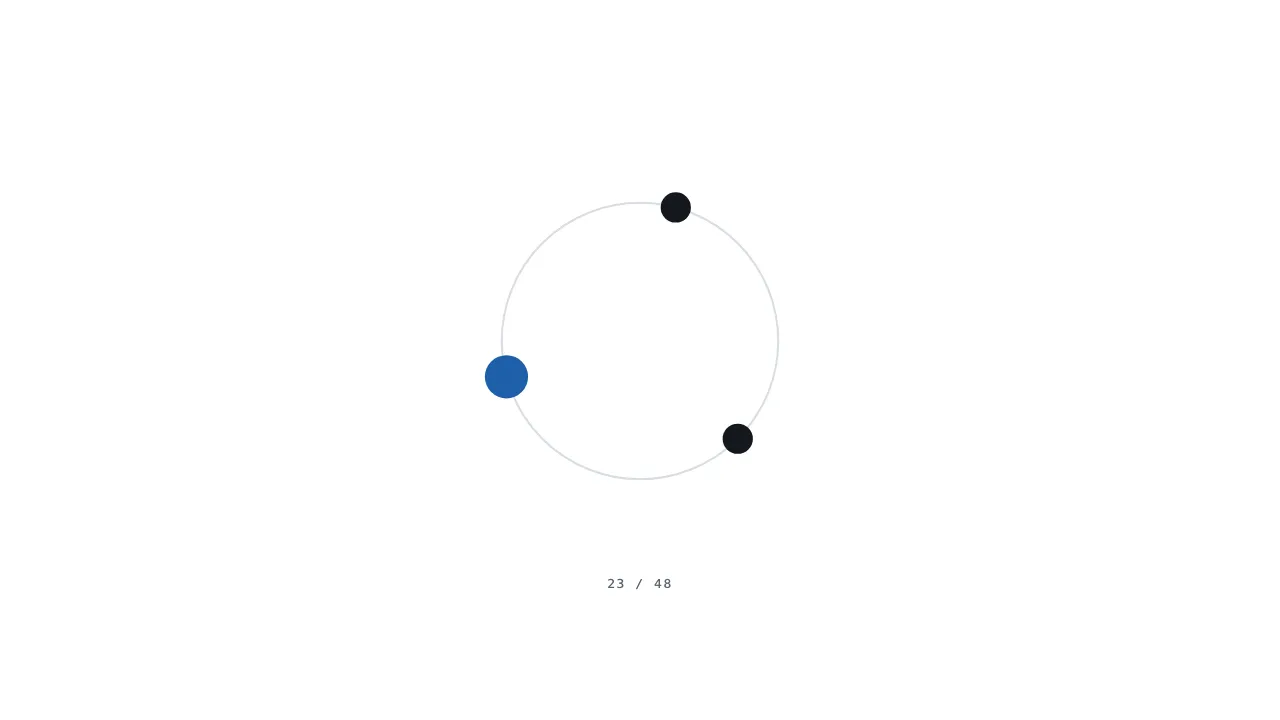
Draw a 48-frame numbered sequence on a canvas and switch frames with the scroll amount. Make the section 300vh tall and the box holding the canvas a 100vh sticky element.
Multiply --p by 47, round it, and use the result as the frame number 0–47. Frame n shows three dots circling a central ring, at angle `2π·n/48 + k·2π/3` (k is the dot index, 0–2).
Read colours from the :root role names through `getComputedStyle(document.documentElement).getPropertyValue('--accent')` and similar calls on each draw.
Implement with CSS and plain JavaScript only; do not use a library.

Do not drop:
- Exactly 48 frames; each scroll position draws only its own frame
- Colours are read by role name from :root; no colour value is written in JS
- With reduced motion, draw only the final frame and stop

A working example (one self-contained HTML file): https://design-vault.pages.dev/designs/motion-image-sequence/demo.html

---

# SVG line drawing
SVG line drawing — SVG line drawing

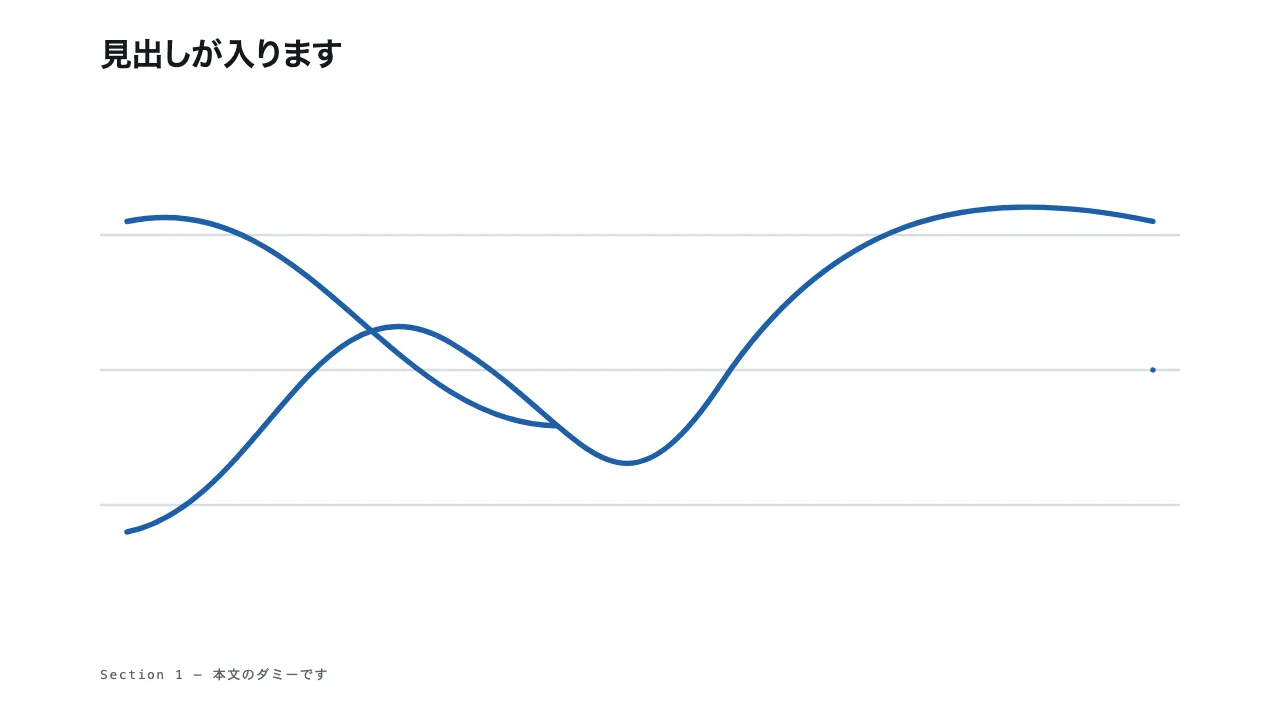
Draw three SVG curves under a heading. Each line is drawn from 0% to 100% as the scroll progress p moves through its own window: 0 to 0.36, 0.32 to 0.68, and 0.64 to 1.00, so neighbouring windows overlap slightly.
The lines move from left to right in step with the scroll amount.
Strokes use the accent colour at 4px with round caps, over three horizontal grid lines in the rule colour.
The heading and the drawing stay fixed at the top of a 300vh section, and the drawing advances only while scrolling down; scrolling back up undraws the lines.
Implement with CSS stroke-dasharray and stroke-dashoffset only, with no libraries.

Do not drop:
- Draw each line with pathLength=1 and drive the drawn length from --p alone
- Scrolling back up undraws the lines
- With reduced motion, show the lines fully drawn

A working example (one self-contained HTML file): https://design-vault.pages.dev/designs/motion-svg-line-draw/demo.html

---

# Text fill on scroll
Text fill on scroll — Text fill on scroll

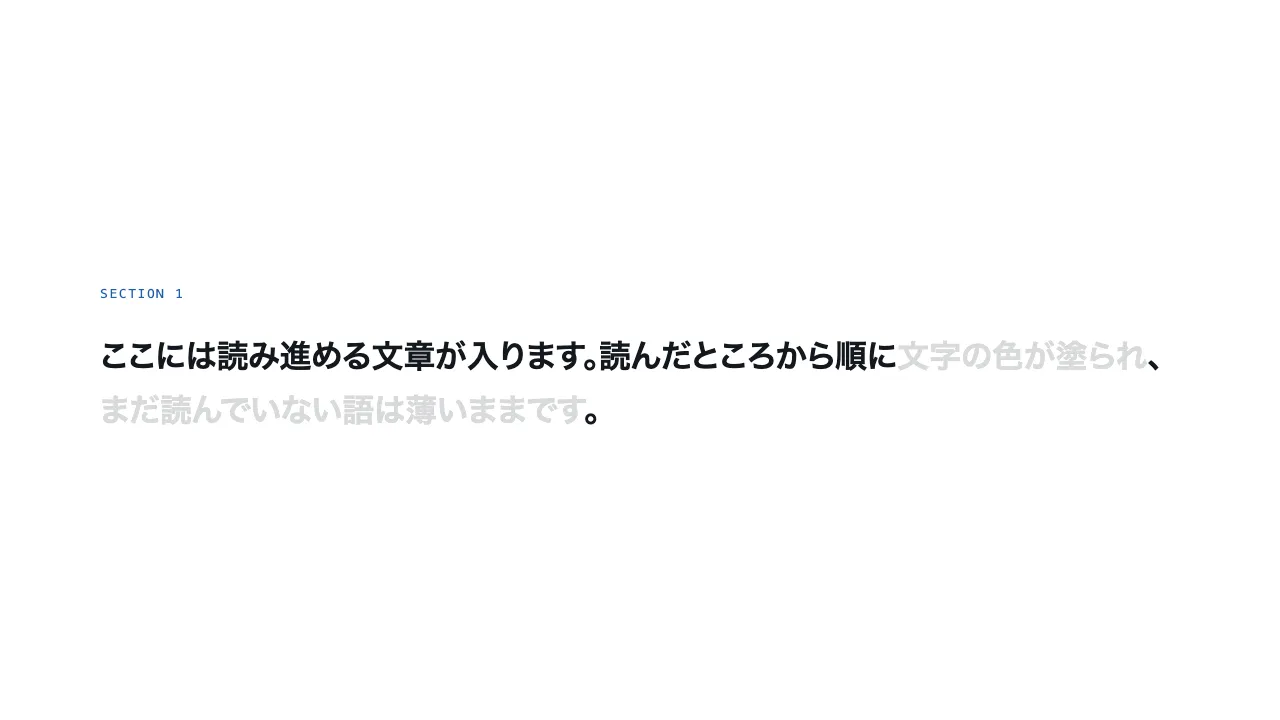
Split one paragraph of about 40 words into word-level spans, all shown in a faint colour at first (ground mixed with 16% ink). For a scroll progress p from 0 to 1, switch to ink every word whose index is at or below p times the word count.
Animate the colour change with a 0.7 s transition so the fill moves smoothly.
The paragraph sits in a 300vh section with a 100vh sticky box, and the last word fills only when the section ends.
Colours use only ink and color-mix(); implement with plain JavaScript and CSS, no libraries.

Do not drop:
- The fill follows the scroll progress in both directions
- Split by word with Intl.Segmenter and leave punctuation unwrapped
- With reduced motion, show the whole text in ink

A working example (one self-contained HTML file): https://design-vault.pages.dev/designs/motion-text-fill/demo.html

---

# Background color transition
Background color transition — Background color transition

Divide the page into four full-height sections, each named by a tone: ground, surface, accent-soft, and ink. When a section crosses the vertical centre of the viewport, write its tone to the body's data-tone attribute and transition background-color over 0.6 s.
The ink tone also switches the text to ground, with supporting text in surface so it stays readable.
Use only the four named custom properties --ground, --surface, --accent-soft and --ink from :root, with no hex or rgb values.
Detect the section that crosses the centre with getBoundingClientRect in plain JavaScript, with no libraries.

Do not drop:
- Background colours come only from the named custom properties in :root
- Only the one section crossing the viewport centre sets the tone
- With reduced motion, switch the tone instantly

A working example (one self-contained HTML file): https://design-vault.pages.dev/designs/motion-bg-color-transition/demo.html

---

# Marquee (scroll velocity)
Marquee (scroll velocity) — Marquee (scroll velocity)

Place two bands of text, one above the other, inside a 100vh sticky box, each in an overflow-hidden frame with large heading type (40–72px). The upper band moves left and the lower band moves right, both at a base speed of 60px per second and never stopping.
Each frame, add three times that frame's scroll distance to a speed boost; the boost decays to 2% of its value every second, so scrolling briefly speeds the bands up.
Lay out two identical copies of the items and wrap the offset by the width of one copy so the loop has no seam.
Animate only transform with requestAnimationFrame; no libraries.

Do not drop:
- The bands never stop; scrolling only adds speed
- Two identical copies keep the loop seamless
- With reduced motion, hold the bands still at the start position

A working example (one self-contained HTML file): https://design-vault.pages.dev/designs/motion-marquee/demo.html

Spec

764 B
# Scroll-linked animation
https://design-vault.pages.dev/ai/assets/motion-scroll-linked.json

---

# Parallax scrolling
https://design-vault.pages.dev/ai/assets/motion-parallax.json

---

# Scale on scroll
https://design-vault.pages.dev/ai/assets/motion-scroll-zoom.json

---

# Scroll-scrubbed image sequence
https://design-vault.pages.dev/ai/assets/motion-image-sequence.json

---

# SVG line drawing
https://design-vault.pages.dev/ai/assets/motion-svg-line-draw.json

---

# Text fill on scroll
https://design-vault.pages.dev/ai/assets/motion-text-fill.json

---

# Background color transition
https://design-vault.pages.dev/ai/assets/motion-bg-color-transition.json

---

# Marquee (scroll velocity)
https://design-vault.pages.dev/ai/assets/motion-marquee.json

Files

01 motion-scroll-linked/demo.html

10.3 KB

/designs/motion-scroll-linked/demo.html

Show contents
<!doctype html>
<html lang="ja">
<head>
<meta charset="utf-8">
<meta name="viewport" content="width=device-width, initial-scale=1">
<title>09 スクロール連動 — Scroll-linked animation</title>
<style>
/* dv-motion-base:start */
:root {
  --ground: #FFFFFF;
  --surface: #F3F5F8;
  --ink: #14181F;
  --muted: #5A6472;
  --accent: #1F5FA8;
  --rule: #D8DDE4;
  --accent-soft: color-mix(in srgb, var(--accent) 12%, var(--ground));
  --accent-mid: color-mix(in srgb, var(--accent) 45%, var(--ground));
  --shade: color-mix(in srgb, var(--ink) 14%, transparent);

  --font: "Zen Kaku Gothic New", "Hiragino Sans", "Noto Sans JP", "Yu Gothic", system-ui, sans-serif;
  --mono: ui-monospace, "SF Mono", Menlo, Consolas, monospace;

  --t-label: 13px;
  --t-body: 16px;
  --t-lead: 20px;
  --t-h2: 32px;
  --t-h1: clamp(40px, 7vw, 72px);

  --s1: 4px;
  --s2: 8px;
  --s3: 16px;
  --s4: 24px;
  --s5: 40px;
  --s6: 64px;
  --s7: 104px;

  --radius: 12px;
  --ease: cubic-bezier(.2, .7, .2, 1);
  --dur: .7s;
  --measure: 1080px;
}
*, *::before, *::after { box-sizing: border-box; }
html { -webkit-text-size-adjust: 100%; }
body {
  margin: 0;
  background: var(--ground);
  color: var(--ink);
  font-family: var(--font);
  font-size: var(--t-body);
  line-height: 1.7;
  font-feature-settings: "palt";
  overflow-x: hidden;
}
h1, h2, h3, p, ul, ol, figure { margin: 0; padding: 0; }
ul, ol { list-style: none; }
.dv-wrap { width: min(100% - 2 * var(--s4), var(--measure)); margin-inline: auto; }
.dv-label {
  min-height: 72vh;
  display: grid;
  align-content: center;
  gap: var(--s3);
  padding-block: var(--s6);
  border-bottom: 1px solid var(--rule);
}
.dv-num { font-family: var(--mono); font-size: var(--t-lead); font-weight: 700; color: var(--accent); letter-spacing: .04em; }
.dv-name { font-size: var(--t-h1); font-weight: 700; line-height: 1.15; letter-spacing: .01em; }
.dv-ai { font-family: var(--mono); font-size: var(--t-lead); color: var(--muted); }
.dv-desc { font-size: var(--t-lead); color: var(--ink); }
.dv-hint { font-size: var(--t-label); color: var(--muted); letter-spacing: .12em; margin-top: var(--s4); }
.dv-stage { padding-block: var(--s7); }
.dv-h2 { font-size: var(--t-h2); font-weight: 700; line-height: 1.3; }
.dv-lead { font-size: var(--t-lead); color: var(--muted); }
.dv-eyebrow { font-family: var(--mono); font-size: var(--t-label); color: var(--accent); letter-spacing: .12em; text-transform: uppercase; }
.dv-card { background: var(--surface); border: 1px solid var(--rule); border-radius: var(--radius); padding: var(--s4); }
.dv-ph {
  border-radius: var(--radius);
  background: linear-gradient(135deg, var(--accent-soft), var(--accent-mid) 60%, var(--accent));
  aspect-ratio: 16 / 9;
}
.dv-ph--alt { background: linear-gradient(200deg, var(--surface), var(--accent-soft) 55%, var(--accent-mid)); }
.dv-ph--ink { background: linear-gradient(160deg, var(--ink), color-mix(in srgb, var(--ink) 55%, var(--accent))); }
.dv-end {
  min-height: 60vh;
  display: grid;
  place-items: center;
  border-top: 1px solid var(--rule);
  color: var(--muted);
  font-family: var(--mono);
  font-size: var(--t-label);
  letter-spacing: .12em;
}
/* dv-motion-base:end */

/* ---- この演出だけの CSS。色は var(--…) か color-mix() のみ ---- */
.stack { display: grid; gap: var(--s6); }
.readbar { position: fixed; top: 0; left: 0; right: 0; height: 4px; background: var(--rule); z-index: 10; }
.readbar-fill {
  position: absolute; inset: 0;
  background: var(--accent);
  transform-origin: 0 50%;
  transform: scaleX(var(--p, 0));
  transition: transform .12s linear;
}
.article { display: grid; gap: var(--s6); }
.article-body { display: grid; gap: var(--s3); margin-top: var(--s3); }

@media (prefers-reduced-motion: reduce) {
  .readbar-fill { transition: none; }
}
</style>
</head>
<body data-motion-number="09">
<header class="dv-label">
  <div class="dv-wrap">
    <p class="dv-num">09</p>
    <h1 class="dv-name">スクロール連動</h1>
    <p class="dv-ai">Scroll-linked animation</p>
    <p class="dv-desc">スクロール量に合わせて進む(読了バー)</p>
    <p class="dv-hint">SCROLL ↓</p>
  </div>
</header>

<main class="dv-stage">
  <div class="readbar" data-progress="page" aria-hidden="true"><div class="readbar-fill"></div></div>
  <div class="dv-wrap article">
    <section>
      <p class="dv-eyebrow">Section 1</p>
      <h2 class="dv-h2">見出しが入ります</h2>
      <div class="article-body">
        <p class="dv-lead">本文のダミーです。読み始めると画面の上端に細い帯が現れ、スクロールした量に合わせて右へ伸びていきます。</p>
        <p>段落のダミーです。ここでは文章の長さを本物の記事に近づけ、帯がどの位置で何割まで進んでいるかを確かめられるようにしています。</p>
      </div>
    </section>
    <section>
      <p class="dv-eyebrow">Section 2</p>
      <h2 class="dv-h2">見出しが入ります</h2>
      <div class="article-body">
        <p>本文のダミーです。見出しや段落の高さは、実際の読み物を想定して少しずつ変えてあります。</p>
        <p>段落のダミーです。スクロールを止めれば帯も止まり、戻せば帯も戻ります。時間ではなく、位置だけで決まる動きです。</p>
      </div>
    </section>
    <section>
      <p class="dv-eyebrow">Section 3</p>
      <h2 class="dv-h2">見出しが入ります</h2>
      <div class="article-body">
        <p>本文のダミーです。文章の途中で読むのをやめた人にも、どこまで読んだかが一目で伝わります。</p>
        <p>段落のダミーです。ここでは中立な文だけを置いています。</p>
      </div>
    </section>
    <section>
      <p class="dv-eyebrow">Section 4</p>
      <h2 class="dv-h2">見出しが入ります</h2>
      <div class="article-body">
        <p>本文のダミーです。読了の目安として、帯の長さが全体の進み具合と揃っていることを確かめてください。</p>
        <p>段落のダミーです。本文の行間は 1.7 で、幅は 1080px を超えません。</p>
      </div>
    </section>
    <section>
      <p class="dv-eyebrow">Section 5</p>
      <h2 class="dv-h2">見出しが入ります</h2>
      <div class="article-body">
        <p>本文のダミーです。段落が続くと、帯は少しずつ、着実に伸びていきます。</p>
        <p>段落のダミーです。ひとつの節が長くても、帯の進みは一定です。</p>
      </div>
    </section>
    <section>
      <p class="dv-eyebrow">Section 6</p>
      <h2 class="dv-h2">見出しが入ります</h2>
      <div class="article-body">
        <p>本文のダミーです。中盤に入り、残りの長さを感じ取れるのがこの帯の役目です。</p>
        <p>段落のダミーです。ここでも説明は必要最小限にしています。</p>
      </div>
    </section>
    <section>
      <p class="dv-eyebrow">Section 7</p>
      <h2 class="dv-h2">見出しが入ります</h2>
      <div class="article-body">
        <p>本文のダミーです。終わりが近づくと、帯はほとんど右端に届いています。</p>
        <p>段落のダミーです。残りの段落は、あと一節だけです。</p>
      </div>
    </section>
    <section>
      <p class="dv-eyebrow">Section 8</p>
      <h2 class="dv-h2">見出しが入ります</h2>
      <div class="article-body">
        <p>本文のダミーです。最後の段落まで読み終えると、帯は右端いっぱいに伸びきります。</p>
        <p>段落のダミーです。これで本文は終わりです。</p>
      </div>
    </section>
  </div>
</main>

<footer class="dv-end">END — 09 スクロール連動</footer>

<script>
/* dv-motion-helpers:start */
const dvReduce = matchMedia('(prefers-reduced-motion: reduce)').matches;
document.documentElement.classList.add('js');

/**
 * 画面に入った要素へ .is-in を付ける。
 * data-reveal="repeat" の要素は画面を出たら外す(何度でも再生)。
 */
function dvReveal(selector = '[data-reveal]', { threshold = 0.2, rootMargin = '0px 0px -8% 0px' } = {}) {
  const els = [...document.querySelectorAll(selector)];
  if (dvReduce || !('IntersectionObserver' in window)) {
    els.forEach((el) => el.classList.add('is-in'));
    return;
  }
  const io = new IntersectionObserver((entries) => {
    for (const e of entries) {
      if (e.isIntersecting) {
        e.target.classList.add('is-in');
        if (e.target.dataset.reveal !== 'repeat') io.unobserve(e.target);
      } else if (e.target.dataset.reveal === 'repeat') {
        e.target.classList.remove('is-in');
      }
    }
  }, { threshold, rootMargin });
  els.forEach((el) => io.observe(el));
}

/**
 * スクロール量を 0〜1 にして、各 [data-progress] 要素の CSS 変数 --p に書く。
 *   data-progress="through" : 要素の上端が画面の下端に来たとき 0、下端が画面の上端を抜けたとき 1
 *   data-progress="pin"     : 要素の上端が画面の上端に来たとき 0、下端が画面の下端に来たとき 1
 *                             (中に position: sticky の箱を持つ、背の高い区画用)
 *   data-progress="page"    : ページ全体のスクロール量
 * onUpdate(el, p) を渡すと、値が変わるたびに呼ばれる。
 */
function dvProgress(onUpdate) {
  const els = [...document.querySelectorAll('[data-progress]')];
  const clamp = (n) => Math.min(1, Math.max(0, n));
  let queued = false;
  const measure = () => {
    queued = false;
    const vh = window.innerHeight;
    for (const el of els) {
      const r = el.getBoundingClientRect();
      let p;
      if (el.dataset.progress === 'pin') p = r.height > vh ? -r.top / (r.height - vh) : 0;
      else if (el.dataset.progress === 'page') {
        const max = document.documentElement.scrollHeight - vh;
        p = max > 0 ? window.scrollY / max : 0;
      } else p = (vh - r.top) / (vh + r.height);
      p = clamp(p);
      el.style.setProperty('--p', p.toFixed(4));
      if (onUpdate) onUpdate(el, p);
    }
  };
  const request = () => {
    if (!queued) { queued = true; requestAnimationFrame(measure); }
  };
  addEventListener('scroll', request, { passive: true });
  addEventListener('resize', request);
  measure();
}
/* dv-motion-helpers:end */

/* ---- この演出だけの JS ---- */
dvProgress();
</script>
</body>
</html>

02 motion-parallax/demo.html

8.8 KB

/designs/motion-parallax/demo.html

Show contents
<!doctype html>
<html lang="ja">
<head>
<meta charset="utf-8">
<meta name="viewport" content="width=device-width, initial-scale=1">
<title>10 パララックス — Parallax scrolling</title>
<style>
/* dv-motion-base:start */
:root {
  --ground: #FFFFFF;
  --surface: #F3F5F8;
  --ink: #14181F;
  --muted: #5A6472;
  --accent: #1F5FA8;
  --rule: #D8DDE4;
  --accent-soft: color-mix(in srgb, var(--accent) 12%, var(--ground));
  --accent-mid: color-mix(in srgb, var(--accent) 45%, var(--ground));
  --shade: color-mix(in srgb, var(--ink) 14%, transparent);

  --font: "Zen Kaku Gothic New", "Hiragino Sans", "Noto Sans JP", "Yu Gothic", system-ui, sans-serif;
  --mono: ui-monospace, "SF Mono", Menlo, Consolas, monospace;

  --t-label: 13px;
  --t-body: 16px;
  --t-lead: 20px;
  --t-h2: 32px;
  --t-h1: clamp(40px, 7vw, 72px);

  --s1: 4px;
  --s2: 8px;
  --s3: 16px;
  --s4: 24px;
  --s5: 40px;
  --s6: 64px;
  --s7: 104px;

  --radius: 12px;
  --ease: cubic-bezier(.2, .7, .2, 1);
  --dur: .7s;
  --measure: 1080px;
}
*, *::before, *::after { box-sizing: border-box; }
html { -webkit-text-size-adjust: 100%; }
body {
  margin: 0;
  background: var(--ground);
  color: var(--ink);
  font-family: var(--font);
  font-size: var(--t-body);
  line-height: 1.7;
  font-feature-settings: "palt";
  overflow-x: hidden;
}
h1, h2, h3, p, ul, ol, figure { margin: 0; padding: 0; }
ul, ol { list-style: none; }
.dv-wrap { width: min(100% - 2 * var(--s4), var(--measure)); margin-inline: auto; }
.dv-label {
  min-height: 72vh;
  display: grid;
  align-content: center;
  gap: var(--s3);
  padding-block: var(--s6);
  border-bottom: 1px solid var(--rule);
}
.dv-num { font-family: var(--mono); font-size: var(--t-lead); font-weight: 700; color: var(--accent); letter-spacing: .04em; }
.dv-name { font-size: var(--t-h1); font-weight: 700; line-height: 1.15; letter-spacing: .01em; }
.dv-ai { font-family: var(--mono); font-size: var(--t-lead); color: var(--muted); }
.dv-desc { font-size: var(--t-lead); color: var(--ink); }
.dv-hint { font-size: var(--t-label); color: var(--muted); letter-spacing: .12em; margin-top: var(--s4); }
.dv-stage { padding-block: var(--s7); }
.dv-h2 { font-size: var(--t-h2); font-weight: 700; line-height: 1.3; }
.dv-lead { font-size: var(--t-lead); color: var(--muted); }
.dv-eyebrow { font-family: var(--mono); font-size: var(--t-label); color: var(--accent); letter-spacing: .12em; text-transform: uppercase; }
.dv-card { background: var(--surface); border: 1px solid var(--rule); border-radius: var(--radius); padding: var(--s4); }
.dv-ph {
  border-radius: var(--radius);
  background: linear-gradient(135deg, var(--accent-soft), var(--accent-mid) 60%, var(--accent));
  aspect-ratio: 16 / 9;
}
.dv-ph--alt { background: linear-gradient(200deg, var(--surface), var(--accent-soft) 55%, var(--accent-mid)); }
.dv-ph--ink { background: linear-gradient(160deg, var(--ink), color-mix(in srgb, var(--ink) 55%, var(--accent))); }
.dv-end {
  min-height: 60vh;
  display: grid;
  place-items: center;
  border-top: 1px solid var(--rule);
  color: var(--muted);
  font-family: var(--mono);
  font-size: var(--t-label);
  letter-spacing: .12em;
}
/* dv-motion-base:end */

/* ---- この演出だけの CSS。色は var(--…) か color-mix() のみ ---- */
.stack { display: grid; gap: var(--s6); }
.plx { position: relative; height: 240vh; }
.plx-stick { position: sticky; top: 0; height: 100vh; overflow: hidden; }
.plx-layer {
  position: absolute; inset: 0;
  transform: translate3d(0, calc(var(--p) * var(--k) * -300px), 0);
  will-change: transform;
}
.plx-mid { display: grid; place-items: center; }
.plx-cards { display: grid; grid-template-columns: repeat(auto-fit, minmax(160px, 1fr)); gap: var(--s3); }
.plx-blob {
  position: absolute;
  left: -12%; top: 8%;
  width: 70vmin; aspect-ratio: 1;
  border-radius: 50%;
  background: radial-gradient(closest-side, var(--accent-soft), transparent);
}
.plx-blob--2 { left: auto; right: -8%; top: 52%; width: 50vmin; background: radial-gradient(closest-side, var(--accent-mid), transparent); }
.plx-dot {
  position: absolute;
  width: 14px; aspect-ratio: 1;
  border-radius: 50%;
  background: var(--accent-mid);
}
.plx-dot:nth-child(1) { left: 10%; top: 14%; }
.plx-dot:nth-child(2) { left: 82%; top: 30%; width: 22px; }
.plx-dot:nth-child(3) { left: 22%; top: 70%; width: 28px; }
.plx-dot:nth-child(4) { left: 74%; top: 82%; }

@media (prefers-reduced-motion: reduce) {
  .plx-layer { transform: none; }
}
</style>
</head>
<body data-motion-number="10">
<header class="dv-label">
  <div class="dv-wrap">
    <p class="dv-num">10</p>
    <h1 class="dv-name">パララックス</h1>
    <p class="dv-ai">Parallax scrolling</p>
    <p class="dv-desc">背景と手前が違う速さで動く</p>
    <p class="dv-hint">SCROLL ↓</p>
  </div>
</header>

<main class="dv-stage">
  <div class="dv-wrap stack">
    <section class="dv-card">
      <p class="dv-eyebrow">Section 1</p>
      <h2 class="dv-h2">見出しが入ります</h2>
      <p class="dv-lead">本文のダミーです。このあとの区画で、層どうしの速さの違いを確かめてください。</p>
    </section>
  </div>

  <section class="plx" data-progress="through">
    <div class="plx-stick">
      <div class="plx-layer plx-back" style="--k: 0.3">
        <span class="plx-blob"></span>
        <span class="plx-blob plx-blob--2"></span>
      </div>
      <div class="plx-layer plx-mid" style="--k: 0.7">
        <div class="dv-wrap plx-cards">
          <div class="dv-card"><div class="dv-ph"></div></div>
          <div class="dv-card"><div class="dv-ph dv-ph--alt"></div></div>
          <div class="dv-card"><div class="dv-ph dv-ph--ink"></div></div>
        </div>
      </div>
      <div class="plx-layer plx-front" style="--k: 1.3">
        <span class="plx-dot"></span>
        <span class="plx-dot"></span>
        <span class="plx-dot"></span>
        <span class="plx-dot"></span>
      </div>
    </div>
  </section>

  <div class="dv-wrap stack">
    <section class="dv-card">
      <p class="dv-eyebrow">Section 2</p>
      <h2 class="dv-h2">見出しが入ります</h2>
      <p class="dv-lead">本文のダミーです。区画を抜けると、層の位置は元に戻ります。</p>
    </section>
  </div>
</main>

<footer class="dv-end">END — 10 パララックス</footer>

<script>
/* dv-motion-helpers:start */
const dvReduce = matchMedia('(prefers-reduced-motion: reduce)').matches;
document.documentElement.classList.add('js');

/**
 * 画面に入った要素へ .is-in を付ける。
 * data-reveal="repeat" の要素は画面を出たら外す(何度でも再生)。
 */
function dvReveal(selector = '[data-reveal]', { threshold = 0.2, rootMargin = '0px 0px -8% 0px' } = {}) {
  const els = [...document.querySelectorAll(selector)];
  if (dvReduce || !('IntersectionObserver' in window)) {
    els.forEach((el) => el.classList.add('is-in'));
    return;
  }
  const io = new IntersectionObserver((entries) => {
    for (const e of entries) {
      if (e.isIntersecting) {
        e.target.classList.add('is-in');
        if (e.target.dataset.reveal !== 'repeat') io.unobserve(e.target);
      } else if (e.target.dataset.reveal === 'repeat') {
        e.target.classList.remove('is-in');
      }
    }
  }, { threshold, rootMargin });
  els.forEach((el) => io.observe(el));
}

/**
 * スクロール量を 0〜1 にして、各 [data-progress] 要素の CSS 変数 --p に書く。
 *   data-progress="through" : 要素の上端が画面の下端に来たとき 0、下端が画面の上端を抜けたとき 1
 *   data-progress="pin"     : 要素の上端が画面の上端に来たとき 0、下端が画面の下端に来たとき 1
 *                             (中に position: sticky の箱を持つ、背の高い区画用)
 *   data-progress="page"    : ページ全体のスクロール量
 * onUpdate(el, p) を渡すと、値が変わるたびに呼ばれる。
 */
function dvProgress(onUpdate) {
  const els = [...document.querySelectorAll('[data-progress]')];
  const clamp = (n) => Math.min(1, Math.max(0, n));
  let queued = false;
  const measure = () => {
    queued = false;
    const vh = window.innerHeight;
    for (const el of els) {
      const r = el.getBoundingClientRect();
      let p;
      if (el.dataset.progress === 'pin') p = r.height > vh ? -r.top / (r.height - vh) : 0;
      else if (el.dataset.progress === 'page') {
        const max = document.documentElement.scrollHeight - vh;
        p = max > 0 ? window.scrollY / max : 0;
      } else p = (vh - r.top) / (vh + r.height);
      p = clamp(p);
      el.style.setProperty('--p', p.toFixed(4));
      if (onUpdate) onUpdate(el, p);
    }
  };
  const request = () => {
    if (!queued) { queued = true; requestAnimationFrame(measure); }
  };
  addEventListener('scroll', request, { passive: true });
  addEventListener('resize', request);
  measure();
}
/* dv-motion-helpers:end */

/* ---- この演出だけの JS ---- */
dvProgress();
</script>
</body>
</html>

03 motion-scroll-zoom/demo.html

7.6 KB

/designs/motion-scroll-zoom/demo.html

Show contents
<!doctype html>
<html lang="ja">
<head>
<meta charset="utf-8">
<meta name="viewport" content="width=device-width, initial-scale=1">
<title>11 スクロールズーム — Scale on scroll</title>
<style>
/* dv-motion-base:start */
:root {
  --ground: #FFFFFF;
  --surface: #F3F5F8;
  --ink: #14181F;
  --muted: #5A6472;
  --accent: #1F5FA8;
  --rule: #D8DDE4;
  --accent-soft: color-mix(in srgb, var(--accent) 12%, var(--ground));
  --accent-mid: color-mix(in srgb, var(--accent) 45%, var(--ground));
  --shade: color-mix(in srgb, var(--ink) 14%, transparent);

  --font: "Zen Kaku Gothic New", "Hiragino Sans", "Noto Sans JP", "Yu Gothic", system-ui, sans-serif;
  --mono: ui-monospace, "SF Mono", Menlo, Consolas, monospace;

  --t-label: 13px;
  --t-body: 16px;
  --t-lead: 20px;
  --t-h2: 32px;
  --t-h1: clamp(40px, 7vw, 72px);

  --s1: 4px;
  --s2: 8px;
  --s3: 16px;
  --s4: 24px;
  --s5: 40px;
  --s6: 64px;
  --s7: 104px;

  --radius: 12px;
  --ease: cubic-bezier(.2, .7, .2, 1);
  --dur: .7s;
  --measure: 1080px;
}
*, *::before, *::after { box-sizing: border-box; }
html { -webkit-text-size-adjust: 100%; }
body {
  margin: 0;
  background: var(--ground);
  color: var(--ink);
  font-family: var(--font);
  font-size: var(--t-body);
  line-height: 1.7;
  font-feature-settings: "palt";
  overflow-x: hidden;
}
h1, h2, h3, p, ul, ol, figure { margin: 0; padding: 0; }
ul, ol { list-style: none; }
.dv-wrap { width: min(100% - 2 * var(--s4), var(--measure)); margin-inline: auto; }
.dv-label {
  min-height: 72vh;
  display: grid;
  align-content: center;
  gap: var(--s3);
  padding-block: var(--s6);
  border-bottom: 1px solid var(--rule);
}
.dv-num { font-family: var(--mono); font-size: var(--t-lead); font-weight: 700; color: var(--accent); letter-spacing: .04em; }
.dv-name { font-size: var(--t-h1); font-weight: 700; line-height: 1.15; letter-spacing: .01em; }
.dv-ai { font-family: var(--mono); font-size: var(--t-lead); color: var(--muted); }
.dv-desc { font-size: var(--t-lead); color: var(--ink); }
.dv-hint { font-size: var(--t-label); color: var(--muted); letter-spacing: .12em; margin-top: var(--s4); }
.dv-stage { padding-block: var(--s7); }
.dv-h2 { font-size: var(--t-h2); font-weight: 700; line-height: 1.3; }
.dv-lead { font-size: var(--t-lead); color: var(--muted); }
.dv-eyebrow { font-family: var(--mono); font-size: var(--t-label); color: var(--accent); letter-spacing: .12em; text-transform: uppercase; }
.dv-card { background: var(--surface); border: 1px solid var(--rule); border-radius: var(--radius); padding: var(--s4); }
.dv-ph {
  border-radius: var(--radius);
  background: linear-gradient(135deg, var(--accent-soft), var(--accent-mid) 60%, var(--accent));
  aspect-ratio: 16 / 9;
}
.dv-ph--alt { background: linear-gradient(200deg, var(--surface), var(--accent-soft) 55%, var(--accent-mid)); }
.dv-ph--ink { background: linear-gradient(160deg, var(--ink), color-mix(in srgb, var(--ink) 55%, var(--accent))); }
.dv-end {
  min-height: 60vh;
  display: grid;
  place-items: center;
  border-top: 1px solid var(--rule);
  color: var(--muted);
  font-family: var(--mono);
  font-size: var(--t-label);
  letter-spacing: .12em;
}
/* dv-motion-base:end */

/* ---- この演出だけの CSS。色は var(--…) か color-mix() のみ ---- */
.stack { display: grid; gap: var(--s6); }
.zoom { height: 300vh; }
.zoom-stick { position: sticky; top: 0; height: 100vh; overflow: hidden; }
.zoom-img {
  position: absolute; inset: 0;
  display: grid; place-items: center;
  background: linear-gradient(135deg, var(--accent-soft), var(--accent-mid) 60%, var(--accent));
  transform: scale(calc(0.5 + var(--p) * 0.5));
  border-radius: calc((1 - var(--p)) * 32px);
}
.zoom-cap { font-size: var(--t-h2); font-weight: 700; color: var(--ground); }

@media (prefers-reduced-motion: reduce) {
  .zoom-img { transform: none; border-radius: 0; }
}
</style>
</head>
<body data-motion-number="11">
<header class="dv-label">
  <div class="dv-wrap">
    <p class="dv-num">11</p>
    <h1 class="dv-name">スクロールズーム</h1>
    <p class="dv-ai">Scale on scroll</p>
    <p class="dv-desc">画像が拡大して全画面に</p>
    <p class="dv-hint">SCROLL ↓</p>
  </div>
</header>

<main class="dv-stage">
  <div class="dv-wrap stack">
    <section class="dv-card">
      <p class="dv-eyebrow">Section 1</p>
      <h2 class="dv-h2">見出しが入ります</h2>
      <p class="dv-lead">本文のダミーです。スクロールすると、下の画像が画面の半分の大きさから広がります。</p>
    </section>
  </div>

  <section class="zoom" data-progress="pin">
    <div class="zoom-stick">
      <div class="zoom-img"><p class="zoom-cap">見出しが入ります</p></div>
    </div>
  </section>

  <div class="dv-wrap stack">
    <section class="dv-card">
      <p class="dv-eyebrow">Section 2</p>
      <h2 class="dv-h2">見出しが入ります</h2>
      <p class="dv-lead">本文のダミーです。拡大が終わったあとに、この段落が続きます。</p>
    </section>
  </div>
</main>

<footer class="dv-end">END — 11 スクロールズーム</footer>

<script>
/* dv-motion-helpers:start */
const dvReduce = matchMedia('(prefers-reduced-motion: reduce)').matches;
document.documentElement.classList.add('js');

/**
 * 画面に入った要素へ .is-in を付ける。
 * data-reveal="repeat" の要素は画面を出たら外す(何度でも再生)。
 */
function dvReveal(selector = '[data-reveal]', { threshold = 0.2, rootMargin = '0px 0px -8% 0px' } = {}) {
  const els = [...document.querySelectorAll(selector)];
  if (dvReduce || !('IntersectionObserver' in window)) {
    els.forEach((el) => el.classList.add('is-in'));
    return;
  }
  const io = new IntersectionObserver((entries) => {
    for (const e of entries) {
      if (e.isIntersecting) {
        e.target.classList.add('is-in');
        if (e.target.dataset.reveal !== 'repeat') io.unobserve(e.target);
      } else if (e.target.dataset.reveal === 'repeat') {
        e.target.classList.remove('is-in');
      }
    }
  }, { threshold, rootMargin });
  els.forEach((el) => io.observe(el));
}

/**
 * スクロール量を 0〜1 にして、各 [data-progress] 要素の CSS 変数 --p に書く。
 *   data-progress="through" : 要素の上端が画面の下端に来たとき 0、下端が画面の上端を抜けたとき 1
 *   data-progress="pin"     : 要素の上端が画面の上端に来たとき 0、下端が画面の下端に来たとき 1
 *                             (中に position: sticky の箱を持つ、背の高い区画用)
 *   data-progress="page"    : ページ全体のスクロール量
 * onUpdate(el, p) を渡すと、値が変わるたびに呼ばれる。
 */
function dvProgress(onUpdate) {
  const els = [...document.querySelectorAll('[data-progress]')];
  const clamp = (n) => Math.min(1, Math.max(0, n));
  let queued = false;
  const measure = () => {
    queued = false;
    const vh = window.innerHeight;
    for (const el of els) {
      const r = el.getBoundingClientRect();
      let p;
      if (el.dataset.progress === 'pin') p = r.height > vh ? -r.top / (r.height - vh) : 0;
      else if (el.dataset.progress === 'page') {
        const max = document.documentElement.scrollHeight - vh;
        p = max > 0 ? window.scrollY / max : 0;
      } else p = (vh - r.top) / (vh + r.height);
      p = clamp(p);
      el.style.setProperty('--p', p.toFixed(4));
      if (onUpdate) onUpdate(el, p);
    }
  };
  const request = () => {
    if (!queued) { queued = true; requestAnimationFrame(measure); }
  };
  addEventListener('scroll', request, { passive: true });
  addEventListener('resize', request);
  measure();
}
/* dv-motion-helpers:end */

/* ---- この演出だけの JS ---- */
dvProgress();
</script>
</body>
</html>

04 motion-image-sequence/demo.html

9.2 KB

/designs/motion-image-sequence/demo.html

Show contents
<!doctype html>
<html lang="ja">
<head>
<meta charset="utf-8">
<meta name="viewport" content="width=device-width, initial-scale=1">
<title>12 画像シーケンス — Scroll-scrubbed image sequence</title>
<style>
/* dv-motion-base:start */
:root {
  --ground: #FFFFFF;
  --surface: #F3F5F8;
  --ink: #14181F;
  --muted: #5A6472;
  --accent: #1F5FA8;
  --rule: #D8DDE4;
  --accent-soft: color-mix(in srgb, var(--accent) 12%, var(--ground));
  --accent-mid: color-mix(in srgb, var(--accent) 45%, var(--ground));
  --shade: color-mix(in srgb, var(--ink) 14%, transparent);

  --font: "Zen Kaku Gothic New", "Hiragino Sans", "Noto Sans JP", "Yu Gothic", system-ui, sans-serif;
  --mono: ui-monospace, "SF Mono", Menlo, Consolas, monospace;

  --t-label: 13px;
  --t-body: 16px;
  --t-lead: 20px;
  --t-h2: 32px;
  --t-h1: clamp(40px, 7vw, 72px);

  --s1: 4px;
  --s2: 8px;
  --s3: 16px;
  --s4: 24px;
  --s5: 40px;
  --s6: 64px;
  --s7: 104px;

  --radius: 12px;
  --ease: cubic-bezier(.2, .7, .2, 1);
  --dur: .7s;
  --measure: 1080px;
}
*, *::before, *::after { box-sizing: border-box; }
html { -webkit-text-size-adjust: 100%; }
body {
  margin: 0;
  background: var(--ground);
  color: var(--ink);
  font-family: var(--font);
  font-size: var(--t-body);
  line-height: 1.7;
  font-feature-settings: "palt";
  overflow-x: hidden;
}
h1, h2, h3, p, ul, ol, figure { margin: 0; padding: 0; }
ul, ol { list-style: none; }
.dv-wrap { width: min(100% - 2 * var(--s4), var(--measure)); margin-inline: auto; }
.dv-label {
  min-height: 72vh;
  display: grid;
  align-content: center;
  gap: var(--s3);
  padding-block: var(--s6);
  border-bottom: 1px solid var(--rule);
}
.dv-num { font-family: var(--mono); font-size: var(--t-lead); font-weight: 700; color: var(--accent); letter-spacing: .04em; }
.dv-name { font-size: var(--t-h1); font-weight: 700; line-height: 1.15; letter-spacing: .01em; }
.dv-ai { font-family: var(--mono); font-size: var(--t-lead); color: var(--muted); }
.dv-desc { font-size: var(--t-lead); color: var(--ink); }
.dv-hint { font-size: var(--t-label); color: var(--muted); letter-spacing: .12em; margin-top: var(--s4); }
.dv-stage { padding-block: var(--s7); }
.dv-h2 { font-size: var(--t-h2); font-weight: 700; line-height: 1.3; }
.dv-lead { font-size: var(--t-lead); color: var(--muted); }
.dv-eyebrow { font-family: var(--mono); font-size: var(--t-label); color: var(--accent); letter-spacing: .12em; text-transform: uppercase; }
.dv-card { background: var(--surface); border: 1px solid var(--rule); border-radius: var(--radius); padding: var(--s4); }
.dv-ph {
  border-radius: var(--radius);
  background: linear-gradient(135deg, var(--accent-soft), var(--accent-mid) 60%, var(--accent));
  aspect-ratio: 16 / 9;
}
.dv-ph--alt { background: linear-gradient(200deg, var(--surface), var(--accent-soft) 55%, var(--accent-mid)); }
.dv-ph--ink { background: linear-gradient(160deg, var(--ink), color-mix(in srgb, var(--ink) 55%, var(--accent))); }
.dv-end {
  min-height: 60vh;
  display: grid;
  place-items: center;
  border-top: 1px solid var(--rule);
  color: var(--muted);
  font-family: var(--mono);
  font-size: var(--t-label);
  letter-spacing: .12em;
}
/* dv-motion-base:end */

/* ---- この演出だけの CSS。色は var(--…) か color-mix() のみ ---- */
.stack { display: grid; gap: var(--s6); }
.seq { height: 300vh; }
.seq-stick {
  position: sticky; top: 0; height: 100vh;
  display: grid; place-content: center; justify-items: center; gap: var(--s3);
}
/* 幅は画面から決める。中央寄せの grid の中で % を使うと、基準の列が中身の幅に
   なって、キャンバスが点まで縮む。 */
.seq-canvas { display: block; width: min(100vw - 2 * var(--s4), 60vh, 560px); aspect-ratio: 1; }
.seq-count {
  font-family: var(--mono);
  font-size: var(--t-label);
  color: var(--muted);
  letter-spacing: .12em;
}

@media (prefers-reduced-motion: reduce) {
  .seq { height: auto; }
  .seq-stick { position: static; height: auto; padding-block: var(--s6); }
}
</style>
</head>
<body data-motion-number="12">
<header class="dv-label">
  <div class="dv-wrap">
    <p class="dv-num">12</p>
    <h1 class="dv-name">画像シーケンス</h1>
    <p class="dv-ai">Scroll-scrubbed image sequence</p>
    <p class="dv-desc">連番画像をコマ送り再生</p>
    <p class="dv-hint">SCROLL ↓</p>
  </div>
</header>

<main class="dv-stage">
  <div class="dv-wrap stack">
    <section class="dv-card">
      <p class="dv-eyebrow">Section 1</p>
      <h2 class="dv-h2">見出しが入ります</h2>
      <p class="dv-lead">本文のダミーです。スクロールすると、中央の図形がコマ送りで一周します。</p>
    </section>
  </div>

  <section class="seq" data-progress="pin">
    <div class="seq-stick">
      <canvas class="seq-canvas" aria-hidden="true"></canvas>
      <p class="seq-count">01 / 48</p>
    </div>
  </section>

  <div class="dv-wrap stack">
    <section class="dv-card">
      <p class="dv-eyebrow">Section 2</p>
      <h2 class="dv-h2">見出しが入ります</h2>
      <p class="dv-lead">本文のダミーです。一周し終えると、図形は最後のコマで止まります。</p>
    </section>
  </div>
</main>

<footer class="dv-end">END — 12 画像シーケンス</footer>

<script>
/* dv-motion-helpers:start */
const dvReduce = matchMedia('(prefers-reduced-motion: reduce)').matches;
document.documentElement.classList.add('js');

/**
 * 画面に入った要素へ .is-in を付ける。
 * data-reveal="repeat" の要素は画面を出たら外す(何度でも再生)。
 */
function dvReveal(selector = '[data-reveal]', { threshold = 0.2, rootMargin = '0px 0px -8% 0px' } = {}) {
  const els = [...document.querySelectorAll(selector)];
  if (dvReduce || !('IntersectionObserver' in window)) {
    els.forEach((el) => el.classList.add('is-in'));
    return;
  }
  const io = new IntersectionObserver((entries) => {
    for (const e of entries) {
      if (e.isIntersecting) {
        e.target.classList.add('is-in');
        if (e.target.dataset.reveal !== 'repeat') io.unobserve(e.target);
      } else if (e.target.dataset.reveal === 'repeat') {
        e.target.classList.remove('is-in');
      }
    }
  }, { threshold, rootMargin });
  els.forEach((el) => io.observe(el));
}

/**
 * スクロール量を 0〜1 にして、各 [data-progress] 要素の CSS 変数 --p に書く。
 *   data-progress="through" : 要素の上端が画面の下端に来たとき 0、下端が画面の上端を抜けたとき 1
 *   data-progress="pin"     : 要素の上端が画面の上端に来たとき 0、下端が画面の下端に来たとき 1
 *                             (中に position: sticky の箱を持つ、背の高い区画用)
 *   data-progress="page"    : ページ全体のスクロール量
 * onUpdate(el, p) を渡すと、値が変わるたびに呼ばれる。
 */
function dvProgress(onUpdate) {
  const els = [...document.querySelectorAll('[data-progress]')];
  const clamp = (n) => Math.min(1, Math.max(0, n));
  let queued = false;
  const measure = () => {
    queued = false;
    const vh = window.innerHeight;
    for (const el of els) {
      const r = el.getBoundingClientRect();
      let p;
      if (el.dataset.progress === 'pin') p = r.height > vh ? -r.top / (r.height - vh) : 0;
      else if (el.dataset.progress === 'page') {
        const max = document.documentElement.scrollHeight - vh;
        p = max > 0 ? window.scrollY / max : 0;
      } else p = (vh - r.top) / (vh + r.height);
      p = clamp(p);
      el.style.setProperty('--p', p.toFixed(4));
      if (onUpdate) onUpdate(el, p);
    }
  };
  const request = () => {
    if (!queued) { queued = true; requestAnimationFrame(measure); }
  };
  addEventListener('scroll', request, { passive: true });
  addEventListener('resize', request);
  measure();
}
/* dv-motion-helpers:end */

/* ---- この演出だけの JS ---- */
const FRAMES = 48;
const seqCanvas = document.querySelector('.seq-canvas');
const seqCount = document.querySelector('.seq-count');

/** :root の役割名から色を読む。描画のたびに読むので、配色の変更にも追従する。 */
const role = (name) => getComputedStyle(document.documentElement).getPropertyValue(name).trim();

/** コマ n(0〜47)を描く。中心の輪の上を、3 つの点が一周ぶん回る。 */
function drawFrame(n) {
  const dpr = window.devicePixelRatio || 1;
  const size = Math.round(seqCanvas.clientWidth * dpr);
  if (seqCanvas.width !== size) { seqCanvas.width = size; seqCanvas.height = size; }
  const ctx = seqCanvas.getContext('2d');
  const c = size / 2;
  const r = size * 0.32;

  ctx.fillStyle = role('--ground');
  ctx.fillRect(0, 0, size, size);

  ctx.strokeStyle = role('--rule');
  ctx.lineWidth = 2 * dpr;
  ctx.beginPath();
  ctx.arc(c, c, r, 0, Math.PI * 2);
  ctx.stroke();

  for (let k = 0; k < 3; k++) {
    const a = (n / FRAMES) * Math.PI * 2 + (k * Math.PI * 2) / 3;
    ctx.fillStyle = k === 0 ? role('--accent') : role('--ink');
    ctx.beginPath();
    ctx.arc(c + Math.cos(a) * r, c + Math.sin(a) * r, size * (k === 0 ? 0.05 : 0.035), 0, Math.PI * 2);
    ctx.fill();
  }
  seqCount.textContent = `${String(n + 1).padStart(2, '0')} / ${FRAMES}`;
}

dvProgress((el, p) => {
  drawFrame(dvReduce ? FRAMES - 1 : Math.round(p * (FRAMES - 1)));
});
</script>
</body>
</html>
05 motion-svg-line-draw/demo.html

7.8 KB

/designs/motion-svg-line-draw/demo.html

Show contents
<!doctype html>
<html lang="ja">
<head>
<meta charset="utf-8">
<meta name="viewport" content="width=device-width, initial-scale=1">
<title>13 SVGラインドロー — SVG line drawing</title>
<style>
/* dv-motion-base:start */
:root {
  --ground: #FFFFFF;
  --surface: #F3F5F8;
  --ink: #14181F;
  --muted: #5A6472;
  --accent: #1F5FA8;
  --rule: #D8DDE4;
  --accent-soft: color-mix(in srgb, var(--accent) 12%, var(--ground));
  --accent-mid: color-mix(in srgb, var(--accent) 45%, var(--ground));
  --shade: color-mix(in srgb, var(--ink) 14%, transparent);

  --font: "Zen Kaku Gothic New", "Hiragino Sans", "Noto Sans JP", "Yu Gothic", system-ui, sans-serif;
  --mono: ui-monospace, "SF Mono", Menlo, Consolas, monospace;

  --t-label: 13px;
  --t-body: 16px;
  --t-lead: 20px;
  --t-h2: 32px;
  --t-h1: clamp(40px, 7vw, 72px);

  --s1: 4px;
  --s2: 8px;
  --s3: 16px;
  --s4: 24px;
  --s5: 40px;
  --s6: 64px;
  --s7: 104px;

  --radius: 12px;
  --ease: cubic-bezier(.2, .7, .2, 1);
  --dur: .7s;
  --measure: 1080px;
}
*, *::before, *::after { box-sizing: border-box; }
html { -webkit-text-size-adjust: 100%; }
body {
  margin: 0;
  background: var(--ground);
  color: var(--ink);
  font-family: var(--font);
  font-size: var(--t-body);
  line-height: 1.7;
  font-feature-settings: "palt";
  overflow-x: hidden;
}
h1, h2, h3, p, ul, ol, figure { margin: 0; padding: 0; }
ul, ol { list-style: none; }
.dv-wrap { width: min(100% - 2 * var(--s4), var(--measure)); margin-inline: auto; }
.dv-label {
  min-height: 72vh;
  display: grid;
  align-content: center;
  gap: var(--s3);
  padding-block: var(--s6);
  border-bottom: 1px solid var(--rule);
}
.dv-num { font-family: var(--mono); font-size: var(--t-lead); font-weight: 700; color: var(--accent); letter-spacing: .04em; }
.dv-name { font-size: var(--t-h1); font-weight: 700; line-height: 1.15; letter-spacing: .01em; }
.dv-ai { font-family: var(--mono); font-size: var(--t-lead); color: var(--muted); }
.dv-desc { font-size: var(--t-lead); color: var(--ink); }
.dv-hint { font-size: var(--t-label); color: var(--muted); letter-spacing: .12em; margin-top: var(--s4); }
.dv-stage { padding-block: var(--s7); }
.dv-h2 { font-size: var(--t-h2); font-weight: 700; line-height: 1.3; }
.dv-lead { font-size: var(--t-lead); color: var(--muted); }
.dv-eyebrow { font-family: var(--mono); font-size: var(--t-label); color: var(--accent); letter-spacing: .12em; text-transform: uppercase; }
.dv-card { background: var(--surface); border: 1px solid var(--rule); border-radius: var(--radius); padding: var(--s4); }
.dv-ph {
  border-radius: var(--radius);
  background: linear-gradient(135deg, var(--accent-soft), var(--accent-mid) 60%, var(--accent));
  aspect-ratio: 16 / 9;
}
.dv-ph--alt { background: linear-gradient(200deg, var(--surface), var(--accent-soft) 55%, var(--accent-mid)); }
.dv-ph--ink { background: linear-gradient(160deg, var(--ink), color-mix(in srgb, var(--ink) 55%, var(--accent))); }
.dv-end {
  min-height: 60vh;
  display: grid;
  place-items: center;
  border-top: 1px solid var(--rule);
  color: var(--muted);
  font-family: var(--mono);
  font-size: var(--t-label);
  letter-spacing: .12em;
}
/* dv-motion-base:end */

/* ---- この演出だけの CSS。色は var(--…) か color-mix() のみ ---- */
.draw-zone { height: 300vh; }
.draw-stick { position: sticky; top: 0; height: 100vh; display: grid; place-items: center; }
.draw-stick .dv-wrap { display: grid; gap: var(--s4); }
.draw-svg { display: block; width: 100%; height: auto; overflow: visible; }
.draw-grid { fill: none; stroke: var(--rule); stroke-width: 2; }
.draw-line {
  fill: none;
  stroke: var(--accent);
  stroke-width: 4;
  stroke-linecap: round;
  stroke-linejoin: round;
  stroke-dasharray: 1;
  stroke-dashoffset: calc(1 - clamp(0, (var(--p) - var(--from)) / var(--span), 1));
}
.draw-caption { font-family: var(--mono); font-size: var(--t-label); color: var(--muted); letter-spacing: .12em; }

@media (prefers-reduced-motion: reduce) {
  .draw-line { stroke-dashoffset: 0; }
}
</style>
</head>
<body data-motion-number="13">
<header class="dv-label">
  <div class="dv-wrap">
    <p class="dv-num">13</p>
    <h1 class="dv-name">SVGラインドロー</h1>
    <p class="dv-ai">SVG line drawing</p>
    <p class="dv-desc">線が描かれていく</p>
    <p class="dv-hint">SCROLL ↓</p>
  </div>
</header>

<main class="dv-stage">
  <section class="draw-zone" data-progress="pin">
    <div class="draw-stick">
      <div class="dv-wrap">
        <h2 class="dv-h2">見出しが入ります</h2>
        <svg class="draw-svg" viewBox="0 0 800 400" aria-hidden="true">
          <path class="draw-grid" d="M0 100H800M0 200H800M0 300H800"/>
          <path class="draw-line" pathLength="1" style="--from: 0; --span: .36" d="M20 320C120 300 160 120 260 180S380 330 460 210S640 60 780 90"/>
          <path class="draw-line" pathLength="1" style="--from: .32; --span: .36" d="M20 90C160 60 220 260 360 240S560 40 780 300"/>
          <path class="draw-line" pathLength="1" style="--from: .64; --span: .36" d="M20 200C140 140 260 340 400 200S640 120 780 200"/>
        </svg>
        <p class="draw-caption">Section 1 — 本文のダミーです</p>
      </div>
    </div>
  </section>
</main>

<footer class="dv-end">END — 13 SVGラインドロー</footer>

<script>
/* dv-motion-helpers:start */
const dvReduce = matchMedia('(prefers-reduced-motion: reduce)').matches;
document.documentElement.classList.add('js');

/**
 * 画面に入った要素へ .is-in を付ける。
 * data-reveal="repeat" の要素は画面を出たら外す(何度でも再生)。
 */
function dvReveal(selector = '[data-reveal]', { threshold = 0.2, rootMargin = '0px 0px -8% 0px' } = {}) {
  const els = [...document.querySelectorAll(selector)];
  if (dvReduce || !('IntersectionObserver' in window)) {
    els.forEach((el) => el.classList.add('is-in'));
    return;
  }
  const io = new IntersectionObserver((entries) => {
    for (const e of entries) {
      if (e.isIntersecting) {
        e.target.classList.add('is-in');
        if (e.target.dataset.reveal !== 'repeat') io.unobserve(e.target);
      } else if (e.target.dataset.reveal === 'repeat') {
        e.target.classList.remove('is-in');
      }
    }
  }, { threshold, rootMargin });
  els.forEach((el) => io.observe(el));
}

/**
 * スクロール量を 0〜1 にして、各 [data-progress] 要素の CSS 変数 --p に書く。
 *   data-progress="through" : 要素の上端が画面の下端に来たとき 0、下端が画面の上端を抜けたとき 1
 *   data-progress="pin"     : 要素の上端が画面の上端に来たとき 0、下端が画面の下端に来たとき 1
 *                             (中に position: sticky の箱を持つ、背の高い区画用)
 *   data-progress="page"    : ページ全体のスクロール量
 * onUpdate(el, p) を渡すと、値が変わるたびに呼ばれる。
 */
function dvProgress(onUpdate) {
  const els = [...document.querySelectorAll('[data-progress]')];
  const clamp = (n) => Math.min(1, Math.max(0, n));
  let queued = false;
  const measure = () => {
    queued = false;
    const vh = window.innerHeight;
    for (const el of els) {
      const r = el.getBoundingClientRect();
      let p;
      if (el.dataset.progress === 'pin') p = r.height > vh ? -r.top / (r.height - vh) : 0;
      else if (el.dataset.progress === 'page') {
        const max = document.documentElement.scrollHeight - vh;
        p = max > 0 ? window.scrollY / max : 0;
      } else p = (vh - r.top) / (vh + r.height);
      p = clamp(p);
      el.style.setProperty('--p', p.toFixed(4));
      if (onUpdate) onUpdate(el, p);
    }
  };
  const request = () => {
    if (!queued) { queued = true; requestAnimationFrame(measure); }
  };
  addEventListener('scroll', request, { passive: true });
  addEventListener('resize', request);
  measure();
}
/* dv-motion-helpers:end */

/* ---- この演出だけの JS ---- */
dvProgress();
</script>
</body>
</html>

06 motion-text-fill/demo.html

8.1 KB

/designs/motion-text-fill/demo.html

Show contents
<!doctype html>
<html lang="ja">
<head>
<meta charset="utf-8">
<meta name="viewport" content="width=device-width, initial-scale=1">
<title>14 テキストフィル — Text fill on scroll</title>
<style>
/* dv-motion-base:start */
:root {
  --ground: #FFFFFF;
  --surface: #F3F5F8;
  --ink: #14181F;
  --muted: #5A6472;
  --accent: #1F5FA8;
  --rule: #D8DDE4;
  --accent-soft: color-mix(in srgb, var(--accent) 12%, var(--ground));
  --accent-mid: color-mix(in srgb, var(--accent) 45%, var(--ground));
  --shade: color-mix(in srgb, var(--ink) 14%, transparent);

  --font: "Zen Kaku Gothic New", "Hiragino Sans", "Noto Sans JP", "Yu Gothic", system-ui, sans-serif;
  --mono: ui-monospace, "SF Mono", Menlo, Consolas, monospace;

  --t-label: 13px;
  --t-body: 16px;
  --t-lead: 20px;
  --t-h2: 32px;
  --t-h1: clamp(40px, 7vw, 72px);

  --s1: 4px;
  --s2: 8px;
  --s3: 16px;
  --s4: 24px;
  --s5: 40px;
  --s6: 64px;
  --s7: 104px;

  --radius: 12px;
  --ease: cubic-bezier(.2, .7, .2, 1);
  --dur: .7s;
  --measure: 1080px;
}
*, *::before, *::after { box-sizing: border-box; }
html { -webkit-text-size-adjust: 100%; }
body {
  margin: 0;
  background: var(--ground);
  color: var(--ink);
  font-family: var(--font);
  font-size: var(--t-body);
  line-height: 1.7;
  font-feature-settings: "palt";
  overflow-x: hidden;
}
h1, h2, h3, p, ul, ol, figure { margin: 0; padding: 0; }
ul, ol { list-style: none; }
.dv-wrap { width: min(100% - 2 * var(--s4), var(--measure)); margin-inline: auto; }
.dv-label {
  min-height: 72vh;
  display: grid;
  align-content: center;
  gap: var(--s3);
  padding-block: var(--s6);
  border-bottom: 1px solid var(--rule);
}
.dv-num { font-family: var(--mono); font-size: var(--t-lead); font-weight: 700; color: var(--accent); letter-spacing: .04em; }
.dv-name { font-size: var(--t-h1); font-weight: 700; line-height: 1.15; letter-spacing: .01em; }
.dv-ai { font-family: var(--mono); font-size: var(--t-lead); color: var(--muted); }
.dv-desc { font-size: var(--t-lead); color: var(--ink); }
.dv-hint { font-size: var(--t-label); color: var(--muted); letter-spacing: .12em; margin-top: var(--s4); }
.dv-stage { padding-block: var(--s7); }
.dv-h2 { font-size: var(--t-h2); font-weight: 700; line-height: 1.3; }
.dv-lead { font-size: var(--t-lead); color: var(--muted); }
.dv-eyebrow { font-family: var(--mono); font-size: var(--t-label); color: var(--accent); letter-spacing: .12em; text-transform: uppercase; }
.dv-card { background: var(--surface); border: 1px solid var(--rule); border-radius: var(--radius); padding: var(--s4); }
.dv-ph {
  border-radius: var(--radius);
  background: linear-gradient(135deg, var(--accent-soft), var(--accent-mid) 60%, var(--accent));
  aspect-ratio: 16 / 9;
}
.dv-ph--alt { background: linear-gradient(200deg, var(--surface), var(--accent-soft) 55%, var(--accent-mid)); }
.dv-ph--ink { background: linear-gradient(160deg, var(--ink), color-mix(in srgb, var(--ink) 55%, var(--accent))); }
.dv-end {
  min-height: 60vh;
  display: grid;
  place-items: center;
  border-top: 1px solid var(--rule);
  color: var(--muted);
  font-family: var(--mono);
  font-size: var(--t-label);
  letter-spacing: .12em;
}
/* dv-motion-base:end */

/* ---- この演出だけの CSS。色は var(--…) か color-mix() のみ ---- */
.fill-zone { height: 300vh; }
.fill-stick { position: sticky; top: 0; height: 100vh; display: grid; place-items: center; }
.fill-stick .dv-wrap { display: grid; gap: var(--s4); }
.fill-text { font-size: var(--t-h2); font-weight: 700; line-height: 1.7; }
.fill-word { transition: color var(--dur) var(--ease); }
.js .fill-word { color: color-mix(in srgb, var(--ink) 16%, var(--ground)); }
.js .fill-word.is-on { color: var(--ink); }

@media (prefers-reduced-motion: reduce) {
  .js .fill-word { color: var(--ink); transition: none; }
}
</style>
</head>
<body data-motion-number="14">
<header class="dv-label">
  <div class="dv-wrap">
    <p class="dv-num">14</p>
    <h1 class="dv-name">テキストフィル</h1>
    <p class="dv-ai">Text fill on scroll</p>
    <p class="dv-desc">読み進めるほど文字色が塗られる</p>
    <p class="dv-hint">SCROLL ↓</p>
  </div>
</header>

<main class="dv-stage">
  <section class="fill-zone" data-progress="pin">
    <div class="fill-stick">
      <div class="dv-wrap">
        <p class="dv-eyebrow">Section 1</p>
        <p class="fill-text">ここには読み進める文章が入ります。読んだところから順に文字の色が塗られ、まだ読んでいない語は薄いままです。</p>
      </div>
    </div>
  </section>
</main>

<footer class="dv-end">END — 14 テキストフィル</footer>

<script>
/* dv-motion-helpers:start */
const dvReduce = matchMedia('(prefers-reduced-motion: reduce)').matches;
document.documentElement.classList.add('js');

/**
 * 画面に入った要素へ .is-in を付ける。
 * data-reveal="repeat" の要素は画面を出たら外す(何度でも再生)。
 */
function dvReveal(selector = '[data-reveal]', { threshold = 0.2, rootMargin = '0px 0px -8% 0px' } = {}) {
  const els = [...document.querySelectorAll(selector)];
  if (dvReduce || !('IntersectionObserver' in window)) {
    els.forEach((el) => el.classList.add('is-in'));
    return;
  }
  const io = new IntersectionObserver((entries) => {
    for (const e of entries) {
      if (e.isIntersecting) {
        e.target.classList.add('is-in');
        if (e.target.dataset.reveal !== 'repeat') io.unobserve(e.target);
      } else if (e.target.dataset.reveal === 'repeat') {
        e.target.classList.remove('is-in');
      }
    }
  }, { threshold, rootMargin });
  els.forEach((el) => io.observe(el));
}

/**
 * スクロール量を 0〜1 にして、各 [data-progress] 要素の CSS 変数 --p に書く。
 *   data-progress="through" : 要素の上端が画面の下端に来たとき 0、下端が画面の上端を抜けたとき 1
 *   data-progress="pin"     : 要素の上端が画面の上端に来たとき 0、下端が画面の下端に来たとき 1
 *                             (中に position: sticky の箱を持つ、背の高い区画用)
 *   data-progress="page"    : ページ全体のスクロール量
 * onUpdate(el, p) を渡すと、値が変わるたびに呼ばれる。
 */
function dvProgress(onUpdate) {
  const els = [...document.querySelectorAll('[data-progress]')];
  const clamp = (n) => Math.min(1, Math.max(0, n));
  let queued = false;
  const measure = () => {
    queued = false;
    const vh = window.innerHeight;
    for (const el of els) {
      const r = el.getBoundingClientRect();
      let p;
      if (el.dataset.progress === 'pin') p = r.height > vh ? -r.top / (r.height - vh) : 0;
      else if (el.dataset.progress === 'page') {
        const max = document.documentElement.scrollHeight - vh;
        p = max > 0 ? window.scrollY / max : 0;
      } else p = (vh - r.top) / (vh + r.height);
      p = clamp(p);
      el.style.setProperty('--p', p.toFixed(4));
      if (onUpdate) onUpdate(el, p);
    }
  };
  const request = () => {
    if (!queued) { queued = true; requestAnimationFrame(measure); }
  };
  addEventListener('scroll', request, { passive: true });
  addEventListener('resize', request);
  measure();
}
/* dv-motion-helpers:end */

/* ---- この演出だけの JS ---- */
// 文を語ごとに <span> に割る。読点や空白は割らずにそのまま残す。
const fillText = document.querySelector('.fill-text');
const source = fillText.textContent;
const words = [];
// 語に割れない環境では文をそのまま残す。先に消すと、割る前に舞台が空になる。
const segments = 'Segmenter' in Intl ? [...new Intl.Segmenter('ja', { granularity: 'word' }).segment(source)] : [];
if (segments.length > 0) fillText.textContent = '';
for (const { segment, isWordLike } of segments) {
  if (!isWordLike) {
    fillText.append(segment);
    continue;
  }
  const span = document.createElement('span');
  span.className = 'fill-word';
  span.textContent = segment;
  fillText.append(span);
  words.push(span);
}

// --p を超えた語から順に --ink にする。
dvProgress((el, p) => {
  words.forEach((w, i) => w.classList.toggle('is-on', p * words.length >= i + 1));
});
</script>
</body>
</html>
07 motion-bg-color-transition/demo.html

8.5 KB

/designs/motion-bg-color-transition/demo.html

Show contents
<!doctype html>
<html lang="ja">
<head>
<meta charset="utf-8">
<meta name="viewport" content="width=device-width, initial-scale=1">
<title>15 背景色トランジション — Background color transition</title>
<style>
/* dv-motion-base:start */
:root {
  --ground: #FFFFFF;
  --surface: #F3F5F8;
  --ink: #14181F;
  --muted: #5A6472;
  --accent: #1F5FA8;
  --rule: #D8DDE4;
  --accent-soft: color-mix(in srgb, var(--accent) 12%, var(--ground));
  --accent-mid: color-mix(in srgb, var(--accent) 45%, var(--ground));
  --shade: color-mix(in srgb, var(--ink) 14%, transparent);

  --font: "Zen Kaku Gothic New", "Hiragino Sans", "Noto Sans JP", "Yu Gothic", system-ui, sans-serif;
  --mono: ui-monospace, "SF Mono", Menlo, Consolas, monospace;

  --t-label: 13px;
  --t-body: 16px;
  --t-lead: 20px;
  --t-h2: 32px;
  --t-h1: clamp(40px, 7vw, 72px);

  --s1: 4px;
  --s2: 8px;
  --s3: 16px;
  --s4: 24px;
  --s5: 40px;
  --s6: 64px;
  --s7: 104px;

  --radius: 12px;
  --ease: cubic-bezier(.2, .7, .2, 1);
  --dur: .7s;
  --measure: 1080px;
}
*, *::before, *::after { box-sizing: border-box; }
html { -webkit-text-size-adjust: 100%; }
body {
  margin: 0;
  background: var(--ground);
  color: var(--ink);
  font-family: var(--font);
  font-size: var(--t-body);
  line-height: 1.7;
  font-feature-settings: "palt";
  overflow-x: hidden;
}
h1, h2, h3, p, ul, ol, figure { margin: 0; padding: 0; }
ul, ol { list-style: none; }
.dv-wrap { width: min(100% - 2 * var(--s4), var(--measure)); margin-inline: auto; }
.dv-label {
  min-height: 72vh;
  display: grid;
  align-content: center;
  gap: var(--s3);
  padding-block: var(--s6);
  border-bottom: 1px solid var(--rule);
}
.dv-num { font-family: var(--mono); font-size: var(--t-lead); font-weight: 700; color: var(--accent); letter-spacing: .04em; }
.dv-name { font-size: var(--t-h1); font-weight: 700; line-height: 1.15; letter-spacing: .01em; }
.dv-ai { font-family: var(--mono); font-size: var(--t-lead); color: var(--muted); }
.dv-desc { font-size: var(--t-lead); color: var(--ink); }
.dv-hint { font-size: var(--t-label); color: var(--muted); letter-spacing: .12em; margin-top: var(--s4); }
.dv-stage { padding-block: var(--s7); }
.dv-h2 { font-size: var(--t-h2); font-weight: 700; line-height: 1.3; }
.dv-lead { font-size: var(--t-lead); color: var(--muted); }
.dv-eyebrow { font-family: var(--mono); font-size: var(--t-label); color: var(--accent); letter-spacing: .12em; text-transform: uppercase; }
.dv-card { background: var(--surface); border: 1px solid var(--rule); border-radius: var(--radius); padding: var(--s4); }
.dv-ph {
  border-radius: var(--radius);
  background: linear-gradient(135deg, var(--accent-soft), var(--accent-mid) 60%, var(--accent));
  aspect-ratio: 16 / 9;
}
.dv-ph--alt { background: linear-gradient(200deg, var(--surface), var(--accent-soft) 55%, var(--accent-mid)); }
.dv-ph--ink { background: linear-gradient(160deg, var(--ink), color-mix(in srgb, var(--ink) 55%, var(--accent))); }
.dv-end {
  min-height: 60vh;
  display: grid;
  place-items: center;
  border-top: 1px solid var(--rule);
  color: var(--muted);
  font-family: var(--mono);
  font-size: var(--t-label);
  letter-spacing: .12em;
}
/* dv-motion-base:end */

/* ---- この演出だけの CSS。色は var(--…) か color-mix() のみ ---- */
body { transition: background-color .6s ease, color .6s ease; }
body[data-tone="ground"] { background-color: var(--ground); }
body[data-tone="surface"] { background-color: var(--surface); }
body[data-tone="accent-soft"] { background-color: var(--accent-soft); }
body[data-tone="ink"] { background-color: var(--ink); color: var(--ground); }
body[data-tone="ink"] .dv-eyebrow,
body[data-tone="ink"] .dv-lead,
body[data-tone="ink"] .dv-end { color: var(--surface); }

.tone-zone { min-height: 100vh; display: grid; place-items: center; }
.tone-zone .dv-wrap { display: grid; gap: var(--s3); }

@media (prefers-reduced-motion: reduce) {
  body { transition: none; }
}
</style>
</head>
<body data-motion-number="15">
<header class="dv-label">
  <div class="dv-wrap">
    <p class="dv-num">15</p>
    <h1 class="dv-name">背景色トランジション</h1>
    <p class="dv-ai">Background color transition</p>
    <p class="dv-desc">背景色がなめらかに変わる</p>
    <p class="dv-hint">SCROLL ↓</p>
  </div>
</header>

<main class="dv-stage">
  <section class="tone-zone" data-progress="through" data-tone="ground">
    <div class="dv-wrap">
      <p class="dv-eyebrow">Section 1</p>
      <h2 class="dv-h2">見出しが入ります</h2>
      <p class="dv-lead">本文のダミーです。区画が画面の中央に来ると、背景色がゆっくり切り替わります。</p>
    </div>
  </section>
  <section class="tone-zone" data-progress="through" data-tone="surface">
    <div class="dv-wrap">
      <p class="dv-eyebrow">Section 2</p>
      <h2 class="dv-h2">見出しが入ります</h2>
      <p class="dv-lead">本文のダミーです。背景は面の色に変わります。</p>
    </div>
  </section>
  <section class="tone-zone" data-progress="through" data-tone="accent-soft">
    <div class="dv-wrap">
      <p class="dv-eyebrow">Section 3</p>
      <h2 class="dv-h2">見出しが入ります</h2>
      <p class="dv-lead">本文のダミーです。背景は淡い強調色に変わります。</p>
    </div>
  </section>
  <section class="tone-zone" data-progress="through" data-tone="ink">
    <div class="dv-wrap">
      <p class="dv-eyebrow">Section 4</p>
      <h2 class="dv-h2">見出しが入ります</h2>
      <p class="dv-lead">本文のダミーです。暗い背景では文字色も明るい色に切り替わります。</p>
    </div>
  </section>
</main>

<footer class="dv-end">END — 15 背景色トランジション</footer>

<script>
/* dv-motion-helpers:start */
const dvReduce = matchMedia('(prefers-reduced-motion: reduce)').matches;
document.documentElement.classList.add('js');

/**
 * 画面に入った要素へ .is-in を付ける。
 * data-reveal="repeat" の要素は画面を出たら外す(何度でも再生)。
 */
function dvReveal(selector = '[data-reveal]', { threshold = 0.2, rootMargin = '0px 0px -8% 0px' } = {}) {
  const els = [...document.querySelectorAll(selector)];
  if (dvReduce || !('IntersectionObserver' in window)) {
    els.forEach((el) => el.classList.add('is-in'));
    return;
  }
  const io = new IntersectionObserver((entries) => {
    for (const e of entries) {
      if (e.isIntersecting) {
        e.target.classList.add('is-in');
        if (e.target.dataset.reveal !== 'repeat') io.unobserve(e.target);
      } else if (e.target.dataset.reveal === 'repeat') {
        e.target.classList.remove('is-in');
      }
    }
  }, { threshold, rootMargin });
  els.forEach((el) => io.observe(el));
}

/**
 * スクロール量を 0〜1 にして、各 [data-progress] 要素の CSS 変数 --p に書く。
 *   data-progress="through" : 要素の上端が画面の下端に来たとき 0、下端が画面の上端を抜けたとき 1
 *   data-progress="pin"     : 要素の上端が画面の上端に来たとき 0、下端が画面の下端に来たとき 1
 *                             (中に position: sticky の箱を持つ、背の高い区画用)
 *   data-progress="page"    : ページ全体のスクロール量
 * onUpdate(el, p) を渡すと、値が変わるたびに呼ばれる。
 */
function dvProgress(onUpdate) {
  const els = [...document.querySelectorAll('[data-progress]')];
  const clamp = (n) => Math.min(1, Math.max(0, n));
  let queued = false;
  const measure = () => {
    queued = false;
    const vh = window.innerHeight;
    for (const el of els) {
      const r = el.getBoundingClientRect();
      let p;
      if (el.dataset.progress === 'pin') p = r.height > vh ? -r.top / (r.height - vh) : 0;
      else if (el.dataset.progress === 'page') {
        const max = document.documentElement.scrollHeight - vh;
        p = max > 0 ? window.scrollY / max : 0;
      } else p = (vh - r.top) / (vh + r.height);
      p = clamp(p);
      el.style.setProperty('--p', p.toFixed(4));
      if (onUpdate) onUpdate(el, p);
    }
  };
  const request = () => {
    if (!queued) { queued = true; requestAnimationFrame(measure); }
  };
  addEventListener('scroll', request, { passive: true });
  addEventListener('resize', request);
  measure();
}
/* dv-motion-helpers:end */

/* ---- この演出だけの JS ---- */
// 画面の中央を横切っている区画の tone を body に写す。
dvProgress((el) => {
  const r = el.getBoundingClientRect();
  if (r.top <= innerHeight / 2 && r.bottom > innerHeight / 2) document.body.dataset.tone = el.dataset.tone;
});
</script>
</body>
</html>

08 motion-marquee/demo.html

9.0 KB

/designs/motion-marquee/demo.html

Show contents
<!doctype html>
<html lang="ja">
<head>
<meta charset="utf-8">
<meta name="viewport" content="width=device-width, initial-scale=1">
<title>16 マーキー — Marquee (scroll velocity)</title>
<style>
/* dv-motion-base:start */
:root {
  --ground: #FFFFFF;
  --surface: #F3F5F8;
  --ink: #14181F;
  --muted: #5A6472;
  --accent: #1F5FA8;
  --rule: #D8DDE4;
  --accent-soft: color-mix(in srgb, var(--accent) 12%, var(--ground));
  --accent-mid: color-mix(in srgb, var(--accent) 45%, var(--ground));
  --shade: color-mix(in srgb, var(--ink) 14%, transparent);

  --font: "Zen Kaku Gothic New", "Hiragino Sans", "Noto Sans JP", "Yu Gothic", system-ui, sans-serif;
  --mono: ui-monospace, "SF Mono", Menlo, Consolas, monospace;

  --t-label: 13px;
  --t-body: 16px;
  --t-lead: 20px;
  --t-h2: 32px;
  --t-h1: clamp(40px, 7vw, 72px);

  --s1: 4px;
  --s2: 8px;
  --s3: 16px;
  --s4: 24px;
  --s5: 40px;
  --s6: 64px;
  --s7: 104px;

  --radius: 12px;
  --ease: cubic-bezier(.2, .7, .2, 1);
  --dur: .7s;
  --measure: 1080px;
}
*, *::before, *::after { box-sizing: border-box; }
html { -webkit-text-size-adjust: 100%; }
body {
  margin: 0;
  background: var(--ground);
  color: var(--ink);
  font-family: var(--font);
  font-size: var(--t-body);
  line-height: 1.7;
  font-feature-settings: "palt";
  overflow-x: hidden;
}
h1, h2, h3, p, ul, ol, figure { margin: 0; padding: 0; }
ul, ol { list-style: none; }
.dv-wrap { width: min(100% - 2 * var(--s4), var(--measure)); margin-inline: auto; }
.dv-label {
  min-height: 72vh;
  display: grid;
  align-content: center;
  gap: var(--s3);
  padding-block: var(--s6);
  border-bottom: 1px solid var(--rule);
}
.dv-num { font-family: var(--mono); font-size: var(--t-lead); font-weight: 700; color: var(--accent); letter-spacing: .04em; }
.dv-name { font-size: var(--t-h1); font-weight: 700; line-height: 1.15; letter-spacing: .01em; }
.dv-ai { font-family: var(--mono); font-size: var(--t-lead); color: var(--muted); }
.dv-desc { font-size: var(--t-lead); color: var(--ink); }
.dv-hint { font-size: var(--t-label); color: var(--muted); letter-spacing: .12em; margin-top: var(--s4); }
.dv-stage { padding-block: var(--s7); }
.dv-h2 { font-size: var(--t-h2); font-weight: 700; line-height: 1.3; }
.dv-lead { font-size: var(--t-lead); color: var(--muted); }
.dv-eyebrow { font-family: var(--mono); font-size: var(--t-label); color: var(--accent); letter-spacing: .12em; text-transform: uppercase; }
.dv-card { background: var(--surface); border: 1px solid var(--rule); border-radius: var(--radius); padding: var(--s4); }
.dv-ph {
  border-radius: var(--radius);
  background: linear-gradient(135deg, var(--accent-soft), var(--accent-mid) 60%, var(--accent));
  aspect-ratio: 16 / 9;
}
.dv-ph--alt { background: linear-gradient(200deg, var(--surface), var(--accent-soft) 55%, var(--accent-mid)); }
.dv-ph--ink { background: linear-gradient(160deg, var(--ink), color-mix(in srgb, var(--ink) 55%, var(--accent))); }
.dv-end {
  min-height: 60vh;
  display: grid;
  place-items: center;
  border-top: 1px solid var(--rule);
  color: var(--muted);
  font-family: var(--mono);
  font-size: var(--t-label);
  letter-spacing: .12em;
}
/* dv-motion-base:end */

/* ---- この演出だけの CSS。色は var(--…) か color-mix() のみ ---- */
.marquee-zone { height: 300vh; }
.marquee-stick { position: sticky; top: 0; height: 100vh; display: grid; align-content: center; gap: var(--s5); }
.marquee { overflow: hidden; white-space: nowrap; border-block: 1px solid var(--rule); }
.marquee--alt { background: var(--surface); }
.marquee-track { display: flex; width: max-content; will-change: transform; }
.marquee-item { padding-inline: var(--s5); padding-block: var(--s3); font-size: var(--t-h1); font-weight: 700; line-height: 1.3; color: var(--ink); }
.marquee--alt .marquee-item { color: color-mix(in srgb, var(--ink) 55%, var(--ground)); }
.marquee-note { padding-inline: var(--s3); font-family: var(--mono); font-size: var(--t-label); color: var(--muted); letter-spacing: .12em; }

@media (prefers-reduced-motion: reduce) {
  .marquee-track { transform: none; }
}
</style>
</head>
<body data-motion-number="16">
<header class="dv-label">
  <div class="dv-wrap">
    <p class="dv-num">16</p>
    <h1 class="dv-name">マーキー</h1>
    <p class="dv-ai">Marquee (scroll velocity)</p>
    <p class="dv-desc">流れ続け、スクロールで加速</p>
    <p class="dv-hint">SCROLL ↓</p>
  </div>
</header>

<main class="dv-stage">
  <section class="marquee-zone">
    <div class="marquee-stick">
      <div class="marquee" data-dir="left">
        <div class="marquee-track">
          <span class="marquee-item">見出しが入ります</span>
          <span class="marquee-item">見出しが入ります</span>
          <span class="marquee-item">見出しが入ります</span>
          <span class="marquee-item">見出しが入ります</span>
        </div>
      </div>
      <p class="marquee-note">スクロールすると流れが速くなります</p>
      <div class="marquee marquee--alt" data-dir="right">
        <div class="marquee-track">
          <span class="marquee-item">本文のダミーです</span>
          <span class="marquee-item">本文のダミーです</span>
          <span class="marquee-item">本文のダミーです</span>
          <span class="marquee-item">本文のダミーです</span>
        </div>
      </div>
    </div>
  </section>
</main>

<footer class="dv-end">END — 16 マーキー</footer>

<script>
/* dv-motion-helpers:start */
const dvReduce = matchMedia('(prefers-reduced-motion: reduce)').matches;
document.documentElement.classList.add('js');

/**
 * 画面に入った要素へ .is-in を付ける。
 * data-reveal="repeat" の要素は画面を出たら外す(何度でも再生)。
 */
function dvReveal(selector = '[data-reveal]', { threshold = 0.2, rootMargin = '0px 0px -8% 0px' } = {}) {
  const els = [...document.querySelectorAll(selector)];
  if (dvReduce || !('IntersectionObserver' in window)) {
    els.forEach((el) => el.classList.add('is-in'));
    return;
  }
  const io = new IntersectionObserver((entries) => {
    for (const e of entries) {
      if (e.isIntersecting) {
        e.target.classList.add('is-in');
        if (e.target.dataset.reveal !== 'repeat') io.unobserve(e.target);
      } else if (e.target.dataset.reveal === 'repeat') {
        e.target.classList.remove('is-in');
      }
    }
  }, { threshold, rootMargin });
  els.forEach((el) => io.observe(el));
}

/**
 * スクロール量を 0〜1 にして、各 [data-progress] 要素の CSS 変数 --p に書く。
 *   data-progress="through" : 要素の上端が画面の下端に来たとき 0、下端が画面の上端を抜けたとき 1
 *   data-progress="pin"     : 要素の上端が画面の上端に来たとき 0、下端が画面の下端に来たとき 1
 *                             (中に position: sticky の箱を持つ、背の高い区画用)
 *   data-progress="page"    : ページ全体のスクロール量
 * onUpdate(el, p) を渡すと、値が変わるたびに呼ばれる。
 */
function dvProgress(onUpdate) {
  const els = [...document.querySelectorAll('[data-progress]')];
  const clamp = (n) => Math.min(1, Math.max(0, n));
  let queued = false;
  const measure = () => {
    queued = false;
    const vh = window.innerHeight;
    for (const el of els) {
      const r = el.getBoundingClientRect();
      let p;
      if (el.dataset.progress === 'pin') p = r.height > vh ? -r.top / (r.height - vh) : 0;
      else if (el.dataset.progress === 'page') {
        const max = document.documentElement.scrollHeight - vh;
        p = max > 0 ? window.scrollY / max : 0;
      } else p = (vh - r.top) / (vh + r.height);
      p = clamp(p);
      el.style.setProperty('--p', p.toFixed(4));
      if (onUpdate) onUpdate(el, p);
    }
  };
  const request = () => {
    if (!queued) { queued = true; requestAnimationFrame(measure); }
  };
  addEventListener('scroll', request, { passive: true });
  addEventListener('resize', request);
  measure();
}
/* dv-motion-helpers:end */

/* ---- この演出だけの JS ---- */
// 帯の中身を 2 組に増やし、組の幅ぶん流れたら先頭へ戻す。
const bands = [...document.querySelectorAll('.marquee')].map((el) => {
  const track = el.querySelector('.marquee-track');
  track.append(...[...track.children].map((c) => c.cloneNode(true)));
  return { track, dir: el.dataset.dir === 'right' ? 1 : -1, x: 0 };
});

// 基本の速さ(60px/s)に、スクロールの速さで足した分を減衰させながら乗せる。
let lastY = window.scrollY;
let boost = 0;
let last = performance.now();
const frame = (now) => {
  const dt = Math.min(0.05, (now - last) / 1000);
  last = now;
  const dy = Math.abs(window.scrollY - lastY);
  lastY = window.scrollY;
  boost = boost * Math.pow(0.02, dt) + dy * 3;
  for (const b of bands) {
    const half = b.track.scrollWidth / 2;
    b.x += b.dir * (60 + boost) * dt;
    b.x = ((b.x % half) + half) % half - half;
    b.track.style.transform = `translate3d(${b.x.toFixed(2)}px, 0, 0)`;
  }
  requestAnimationFrame(frame);
};
if (!dvReduce) requestAnimationFrame(frame);
</script>
</body>
</html>