Design Vault Search use case, structure, colour, notes /
Index Categories Tags 日本語

Deck

Type in Motion 25–29 — Effects That Move the Letters Themselves

Five effects from text scramble to the odometer. They change how a headline or a figure appears, and set the first impression of a landing page

5 slides

Take it with you JSON However many slides, one action. They are joined in order, so the sequence survives the paste. A slot with no spec carries its title and the address of its JSON

Reading order

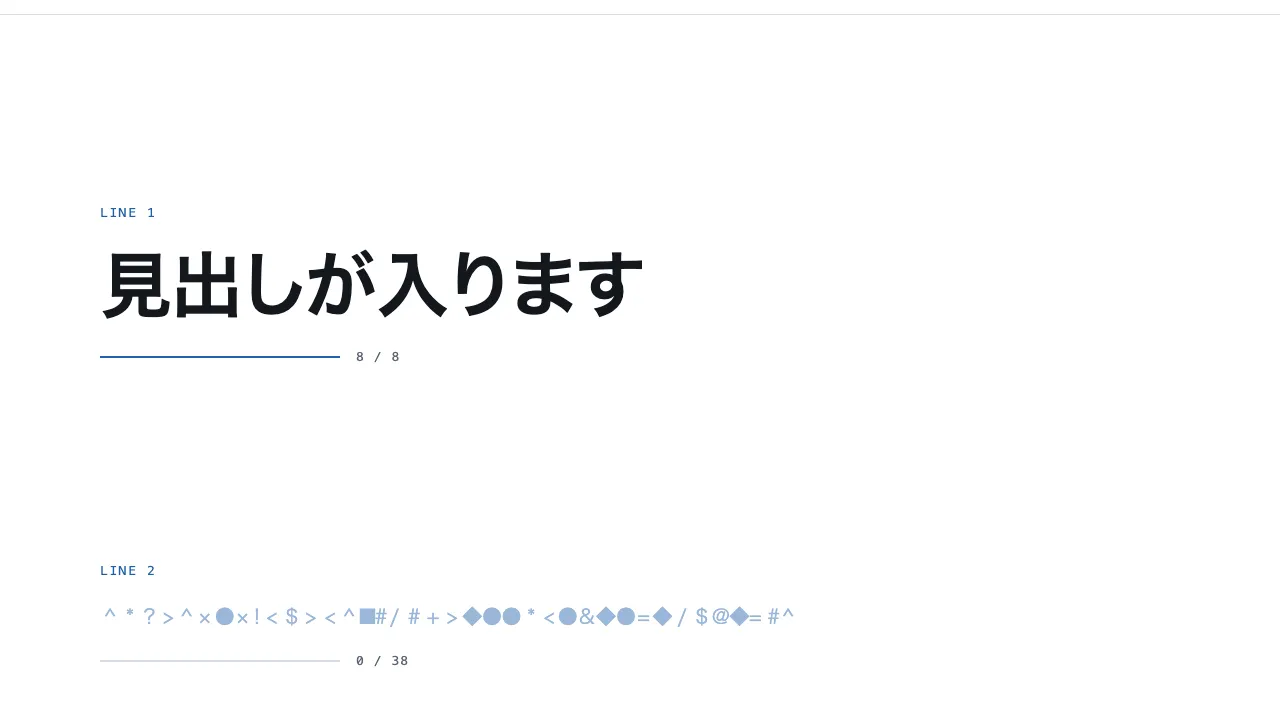
  1. 01 Motion Text scramble Text scramble
  2. 02 Motion Letter-spacing on scroll Letter-spacing on scroll
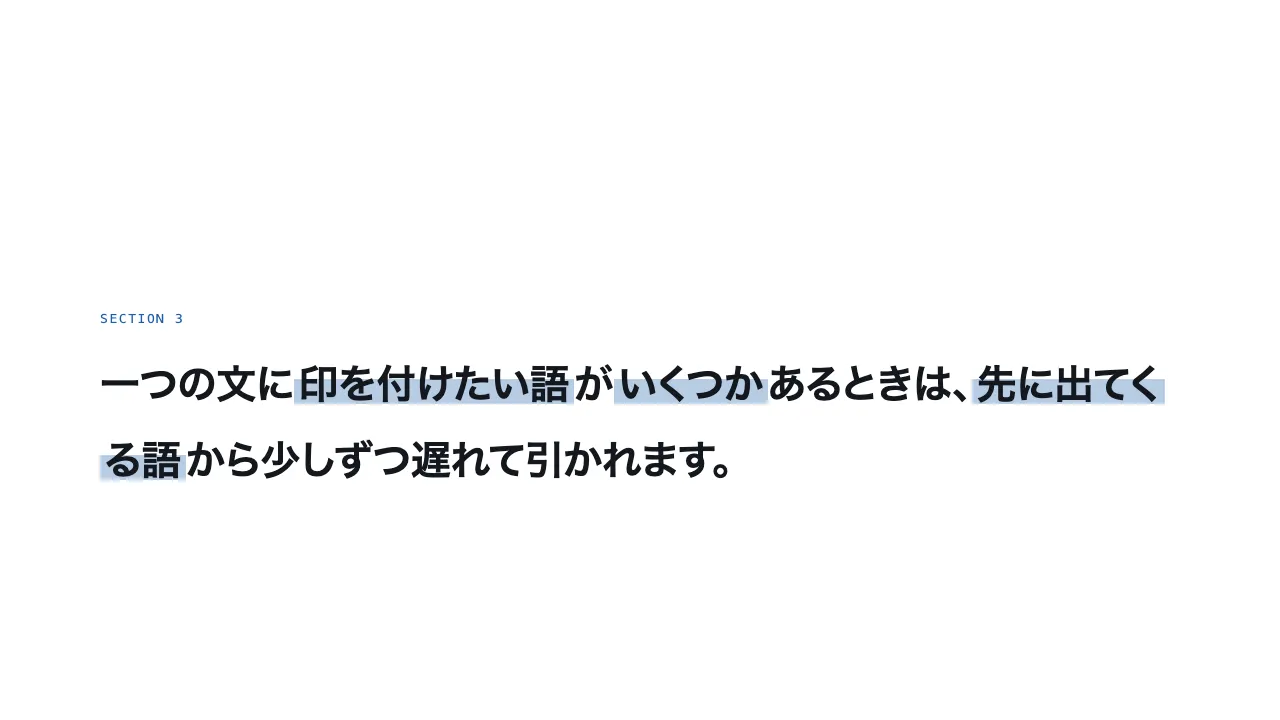
  3. 03 Motion Highlighter sweep Highlighter sweep
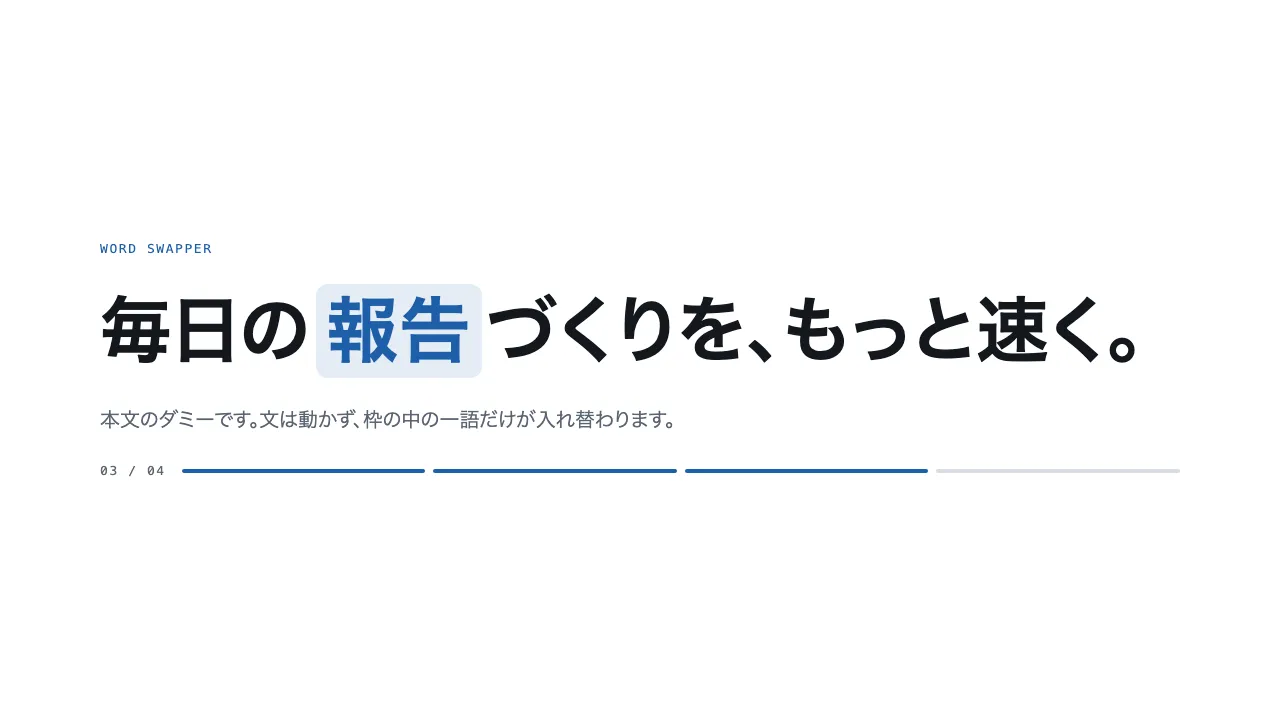
  4. 04 Motion Rotating word swapper Rotating word swapper
  5. 05 Motion Odometer Odometer

About this deck

Take it with you

Copy and paste, or save a file and hand it over. For a machine with no network, one “Everything” file is enough.

Everything

scroll-motion-type-everything.md

Everything in this panel, including the contents behind each URL, in one Markdown file

Prompt

6.7 KB
# Text scramble
Text scramble — Text scramble / decode effect

Build a text scramble effect where a row of random glyphs settles into readable text, left to right, as it enters the viewport. Lay out five lines alternating between a bold heading (up to 72px) and body text (20px, muted), and start every line with all of its characters replaced by random glyphs drawn from a set of 20 (# % & * + = ? ◆ ■ and so on). A line starts decoding when it crosses a line 30% up from the bottom of the viewport, and finishes in 1.2 seconds. For the first 20% of that time the whole line stays scrambled; over the rest, characters lock to their real value one by one from the left at even intervals, while the ones still waiting switch to another glyph every 50 milliseconds. Scrambled characters use a lightened accent colour and settled ones take the normal text colour over 0.2 seconds, and each character keeps the width of its real glyph so the line never shifts. Implement it with plain JavaScript (requestAnimationFrame and IntersectionObserver) and CSS only, with no library.

Do not drop:
- Characters settle from left to right, and a settled character is never scrambled again
- Lock each character to the width of its real glyph so swapping never changes the line's width or wrapping
- Keep the real text in the HTML and in aria-label, and hide the scrambled glyphs from screen readers
- With reduced motion, never scramble; show the readable text from the start

A working example (one self-contained HTML file): https://design-vault.pages.dev/designs/motion-text-scramble/demo.html

---

# Letter-spacing on scroll
Letter-spacing on scroll — Letter-spacing on scroll

Build three large headings whose letter-spacing opens and closes with scroll. Take each heading section's progress through the viewport as --p (0–1), and stretch the 0.25–0.75 part of it — from fully entered to starting to leave — to 0–1.
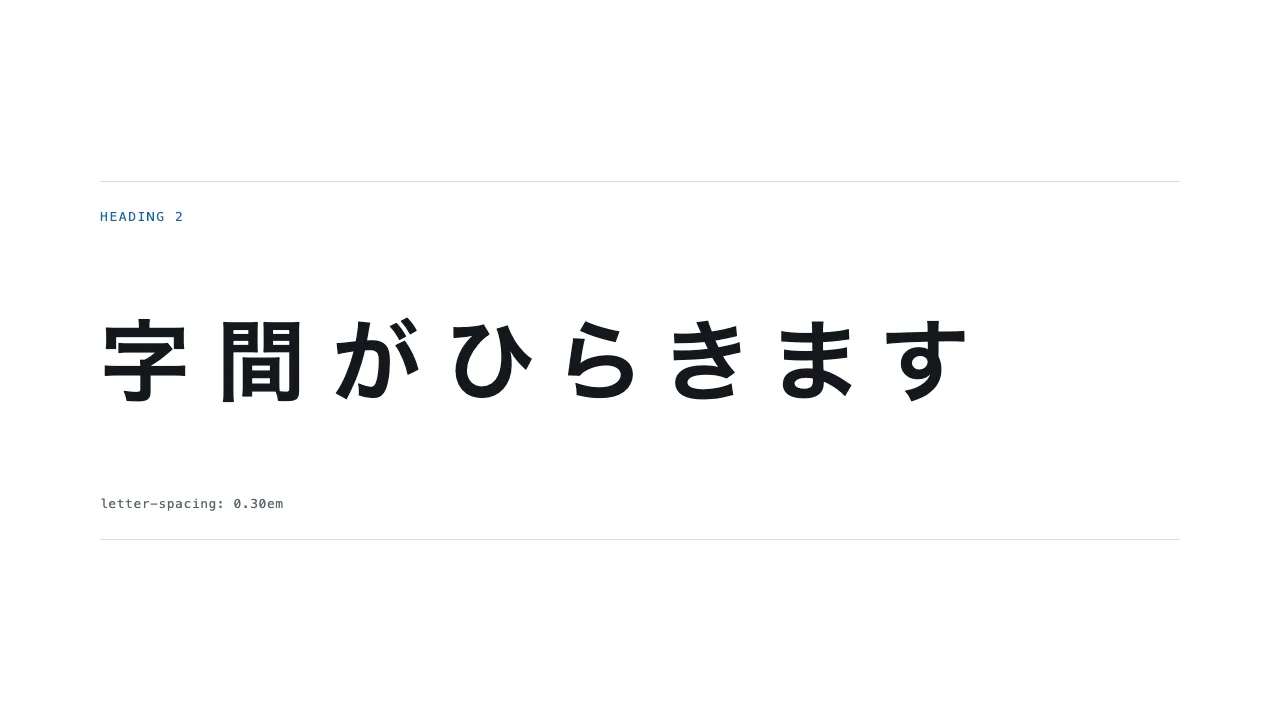
`letter-spacing` starts at -0.04em, peaks at 0.3em when the section reaches the middle of the viewport, and returns to 0 as it leaves. Tie the value to scroll position, not time; do not add a `transition`.
Set the headings bold at `clamp(28px, 7vw, 96px)`, eight characters or fewer, so they stay on one line at the widest spacing (0.3em) and no horizontal scrollbar appears. Fix each heading's box at two lines tall (font size × 2.6) so nothing below it moves.
With reduced motion, hold the letter-spacing at 0.
Implement with CSS `calc()`, `min()` and `max()` plus plain JavaScript that writes scroll progress to a CSS variable; do not use a library.

Do not drop:
- Spacing runs -0.04em → 0.3em → 0, peaking when the section is centred in the viewport
- At the widest spacing the heading still fits on one line (from 340px wide up) and never causes horizontal scroll
- The heading box has a fixed height, so the page height never changes while scrolling
- With reduced motion, spacing stays at 0

A working example (one self-contained HTML file): https://design-vault.pages.dev/designs/motion-tracking-expand/demo.html

---

# Highlighter sweep
Highlighter sweep — Highlighter sweep

Wrap the words to emphasise in <mark>, and when a word enters the viewport draw a highlighter line across it from left to right over 0.7 s.
Build the line as a linear-gradient background: the accent colour mixed at 32% with transparent, covering only the lower 62% of the word. Animate background-size alone, from 0% 100% to 100% 100%, with background-repeat: no-repeat and background-position: 0 0.
Start when 60% of the word is visible above a line 20% up from the bottom of the viewport, and when one sentence holds several words, delay each by 160 ms after the one before.
Give phrases that wrap box-decoration-break: clone so every line draws its own stroke from its left edge, and leave the text colour and weight untouched.
Implement with a CSS transition and IntersectionObserver only, no libraries.

Do not drop:
- Once drawn, the line stays even when the reader scrolls back
- Wrapped phrases use box-decoration-break: clone so the line is never cut mid-phrase
- Keep the line faint and behind the text, and leave the text colour as it is
- With reduced motion, show every line already drawn

A working example (one self-contained HTML file): https://design-vault.pages.dev/designs/motion-highlighter-sweep/demo.html

---

# Rotating word swapper
Rotating word swapper — Rotating word swapper

Build an effect where a single word inside a sentence rolls vertically to the next as the page scrolls. The outer section is 300vh tall and holds a 100vh box with position: sticky; top: 0 that keeps one large sentence (40–72px, line-height 1.3) centred on screen. Put the changing word in a frame 1.3em tall with overflow: hidden, and stack four words vertically inside it. Compute the progress p (0 to 1) as p=0 when the section's top reaches the top of the screen and p=1 when its bottom reaches the bottom, then move the word column up by k = floor(p × 4) lines (3 at most) with translateY(k × -1.3em). Animate that move with a 0.7-second transform transition, and leave the rest of the sentence still. Implement it with plain CSS and JavaScript only, with no library.

Do not drop:
- Keep the frame and each word exactly one line tall (1.3em); any mismatch lets the neighbouring words show
- Size the frame to the widest of the four words and keep it fixed; resizing it per word shifts the text after it
- Choose the word from scroll progress p, never from a timer
- Under prefers-reduced-motion, release the pin and show the finished sentence with the fourth word, static

A working example (one self-contained HTML file): https://design-vault.pages.dev/designs/motion-word-swapper/demo.html

---

# Odometer
Odometer — Odometer digit roll

Build a four-digit number as an odometer, where each digit rolls vertically on its own reel and settles. Each digit is a window one row high (overflow: hidden) holding a strip of 0–9 stacked vertically, and the strip moves with transform: translateY to "final digit × −10%". Each reel takes 1.2 seconds with cubic-bezier(.2, .7, .2, 1), and the digits stop in order from the left, each delayed by 120ms. Start once, when 50% of the section is inside the viewport, and never rewind on scrolling back. Use font-variant-numeric: tabular-nums for the digits and put the final value in an aria-label as well. Implement it with CSS transitions and IntersectionObserver only, without any library.

Do not drop:
- Move a 0–9 strip per digit with transform; do not count by rewriting text
- Stop the digits 120ms apart from the left, never all at once
- Roll once on entering the viewport; a settled number stays put
- Without JavaScript or with reduced motion, show the final value at rest

A working example (one self-contained HTML file): https://design-vault.pages.dev/designs/motion-odometer-roll/demo.html

Spec

461 B
# Text scramble
https://design-vault.pages.dev/ai/assets/motion-text-scramble.json

---

# Letter-spacing on scroll
https://design-vault.pages.dev/ai/assets/motion-tracking-expand.json

---

# Highlighter sweep
https://design-vault.pages.dev/ai/assets/motion-highlighter-sweep.json

---

# Rotating word swapper
https://design-vault.pages.dev/ai/assets/motion-word-swapper.json

---

# Odometer
https://design-vault.pages.dev/ai/assets/motion-odometer-roll.json

Files

01 motion-text-scramble/demo.html

12.3 KB

/designs/motion-text-scramble/demo.html

Show contents
<!doctype html>
<html lang="ja">
<head>
<meta charset="utf-8">
<meta name="viewport" content="width=device-width, initial-scale=1">
<title>25 テキストスクランブル — Text scramble / decode effect</title>
<style>
/* dv-motion-base:start */
:root {
  --ground: #FFFFFF;
  --surface: #F3F5F8;
  --ink: #14181F;
  --muted: #5A6472;
  --accent: #1F5FA8;
  --rule: #D8DDE4;
  --accent-soft: color-mix(in srgb, var(--accent) 12%, var(--ground));
  --accent-mid: color-mix(in srgb, var(--accent) 45%, var(--ground));
  --shade: color-mix(in srgb, var(--ink) 14%, transparent);

  --font: "Zen Kaku Gothic New", "Hiragino Sans", "Noto Sans JP", "Yu Gothic", system-ui, sans-serif;
  --mono: ui-monospace, "SF Mono", Menlo, Consolas, monospace;

  --t-label: 13px;
  --t-body: 16px;
  --t-lead: 20px;
  --t-h2: 32px;
  --t-h1: clamp(40px, 7vw, 72px);

  --s1: 4px;
  --s2: 8px;
  --s3: 16px;
  --s4: 24px;
  --s5: 40px;
  --s6: 64px;
  --s7: 104px;

  --radius: 12px;
  --ease: cubic-bezier(.2, .7, .2, 1);
  --dur: .7s;
  --measure: 1080px;
}
*, *::before, *::after { box-sizing: border-box; }
html { -webkit-text-size-adjust: 100%; }
body {
  margin: 0;
  background: var(--ground);
  color: var(--ink);
  font-family: var(--font);
  font-size: var(--t-body);
  line-height: 1.7;
  font-feature-settings: "palt";
  overflow-x: hidden;
}
h1, h2, h3, p, ul, ol, figure { margin: 0; padding: 0; }
ul, ol { list-style: none; }
.dv-wrap { width: min(100% - 2 * var(--s4), var(--measure)); margin-inline: auto; }
.dv-label {
  min-height: 72vh;
  display: grid;
  align-content: center;
  gap: var(--s3);
  padding-block: var(--s6);
  border-bottom: 1px solid var(--rule);
}
.dv-num { font-family: var(--mono); font-size: var(--t-lead); font-weight: 700; color: var(--accent); letter-spacing: .04em; }
.dv-name { font-size: var(--t-h1); font-weight: 700; line-height: 1.15; letter-spacing: .01em; }
.dv-ai { font-family: var(--mono); font-size: var(--t-lead); color: var(--muted); }
.dv-desc { font-size: var(--t-lead); color: var(--ink); }
.dv-hint { font-size: var(--t-label); color: var(--muted); letter-spacing: .12em; margin-top: var(--s4); }
.dv-stage { padding-block: var(--s7); }
.dv-h2 { font-size: var(--t-h2); font-weight: 700; line-height: 1.3; }
.dv-lead { font-size: var(--t-lead); color: var(--muted); }
.dv-eyebrow { font-family: var(--mono); font-size: var(--t-label); color: var(--accent); letter-spacing: .12em; text-transform: uppercase; }
.dv-card { background: var(--surface); border: 1px solid var(--rule); border-radius: var(--radius); padding: var(--s4); }
.dv-ph {
  border-radius: var(--radius);
  background: linear-gradient(135deg, var(--accent-soft), var(--accent-mid) 60%, var(--accent));
  aspect-ratio: 16 / 9;
}
.dv-ph--alt { background: linear-gradient(200deg, var(--surface), var(--accent-soft) 55%, var(--accent-mid)); }
.dv-ph--ink { background: linear-gradient(160deg, var(--ink), color-mix(in srgb, var(--ink) 55%, var(--accent))); }
.dv-end {
  min-height: 60vh;
  display: grid;
  place-items: center;
  border-top: 1px solid var(--rule);
  color: var(--muted);
  font-family: var(--mono);
  font-size: var(--t-label);
  letter-spacing: .12em;
}
/* dv-motion-base:end */

/* ---- この演出だけの CSS。色は var(--…) か color-mix() のみ ---- */
.beat { min-height: 46vh; display: grid; align-content: center; gap: var(--s3); }
.sc { overflow-wrap: anywhere; }
.sc--head { font-size: var(--t-h1); font-weight: 700; line-height: 1.25; }
.sc--body { font-size: var(--t-lead); line-height: 1.8; color: var(--muted); }
.sc .ch { display: inline-block; text-align: center; white-space: pre; color: var(--accent-mid); transition: color .2s var(--ease); }
.sc .ch.is-set { color: inherit; }
.meter { display: flex; align-items: center; gap: var(--s3); font-family: var(--mono); font-size: var(--t-label); color: var(--muted); letter-spacing: .08em; }
.meter-bar { flex: 0 1 240px; height: 2px; background: var(--rule); }
.meter-bar i { display: block; height: 100%; background: var(--accent); transform-origin: left center; }
.js .meter-bar i { transform: scaleX(var(--k, 0)); }
.meter-count { font-variant-numeric: tabular-nums; }

@media (prefers-reduced-motion: reduce) {
  .sc .ch { transition: none; }
  .js .meter-bar i { transform: none; }
}
</style>
</head>
<body data-motion-number="25">
<header class="dv-label">
  <div class="dv-wrap">
    <p class="dv-num">25</p>
    <h1 class="dv-name">テキストスクランブル</h1>
    <p class="dv-ai">Text scramble / decode effect</p>
    <p class="dv-desc">乱れた文字が読める文に定まる</p>
    <p class="dv-hint">SCROLL ↓</p>
  </div>
</header>

<main class="dv-stage">
  <section class="dv-wrap beat">
    <p class="dv-eyebrow">Line 1</p>
    <h2 class="sc sc--head" data-scramble>見出しが入ります</h2>
    <div class="meter" aria-hidden="true"><span class="meter-bar"><i></i></span><span class="meter-count"></span></div>
  </section>
  <section class="dv-wrap beat">
    <p class="dv-eyebrow">Line 2</p>
    <p class="sc sc--body" data-scramble>本文のダミーです。画面に入ると、乱れた記号が左から順に読める文へ定まります。</p>
    <div class="meter" aria-hidden="true"><span class="meter-bar"><i></i></span><span class="meter-count"></span></div>
  </section>
  <section class="dv-wrap beat">
    <p class="dv-eyebrow">Line 3</p>
    <h2 class="sc sc--head" data-scramble>記号から文へ、左から順に</h2>
    <div class="meter" aria-hidden="true"><span class="meter-bar"><i></i></span><span class="meter-count"></span></div>
  </section>
  <section class="dv-wrap beat">
    <p class="dv-eyebrow">Line 4</p>
    <p class="sc sc--body" data-scramble>二つ目の本文のダミーです。一度定まった文字は、そのあと動きません。</p>
    <div class="meter" aria-hidden="true"><span class="meter-bar"><i></i></span><span class="meter-count"></span></div>
  </section>
  <section class="dv-wrap beat">
    <p class="dv-eyebrow">Line 5</p>
    <h2 class="sc sc--head" data-scramble>最後の一行も同じです</h2>
    <div class="meter" aria-hidden="true"><span class="meter-bar"><i></i></span><span class="meter-count"></span></div>
  </section>
</main>

<footer class="dv-end">END — 25 テキストスクランブル</footer>

<script>
/* dv-motion-helpers:start */
const dvReduce = matchMedia('(prefers-reduced-motion: reduce)').matches;
document.documentElement.classList.add('js');

/**
 * 画面に入った要素へ .is-in を付ける。
 * data-reveal="repeat" の要素は画面を出たら外す(何度でも再生)。
 */
function dvReveal(selector = '[data-reveal]', { threshold = 0.2, rootMargin = '0px 0px -8% 0px' } = {}) {
  const els = [...document.querySelectorAll(selector)];
  if (dvReduce || !('IntersectionObserver' in window)) {
    els.forEach((el) => el.classList.add('is-in'));
    return;
  }
  const io = new IntersectionObserver((entries) => {
    for (const e of entries) {
      if (e.isIntersecting) {
        e.target.classList.add('is-in');
        if (e.target.dataset.reveal !== 'repeat') io.unobserve(e.target);
      } else if (e.target.dataset.reveal === 'repeat') {
        e.target.classList.remove('is-in');
      }
    }
  }, { threshold, rootMargin });
  els.forEach((el) => io.observe(el));
}

/**
 * スクロール量を 0〜1 にして、各 [data-progress] 要素の CSS 変数 --p に書く。
 *   data-progress="through" : 要素の上端が画面の下端に来たとき 0、下端が画面の上端を抜けたとき 1
 *   data-progress="pin"     : 要素の上端が画面の上端に来たとき 0、下端が画面の下端に来たとき 1
 *                             (中に position: sticky の箱を持つ、背の高い区画用)
 *   data-progress="page"    : ページ全体のスクロール量
 * onUpdate(el, p) を渡すと、値が変わるたびに呼ばれる。
 */
function dvProgress(onUpdate) {
  const els = [...document.querySelectorAll('[data-progress]')];
  const clamp = (n) => Math.min(1, Math.max(0, n));
  let queued = false;
  const measure = () => {
    queued = false;
    const vh = window.innerHeight;
    for (const el of els) {
      const r = el.getBoundingClientRect();
      let p;
      if (el.dataset.progress === 'pin') p = r.height > vh ? -r.top / (r.height - vh) : 0;
      else if (el.dataset.progress === 'page') {
        const max = document.documentElement.scrollHeight - vh;
        p = max > 0 ? window.scrollY / max : 0;
      } else p = (vh - r.top) / (vh + r.height);
      p = clamp(p);
      el.style.setProperty('--p', p.toFixed(4));
      if (onUpdate) onUpdate(el, p);
    }
  };
  const request = () => {
    if (!queued) { queued = true; requestAnimationFrame(measure); }
  };
  addEventListener('scroll', request, { passive: true });
  addEventListener('resize', request);
  measure();
}
/* dv-motion-helpers:end */

/* ---- この演出だけの JS ---- */
const GLYPHS = ['#', '%', '&', '*', '+', '=', '?', '/', '<', '>', '!', '$', '@', '~', '^', '◆', '■', '▲', '●', '×'];
const DURATION = 1200; // 1 行が定まりきるまで
const SWAP = 50;       // 記号を切り替える間隔
const HOLD = 0.2;      // 最初の 1 字が定まるまで、全体が乱れたままの割合
const SLIM = 15;       // 先頭の 15 個は幅の狭い記号。句読点のような狭い字にはこちらだけを使う
const glyph = (slim) => GLYPHS[Math.floor(Math.random() * (slim ? SLIM : GLYPHS.length))];

const lines = [...document.querySelectorAll('[data-scramble]')].map((el) => {
  const meter = el.parentElement.querySelector('.meter');
  const text = el.textContent.trim();
  const total = Array.from(text).filter((ch) => !/\s/.test(ch)).length;
  return { el, text, total, bar: meter.querySelector('i'), count: meter.querySelector('.meter-count'), chars: [] };
});
const report = (line, set) => {
  line.bar.style.setProperty('--k', (set / line.total).toFixed(3));
  line.count.textContent = `${set} / ${line.total}`;
};
lines.forEach((line) => line.el.setAttribute('aria-label', line.text));

if (dvReduce || !('IntersectionObserver' in window)) {
  lines.forEach((line) => report(line, line.total));
} else {
  // 1 字ずつ <span> に割る。空白は割らない。
  for (const line of lines) {
    line.el.textContent = '';
    for (const ch of Array.from(line.text)) {
      if (/\s/.test(ch)) { line.el.appendChild(document.createTextNode(ch)); continue; }
      const span = document.createElement('span');
      span.className = 'ch';
      span.setAttribute('aria-hidden', 'true');
      span.textContent = ch;
      line.el.appendChild(span);
      line.chars.push({ span, ch });
    }
  }
  // 記号は元の字と幅が違う。元の字の幅を em で固定して、切り替えのたびに行が揺れないようにする。
  for (const line of lines) {
    const size = parseFloat(getComputedStyle(line.el).fontSize);
    line.widths = line.chars.map(({ span }) => span.getBoundingClientRect().width / size);
  }
  for (const line of lines) {
    line.chars.forEach(({ span }, i) => {
      span.style.width = `${line.widths[i].toFixed(3)}em`;
      span.textContent = glyph(line.chars[i].slim = line.widths[i] < 0.8);
    });
    report(line, 0);
  }

  const decode = (line) => {
    const n = line.chars.length;
    const start = performance.now();
    let set = 0;
    let lastTick = -1;
    const frame = (now) => {
      const t = now - start;
      const due = t >= DURATION ? n : Math.max(0, Math.floor(((t / DURATION - HOLD) / (1 - HOLD)) * n));
      for (; set < due; set++) {
        line.chars[set].span.textContent = line.chars[set].ch;
        line.chars[set].span.classList.add('is-set');
      }
      const tick = Math.floor(t / SWAP);
      if (tick !== lastTick) {
        lastTick = tick;
        for (let i = set; i < n; i++) line.chars[i].span.textContent = glyph(line.chars[i].slim);
      }
      report(line, set);
      if (set < n) requestAnimationFrame(frame);
    };
    requestAnimationFrame(frame);
  };

  // 画面の下から 30% の線を越えた行から定める。上側は広く取り、飛び越した行も拾う。
  const byEl = new Map(lines.map((line) => [line.el, line]));
  const io = new IntersectionObserver((entries) => {
    for (const e of entries) {
      if (!e.isIntersecting) continue;
      io.unobserve(e.target);
      decode(byEl.get(e.target));
    }
  }, { threshold: 0.9, rootMargin: '100000px 0px -30% 0px' });
  lines.forEach((line) => io.observe(line.el));
}
</script>
</body>
</html>
02 motion-tracking-expand/demo.html

9.2 KB

/designs/motion-tracking-expand/demo.html

Show contents
<!doctype html>
<html lang="ja">
<head>
<meta charset="utf-8">
<meta name="viewport" content="width=device-width, initial-scale=1">
<title>26 字間の開閉 — Letter-spacing on scroll</title>
<style>
/* dv-motion-base:start */
:root {
  --ground: #FFFFFF;
  --surface: #F3F5F8;
  --ink: #14181F;
  --muted: #5A6472;
  --accent: #1F5FA8;
  --rule: #D8DDE4;
  --accent-soft: color-mix(in srgb, var(--accent) 12%, var(--ground));
  --accent-mid: color-mix(in srgb, var(--accent) 45%, var(--ground));
  --shade: color-mix(in srgb, var(--ink) 14%, transparent);

  --font: "Zen Kaku Gothic New", "Hiragino Sans", "Noto Sans JP", "Yu Gothic", system-ui, sans-serif;
  --mono: ui-monospace, "SF Mono", Menlo, Consolas, monospace;

  --t-label: 13px;
  --t-body: 16px;
  --t-lead: 20px;
  --t-h2: 32px;
  --t-h1: clamp(40px, 7vw, 72px);

  --s1: 4px;
  --s2: 8px;
  --s3: 16px;
  --s4: 24px;
  --s5: 40px;
  --s6: 64px;
  --s7: 104px;

  --radius: 12px;
  --ease: cubic-bezier(.2, .7, .2, 1);
  --dur: .7s;
  --measure: 1080px;
}
*, *::before, *::after { box-sizing: border-box; }
html { -webkit-text-size-adjust: 100%; }
body {
  margin: 0;
  background: var(--ground);
  color: var(--ink);
  font-family: var(--font);
  font-size: var(--t-body);
  line-height: 1.7;
  font-feature-settings: "palt";
  overflow-x: hidden;
}
h1, h2, h3, p, ul, ol, figure { margin: 0; padding: 0; }
ul, ol { list-style: none; }
.dv-wrap { width: min(100% - 2 * var(--s4), var(--measure)); margin-inline: auto; }
.dv-label {
  min-height: 72vh;
  display: grid;
  align-content: center;
  gap: var(--s3);
  padding-block: var(--s6);
  border-bottom: 1px solid var(--rule);
}
.dv-num { font-family: var(--mono); font-size: var(--t-lead); font-weight: 700; color: var(--accent); letter-spacing: .04em; }
.dv-name { font-size: var(--t-h1); font-weight: 700; line-height: 1.15; letter-spacing: .01em; }
.dv-ai { font-family: var(--mono); font-size: var(--t-lead); color: var(--muted); }
.dv-desc { font-size: var(--t-lead); color: var(--ink); }
.dv-hint { font-size: var(--t-label); color: var(--muted); letter-spacing: .12em; margin-top: var(--s4); }
.dv-stage { padding-block: var(--s7); }
.dv-h2 { font-size: var(--t-h2); font-weight: 700; line-height: 1.3; }
.dv-lead { font-size: var(--t-lead); color: var(--muted); }
.dv-eyebrow { font-family: var(--mono); font-size: var(--t-label); color: var(--accent); letter-spacing: .12em; text-transform: uppercase; }
.dv-card { background: var(--surface); border: 1px solid var(--rule); border-radius: var(--radius); padding: var(--s4); }
.dv-ph {
  border-radius: var(--radius);
  background: linear-gradient(135deg, var(--accent-soft), var(--accent-mid) 60%, var(--accent));
  aspect-ratio: 16 / 9;
}
.dv-ph--alt { background: linear-gradient(200deg, var(--surface), var(--accent-soft) 55%, var(--accent-mid)); }
.dv-ph--ink { background: linear-gradient(160deg, var(--ink), color-mix(in srgb, var(--ink) 55%, var(--accent))); }
.dv-end {
  min-height: 60vh;
  display: grid;
  place-items: center;
  border-top: 1px solid var(--rule);
  color: var(--muted);
  font-family: var(--mono);
  font-size: var(--t-label);
  letter-spacing: .12em;
}
/* dv-motion-base:end */

/* ---- この演出だけの CSS。色は var(--…) か color-mix() のみ ---- */
.trk-list { display: grid; gap: 36vh; padding-block: 24vh; }
.trk {
  --fs: clamp(28px, 7vw, 96px);
  /* 画面に入りきってから出始めるまで(--p が 0.25〜0.75)を 0〜1 に引き伸ばす */
  --q: clamp(0, (var(--p, 1) - 0.25) / 0.5, 1);
  display: grid;
  gap: var(--s3);
  padding-block: var(--s4);
  border-block: 1px solid var(--rule);
}
/* 箱の高さは 2 行ぶんで固定する。字は 7vw 以下なので、字間が最大でも 8 字は 1 行に収まり、下の要素が動かず --p が揺れない */
.trk-box { height: calc(var(--fs) * 2.6); display: grid; align-content: center; }
.trk-head {
  font-size: var(--fs);
  font-weight: 700;
  line-height: 1.3;
  overflow-wrap: anywhere;
  /* -0.04em(--q = 0)→ 0.3em(0.5)→ 0(1) */
  letter-spacing: calc((-0.04 + 0.68 * min(var(--q), 0.5) - 0.6 * max(var(--q) - 0.5, 0)) * 1em);
}
.trk-read { font-family: var(--mono); font-size: var(--t-label); color: var(--muted); letter-spacing: .04em; font-variant-numeric: tabular-nums; }

@media (prefers-reduced-motion: reduce) {
  .trk-head { letter-spacing: 0; }
}
</style>
</head>
<body data-motion-number="26">
<header class="dv-label">
  <div class="dv-wrap">
    <p class="dv-num">26</p>
    <h1 class="dv-name">字間の開閉</h1>
    <p class="dv-ai">Letter-spacing on scroll</p>
    <p class="dv-desc">字間がスクロールで広がり、また詰まる</p>
    <p class="dv-hint">SCROLL ↓</p>
  </div>
</header>

<main class="dv-stage">
  <div class="dv-wrap">
    <section class="dv-card">
      <p class="dv-eyebrow">Section 1</p>
      <h2 class="dv-h2">見出しが入ります</h2>
      <p class="dv-lead">本文のダミーです。このあとの大見出しは、画面の中央へ近づくほど字間が広がります。</p>
    </section>
    <div class="trk-list">
      <section class="trk" data-progress="through">
        <p class="dv-eyebrow">Heading 1</p>
        <div class="trk-box"><h2 class="trk-head">見出しが入ります</h2></div>
        <p class="trk-read">letter-spacing: <span data-read>0.00</span>em</p>
      </section>
      <section class="trk" data-progress="through">
        <p class="dv-eyebrow">Heading 2</p>
        <div class="trk-box"><h2 class="trk-head">字間がひらきます</h2></div>
        <p class="trk-read">letter-spacing: <span data-read>0.00</span>em</p>
      </section>
      <section class="trk" data-progress="through">
        <p class="dv-eyebrow">Heading 3</p>
        <div class="trk-box"><h2 class="trk-head">もとに戻ります</h2></div>
        <p class="trk-read">letter-spacing: <span data-read>0.00</span>em</p>
      </section>
    </div>
    <section class="dv-card">
      <p class="dv-eyebrow">Section 2</p>
      <h2 class="dv-h2">見出しが入ります</h2>
      <p class="dv-lead">本文のダミーです。中央を過ぎた見出しは、字間が詰まって通常の組みに戻ります。</p>
    </section>
  </div>
</main>

<footer class="dv-end">END — 26 字間の開閉</footer>

<script>
/* dv-motion-helpers:start */
const dvReduce = matchMedia('(prefers-reduced-motion: reduce)').matches;
document.documentElement.classList.add('js');

/**
 * 画面に入った要素へ .is-in を付ける。
 * data-reveal="repeat" の要素は画面を出たら外す(何度でも再生)。
 */
function dvReveal(selector = '[data-reveal]', { threshold = 0.2, rootMargin = '0px 0px -8% 0px' } = {}) {
  const els = [...document.querySelectorAll(selector)];
  if (dvReduce || !('IntersectionObserver' in window)) {
    els.forEach((el) => el.classList.add('is-in'));
    return;
  }
  const io = new IntersectionObserver((entries) => {
    for (const e of entries) {
      if (e.isIntersecting) {
        e.target.classList.add('is-in');
        if (e.target.dataset.reveal !== 'repeat') io.unobserve(e.target);
      } else if (e.target.dataset.reveal === 'repeat') {
        e.target.classList.remove('is-in');
      }
    }
  }, { threshold, rootMargin });
  els.forEach((el) => io.observe(el));
}

/**
 * スクロール量を 0〜1 にして、各 [data-progress] 要素の CSS 変数 --p に書く。
 *   data-progress="through" : 要素の上端が画面の下端に来たとき 0、下端が画面の上端を抜けたとき 1
 *   data-progress="pin"     : 要素の上端が画面の上端に来たとき 0、下端が画面の下端に来たとき 1
 *                             (中に position: sticky の箱を持つ、背の高い区画用)
 *   data-progress="page"    : ページ全体のスクロール量
 * onUpdate(el, p) を渡すと、値が変わるたびに呼ばれる。
 */
function dvProgress(onUpdate) {
  const els = [...document.querySelectorAll('[data-progress]')];
  const clamp = (n) => Math.min(1, Math.max(0, n));
  let queued = false;
  const measure = () => {
    queued = false;
    const vh = window.innerHeight;
    for (const el of els) {
      const r = el.getBoundingClientRect();
      let p;
      if (el.dataset.progress === 'pin') p = r.height > vh ? -r.top / (r.height - vh) : 0;
      else if (el.dataset.progress === 'page') {
        const max = document.documentElement.scrollHeight - vh;
        p = max > 0 ? window.scrollY / max : 0;
      } else p = (vh - r.top) / (vh + r.height);
      p = clamp(p);
      el.style.setProperty('--p', p.toFixed(4));
      if (onUpdate) onUpdate(el, p);
    }
  };
  const request = () => {
    if (!queued) { queued = true; requestAnimationFrame(measure); }
  };
  addEventListener('scroll', request, { passive: true });
  addEventListener('resize', request);
  measure();
}
/* dv-motion-helpers:end */

/* ---- この演出だけの JS ---- */
// 字間の値は CSS が --p から作る。ここでは、その結果を読んで数値の表示へ写すだけ。
if (!dvReduce) {
  dvProgress((el) => {
    const cs = getComputedStyle(el.querySelector('.trk-head'));
    const em = parseFloat(cs.letterSpacing) / parseFloat(cs.fontSize);
    el.querySelector('[data-read]').textContent = (Number.isFinite(em) ? em : 0).toFixed(2);
  });
}
</script>
</body>
</html>

03 motion-highlighter-sweep/demo.html

8.9 KB

/designs/motion-highlighter-sweep/demo.html

Show contents
<!doctype html>
<html lang="ja">
<head>
<meta charset="utf-8">
<meta name="viewport" content="width=device-width, initial-scale=1">
<title>27 マーカー線 — Highlighter sweep</title>
<style>
/* dv-motion-base:start */
:root {
  --ground: #FFFFFF;
  --surface: #F3F5F8;
  --ink: #14181F;
  --muted: #5A6472;
  --accent: #1F5FA8;
  --rule: #D8DDE4;
  --accent-soft: color-mix(in srgb, var(--accent) 12%, var(--ground));
  --accent-mid: color-mix(in srgb, var(--accent) 45%, var(--ground));
  --shade: color-mix(in srgb, var(--ink) 14%, transparent);

  --font: "Zen Kaku Gothic New", "Hiragino Sans", "Noto Sans JP", "Yu Gothic", system-ui, sans-serif;
  --mono: ui-monospace, "SF Mono", Menlo, Consolas, monospace;

  --t-label: 13px;
  --t-body: 16px;
  --t-lead: 20px;
  --t-h2: 32px;
  --t-h1: clamp(40px, 7vw, 72px);

  --s1: 4px;
  --s2: 8px;
  --s3: 16px;
  --s4: 24px;
  --s5: 40px;
  --s6: 64px;
  --s7: 104px;

  --radius: 12px;
  --ease: cubic-bezier(.2, .7, .2, 1);
  --dur: .7s;
  --measure: 1080px;
}
*, *::before, *::after { box-sizing: border-box; }
html { -webkit-text-size-adjust: 100%; }
body {
  margin: 0;
  background: var(--ground);
  color: var(--ink);
  font-family: var(--font);
  font-size: var(--t-body);
  line-height: 1.7;
  font-feature-settings: "palt";
  overflow-x: hidden;
}
h1, h2, h3, p, ul, ol, figure { margin: 0; padding: 0; }
ul, ol { list-style: none; }
.dv-wrap { width: min(100% - 2 * var(--s4), var(--measure)); margin-inline: auto; }
.dv-label {
  min-height: 72vh;
  display: grid;
  align-content: center;
  gap: var(--s3);
  padding-block: var(--s6);
  border-bottom: 1px solid var(--rule);
}
.dv-num { font-family: var(--mono); font-size: var(--t-lead); font-weight: 700; color: var(--accent); letter-spacing: .04em; }
.dv-name { font-size: var(--t-h1); font-weight: 700; line-height: 1.15; letter-spacing: .01em; }
.dv-ai { font-family: var(--mono); font-size: var(--t-lead); color: var(--muted); }
.dv-desc { font-size: var(--t-lead); color: var(--ink); }
.dv-hint { font-size: var(--t-label); color: var(--muted); letter-spacing: .12em; margin-top: var(--s4); }
.dv-stage { padding-block: var(--s7); }
.dv-h2 { font-size: var(--t-h2); font-weight: 700; line-height: 1.3; }
.dv-lead { font-size: var(--t-lead); color: var(--muted); }
.dv-eyebrow { font-family: var(--mono); font-size: var(--t-label); color: var(--accent); letter-spacing: .12em; text-transform: uppercase; }
.dv-card { background: var(--surface); border: 1px solid var(--rule); border-radius: var(--radius); padding: var(--s4); }
.dv-ph {
  border-radius: var(--radius);
  background: linear-gradient(135deg, var(--accent-soft), var(--accent-mid) 60%, var(--accent));
  aspect-ratio: 16 / 9;
}
.dv-ph--alt { background: linear-gradient(200deg, var(--surface), var(--accent-soft) 55%, var(--accent-mid)); }
.dv-ph--ink { background: linear-gradient(160deg, var(--ink), color-mix(in srgb, var(--ink) 55%, var(--accent))); }
.dv-end {
  min-height: 60vh;
  display: grid;
  place-items: center;
  border-top: 1px solid var(--rule);
  color: var(--muted);
  font-family: var(--mono);
  font-size: var(--t-label);
  letter-spacing: .12em;
}
/* dv-motion-base:end */

/* ---- この演出だけの CSS。色は var(--…) か color-mix() のみ ---- */
.hl-stack { display: grid; gap: var(--s7); }
.hl-block { display: grid; gap: var(--s3); align-content: center; min-height: 56vh; }
.hl-text { font-size: clamp(22px, 3.4vw, 40px); font-weight: 700; line-height: 1.9; }
/* 線は語の下 62% にだけ引く。折り返した行のそれぞれが自分の線を持つよう clone にする */
.hl {
  padding-inline: .12em;
  color: inherit;
  background-color: transparent;
  background-image: linear-gradient(to top, color-mix(in srgb, var(--accent) 32%, transparent) 62%, transparent 62%);
  background-repeat: no-repeat;
  background-position: 0 0;
  background-size: 100% 100%;
  -webkit-box-decoration-break: clone;
  box-decoration-break: clone;
  transition: background-size var(--dur) var(--ease) calc(var(--i, 0) * 160ms);
}
.js .hl { background-size: 0% 100%; }
.js .hl.is-in { background-size: 100% 100%; }

@media (prefers-reduced-motion: reduce) {
  .js .hl { background-size: 100% 100%; transition: none; }
}
</style>
</head>
<body data-motion-number="27">
<header class="dv-label">
  <div class="dv-wrap">
    <p class="dv-num">27</p>
    <h1 class="dv-name">マーカー線</h1>
    <p class="dv-ai">Highlighter sweep</p>
    <p class="dv-desc">文中の語にマーカーが引かれる</p>
    <p class="dv-hint">SCROLL ↓</p>
  </div>
</header>

<main class="dv-stage">
  <div class="dv-wrap hl-stack">
    <section class="hl-block">
      <p class="dv-eyebrow">Section 1</p>
      <p class="hl-text">ここには説明の文章が入ります。読んでほしい<mark class="hl">大事な語</mark>に、画面へ入った順でマーカーが引かれます。</p>
    </section>
    <section class="hl-block">
      <p class="dv-eyebrow">Section 2</p>
      <p class="hl-text">線は左から右へ伸びます。<mark class="hl">行をまたいで折り返す長い語句でも、線は途中で切れずに行ごとに引かれます</mark>。</p>
    </section>
    <section class="hl-block">
      <p class="dv-eyebrow">Section 3</p>
      <p class="hl-text">一つの文に<mark class="hl" style="--i: 0">印を付けたい語</mark>が<mark class="hl" style="--i: 1">いくつか</mark>あるときは、<mark class="hl" style="--i: 2">先に出てくる語</mark>から少しずつ遅れて引かれます。</p>
    </section>
    <section class="hl-block">
      <p class="dv-eyebrow">Section 4</p>
      <p class="hl-text">一度引いた線は、<mark class="hl">スクロールを戻しても消えません</mark>。読み返すときも、印はそのまま残ります。</p>
    </section>
    <section class="hl-block">
      <p class="dv-eyebrow">Section 5</p>
      <p class="hl-text">線の色は<mark class="hl" style="--i: 0">アクセントの一色だけ</mark>を薄く混ぜて使い、<mark class="hl" style="--i: 1">文字の色は変えません</mark>。</p>
    </section>
  </div>
</main>

<footer class="dv-end">END — 27 マーカー線</footer>

<script>
/* dv-motion-helpers:start */
const dvReduce = matchMedia('(prefers-reduced-motion: reduce)').matches;
document.documentElement.classList.add('js');

/**
 * 画面に入った要素へ .is-in を付ける。
 * data-reveal="repeat" の要素は画面を出たら外す(何度でも再生)。
 */
function dvReveal(selector = '[data-reveal]', { threshold = 0.2, rootMargin = '0px 0px -8% 0px' } = {}) {
  const els = [...document.querySelectorAll(selector)];
  if (dvReduce || !('IntersectionObserver' in window)) {
    els.forEach((el) => el.classList.add('is-in'));
    return;
  }
  const io = new IntersectionObserver((entries) => {
    for (const e of entries) {
      if (e.isIntersecting) {
        e.target.classList.add('is-in');
        if (e.target.dataset.reveal !== 'repeat') io.unobserve(e.target);
      } else if (e.target.dataset.reveal === 'repeat') {
        e.target.classList.remove('is-in');
      }
    }
  }, { threshold, rootMargin });
  els.forEach((el) => io.observe(el));
}

/**
 * スクロール量を 0〜1 にして、各 [data-progress] 要素の CSS 変数 --p に書く。
 *   data-progress="through" : 要素の上端が画面の下端に来たとき 0、下端が画面の上端を抜けたとき 1
 *   data-progress="pin"     : 要素の上端が画面の上端に来たとき 0、下端が画面の下端に来たとき 1
 *                             (中に position: sticky の箱を持つ、背の高い区画用)
 *   data-progress="page"    : ページ全体のスクロール量
 * onUpdate(el, p) を渡すと、値が変わるたびに呼ばれる。
 */
function dvProgress(onUpdate) {
  const els = [...document.querySelectorAll('[data-progress]')];
  const clamp = (n) => Math.min(1, Math.max(0, n));
  let queued = false;
  const measure = () => {
    queued = false;
    const vh = window.innerHeight;
    for (const el of els) {
      const r = el.getBoundingClientRect();
      let p;
      if (el.dataset.progress === 'pin') p = r.height > vh ? -r.top / (r.height - vh) : 0;
      else if (el.dataset.progress === 'page') {
        const max = document.documentElement.scrollHeight - vh;
        p = max > 0 ? window.scrollY / max : 0;
      } else p = (vh - r.top) / (vh + r.height);
      p = clamp(p);
      el.style.setProperty('--p', p.toFixed(4));
      if (onUpdate) onUpdate(el, p);
    }
  };
  const request = () => {
    if (!queued) { queued = true; requestAnimationFrame(measure); }
  };
  addEventListener('scroll', request, { passive: true });
  addEventListener('resize', request);
  measure();
}
/* dv-motion-helpers:end */

/* ---- この演出だけの JS ---- */
// 語そのものを見張る。画面の下端から 2 割ほど上まで入ったところで線を引き始める。
dvReveal('.hl', { threshold: 0.6, rootMargin: '0px 0px -20% 0px' });
</script>
</body>
</html>

04 motion-word-swapper/demo.html

9.4 KB

/designs/motion-word-swapper/demo.html

Show contents
<!doctype html>
<html lang="ja">
<head>
<meta charset="utf-8">
<meta name="viewport" content="width=device-width, initial-scale=1">
<title>28 ワードスワッパー — Rotating word swapper</title>
<style>
/* dv-motion-base:start */
:root {
  --ground: #FFFFFF;
  --surface: #F3F5F8;
  --ink: #14181F;
  --muted: #5A6472;
  --accent: #1F5FA8;
  --rule: #D8DDE4;
  --accent-soft: color-mix(in srgb, var(--accent) 12%, var(--ground));
  --accent-mid: color-mix(in srgb, var(--accent) 45%, var(--ground));
  --shade: color-mix(in srgb, var(--ink) 14%, transparent);

  --font: "Zen Kaku Gothic New", "Hiragino Sans", "Noto Sans JP", "Yu Gothic", system-ui, sans-serif;
  --mono: ui-monospace, "SF Mono", Menlo, Consolas, monospace;

  --t-label: 13px;
  --t-body: 16px;
  --t-lead: 20px;
  --t-h2: 32px;
  --t-h1: clamp(40px, 7vw, 72px);

  --s1: 4px;
  --s2: 8px;
  --s3: 16px;
  --s4: 24px;
  --s5: 40px;
  --s6: 64px;
  --s7: 104px;

  --radius: 12px;
  --ease: cubic-bezier(.2, .7, .2, 1);
  --dur: .7s;
  --measure: 1080px;
}
*, *::before, *::after { box-sizing: border-box; }
html { -webkit-text-size-adjust: 100%; }
body {
  margin: 0;
  background: var(--ground);
  color: var(--ink);
  font-family: var(--font);
  font-size: var(--t-body);
  line-height: 1.7;
  font-feature-settings: "palt";
  overflow-x: hidden;
}
h1, h2, h3, p, ul, ol, figure { margin: 0; padding: 0; }
ul, ol { list-style: none; }
.dv-wrap { width: min(100% - 2 * var(--s4), var(--measure)); margin-inline: auto; }
.dv-label {
  min-height: 72vh;
  display: grid;
  align-content: center;
  gap: var(--s3);
  padding-block: var(--s6);
  border-bottom: 1px solid var(--rule);
}
.dv-num { font-family: var(--mono); font-size: var(--t-lead); font-weight: 700; color: var(--accent); letter-spacing: .04em; }
.dv-name { font-size: var(--t-h1); font-weight: 700; line-height: 1.15; letter-spacing: .01em; }
.dv-ai { font-family: var(--mono); font-size: var(--t-lead); color: var(--muted); }
.dv-desc { font-size: var(--t-lead); color: var(--ink); }
.dv-hint { font-size: var(--t-label); color: var(--muted); letter-spacing: .12em; margin-top: var(--s4); }
.dv-stage { padding-block: var(--s7); }
.dv-h2 { font-size: var(--t-h2); font-weight: 700; line-height: 1.3; }
.dv-lead { font-size: var(--t-lead); color: var(--muted); }
.dv-eyebrow { font-family: var(--mono); font-size: var(--t-label); color: var(--accent); letter-spacing: .12em; text-transform: uppercase; }
.dv-card { background: var(--surface); border: 1px solid var(--rule); border-radius: var(--radius); padding: var(--s4); }
.dv-ph {
  border-radius: var(--radius);
  background: linear-gradient(135deg, var(--accent-soft), var(--accent-mid) 60%, var(--accent));
  aspect-ratio: 16 / 9;
}
.dv-ph--alt { background: linear-gradient(200deg, var(--surface), var(--accent-soft) 55%, var(--accent-mid)); }
.dv-ph--ink { background: linear-gradient(160deg, var(--ink), color-mix(in srgb, var(--ink) 55%, var(--accent))); }
.dv-end {
  min-height: 60vh;
  display: grid;
  place-items: center;
  border-top: 1px solid var(--rule);
  color: var(--muted);
  font-family: var(--mono);
  font-size: var(--t-label);
  letter-spacing: .12em;
}
/* dv-motion-base:end */

/* ---- この演出だけの CSS。色は var(--…) か color-mix() のみ ---- */
.swap-zone { height: 300vh; }
.swap-box {
  position: sticky;
  top: 0;
  height: 100vh;
  display: grid;
  align-content: center;
  gap: var(--s4);
}
.swap-line {
  --lh: 1.3;
  font-size: var(--t-h1);
  font-weight: 700;
  line-height: var(--lh);
  letter-spacing: .01em;
}
.swap-part { display: inline-block; white-space: nowrap; }
/* 語の枠。高さを 1 行ぶんに揃え、はみ出した前後の語を切る */
.swap-win {
  display: inline-grid;
  height: calc(var(--lh) * 1em);
  overflow: hidden;
  vertical-align: bottom;
  margin-inline: .08em;
  padding-inline: .14em;
  border-radius: var(--radius);
  background: var(--accent-soft);
  color: var(--accent);
}
.swap-roll {
  display: grid;
  transform: translateY(calc(var(--k, 0) * -1 * var(--lh) * 1em));
  transition: transform var(--dur) var(--ease);
}
.swap-word { height: calc(var(--lh) * 1em); white-space: nowrap; }
.swap-foot { display: grid; grid-template-columns: auto minmax(0, 1fr); align-items: center; gap: var(--s3); }
.swap-count { font-family: var(--mono); font-size: var(--t-label); color: var(--muted); letter-spacing: .12em; font-variant-numeric: tabular-nums; }
.swap-ticks { display: grid; grid-template-columns: repeat(4, 1fr); gap: var(--s2); }
.swap-tick {
  height: 4px;
  border-radius: 2px;
  background: var(--rule);
  transition: background-color var(--dur) var(--ease);
}
.swap-tick.is-on { background: var(--accent); }
html:not(.js) .swap-foot { display: none; }

@media (prefers-reduced-motion: reduce) {
  .swap-zone { height: auto; }
  .swap-box { position: static; height: auto; padding-block: var(--s7); }
  .swap-roll, .swap-tick { transition: none; }
}
</style>
</head>
<body data-motion-number="28">
<header class="dv-label">
  <div class="dv-wrap">
    <p class="dv-num">28</p>
    <h1 class="dv-name">ワードスワッパー</h1>
    <p class="dv-ai">Rotating word swapper</p>
    <p class="dv-desc">一語が縦に入れ替わっていく</p>
    <p class="dv-hint">SCROLL ↓</p>
  </div>
</header>

<main class="dv-stage">
  <div class="dv-wrap">
    <section class="swap-zone" data-progress="pin">
      <div class="swap-box">
        <p class="dv-eyebrow">Word swapper</p>
        <h2 class="swap-line">
          <span class="swap-part">毎日の</span><span class="swap-part"><span class="swap-win"><span class="swap-roll"><span class="swap-word">資料</span><span class="swap-word">提案</span><span class="swap-word">報告</span><span class="swap-word">企画</span></span></span>づくりを、</span><span class="swap-part">もっと速く。</span>
        </h2>
        <p class="dv-lead">本文のダミーです。文は動かず、枠の中の一語だけが入れ替わります。</p>
        <div class="swap-foot">
          <p class="swap-count" aria-hidden="true">01 / 04</p>
          <div class="swap-ticks" aria-hidden="true">
            <span class="swap-tick"></span>
            <span class="swap-tick"></span>
            <span class="swap-tick"></span>
            <span class="swap-tick"></span>
          </div>
        </div>
      </div>
    </section>
  </div>
</main>

<footer class="dv-end">END — 28 ワードスワッパー</footer>

<script>
/* dv-motion-helpers:start */
const dvReduce = matchMedia('(prefers-reduced-motion: reduce)').matches;
document.documentElement.classList.add('js');

/**
 * 画面に入った要素へ .is-in を付ける。
 * data-reveal="repeat" の要素は画面を出たら外す(何度でも再生)。
 */
function dvReveal(selector = '[data-reveal]', { threshold = 0.2, rootMargin = '0px 0px -8% 0px' } = {}) {
  const els = [...document.querySelectorAll(selector)];
  if (dvReduce || !('IntersectionObserver' in window)) {
    els.forEach((el) => el.classList.add('is-in'));
    return;
  }
  const io = new IntersectionObserver((entries) => {
    for (const e of entries) {
      if (e.isIntersecting) {
        e.target.classList.add('is-in');
        if (e.target.dataset.reveal !== 'repeat') io.unobserve(e.target);
      } else if (e.target.dataset.reveal === 'repeat') {
        e.target.classList.remove('is-in');
      }
    }
  }, { threshold, rootMargin });
  els.forEach((el) => io.observe(el));
}

/**
 * スクロール量を 0〜1 にして、各 [data-progress] 要素の CSS 変数 --p に書く。
 *   data-progress="through" : 要素の上端が画面の下端に来たとき 0、下端が画面の上端を抜けたとき 1
 *   data-progress="pin"     : 要素の上端が画面の上端に来たとき 0、下端が画面の下端に来たとき 1
 *                             (中に position: sticky の箱を持つ、背の高い区画用)
 *   data-progress="page"    : ページ全体のスクロール量
 * onUpdate(el, p) を渡すと、値が変わるたびに呼ばれる。
 */
function dvProgress(onUpdate) {
  const els = [...document.querySelectorAll('[data-progress]')];
  const clamp = (n) => Math.min(1, Math.max(0, n));
  let queued = false;
  const measure = () => {
    queued = false;
    const vh = window.innerHeight;
    for (const el of els) {
      const r = el.getBoundingClientRect();
      let p;
      if (el.dataset.progress === 'pin') p = r.height > vh ? -r.top / (r.height - vh) : 0;
      else if (el.dataset.progress === 'page') {
        const max = document.documentElement.scrollHeight - vh;
        p = max > 0 ? window.scrollY / max : 0;
      } else p = (vh - r.top) / (vh + r.height);
      p = clamp(p);
      el.style.setProperty('--p', p.toFixed(4));
      if (onUpdate) onUpdate(el, p);
    }
  };
  const request = () => {
    if (!queued) { queued = true; requestAnimationFrame(measure); }
  };
  addEventListener('scroll', request, { passive: true });
  addEventListener('resize', request);
  measure();
}
/* dv-motion-helpers:end */

/* ---- この演出だけの JS ---- */
dvProgress((el, p) => {
  // 進み具合を 4 等分し、その番号ぶんだけ語の列を 1 行ずつ上へ送る
  const k = dvReduce ? 3 : Math.min(3, Math.floor(p * 4));
  el.style.setProperty('--k', k);
  el.querySelectorAll('.swap-word').forEach((w, i) => w.setAttribute('aria-hidden', i === k ? 'false' : 'true'));
  el.querySelectorAll('.swap-tick').forEach((t, i) => t.classList.toggle('is-on', i <= k));
  el.querySelector('.swap-count').textContent = '0' + (k + 1) + ' / 04';
});
</script>
</body>
</html>

05 motion-odometer-roll/demo.html

11.4 KB

/designs/motion-odometer-roll/demo.html

Show contents
<!doctype html>
<html lang="ja">
<head>
<meta charset="utf-8">
<meta name="viewport" content="width=device-width, initial-scale=1">
<title>29 オドメーター — Odometer digit roll</title>
<style>
/* dv-motion-base:start */
:root {
  --ground: #FFFFFF;
  --surface: #F3F5F8;
  --ink: #14181F;
  --muted: #5A6472;
  --accent: #1F5FA8;
  --rule: #D8DDE4;
  --accent-soft: color-mix(in srgb, var(--accent) 12%, var(--ground));
  --accent-mid: color-mix(in srgb, var(--accent) 45%, var(--ground));
  --shade: color-mix(in srgb, var(--ink) 14%, transparent);

  --font: "Zen Kaku Gothic New", "Hiragino Sans", "Noto Sans JP", "Yu Gothic", system-ui, sans-serif;
  --mono: ui-monospace, "SF Mono", Menlo, Consolas, monospace;

  --t-label: 13px;
  --t-body: 16px;
  --t-lead: 20px;
  --t-h2: 32px;
  --t-h1: clamp(40px, 7vw, 72px);

  --s1: 4px;
  --s2: 8px;
  --s3: 16px;
  --s4: 24px;
  --s5: 40px;
  --s6: 64px;
  --s7: 104px;

  --radius: 12px;
  --ease: cubic-bezier(.2, .7, .2, 1);
  --dur: .7s;
  --measure: 1080px;
}
*, *::before, *::after { box-sizing: border-box; }
html { -webkit-text-size-adjust: 100%; }
body {
  margin: 0;
  background: var(--ground);
  color: var(--ink);
  font-family: var(--font);
  font-size: var(--t-body);
  line-height: 1.7;
  font-feature-settings: "palt";
  overflow-x: hidden;
}
h1, h2, h3, p, ul, ol, figure { margin: 0; padding: 0; }
ul, ol { list-style: none; }
.dv-wrap { width: min(100% - 2 * var(--s4), var(--measure)); margin-inline: auto; }
.dv-label {
  min-height: 72vh;
  display: grid;
  align-content: center;
  gap: var(--s3);
  padding-block: var(--s6);
  border-bottom: 1px solid var(--rule);
}
.dv-num { font-family: var(--mono); font-size: var(--t-lead); font-weight: 700; color: var(--accent); letter-spacing: .04em; }
.dv-name { font-size: var(--t-h1); font-weight: 700; line-height: 1.15; letter-spacing: .01em; }
.dv-ai { font-family: var(--mono); font-size: var(--t-lead); color: var(--muted); }
.dv-desc { font-size: var(--t-lead); color: var(--ink); }
.dv-hint { font-size: var(--t-label); color: var(--muted); letter-spacing: .12em; margin-top: var(--s4); }
.dv-stage { padding-block: var(--s7); }
.dv-h2 { font-size: var(--t-h2); font-weight: 700; line-height: 1.3; }
.dv-lead { font-size: var(--t-lead); color: var(--muted); }
.dv-eyebrow { font-family: var(--mono); font-size: var(--t-label); color: var(--accent); letter-spacing: .12em; text-transform: uppercase; }
.dv-card { background: var(--surface); border: 1px solid var(--rule); border-radius: var(--radius); padding: var(--s4); }
.dv-ph {
  border-radius: var(--radius);
  background: linear-gradient(135deg, var(--accent-soft), var(--accent-mid) 60%, var(--accent));
  aspect-ratio: 16 / 9;
}
.dv-ph--alt { background: linear-gradient(200deg, var(--surface), var(--accent-soft) 55%, var(--accent-mid)); }
.dv-ph--ink { background: linear-gradient(160deg, var(--ink), color-mix(in srgb, var(--ink) 55%, var(--accent))); }
.dv-end {
  min-height: 60vh;
  display: grid;
  place-items: center;
  border-top: 1px solid var(--rule);
  color: var(--muted);
  font-family: var(--mono);
  font-size: var(--t-label);
  letter-spacing: .12em;
}
/* dv-motion-base:end */

/* ---- この演出だけの CSS。色は var(--…) か color-mix() のみ ---- */
.beat { min-height: 72vh; display: grid; align-content: center; justify-items: start; gap: var(--s3); }
.odo-row { display: flex; align-items: flex-end; gap: var(--s3); }
.odo {
  display: flex;
  gap: var(--s2);
  font-size: clamp(56px, 15vw, 152px);
  font-weight: 700;
  line-height: 1.15;
  font-variant-numeric: tabular-nums;
}
/* 桁の窓。高さは 1 段ぶん(em で決める)で、はみ出した段を隠す */
.digit {
  position: relative;
  display: block;
  height: 1.15em;
  padding-inline: .14em;
  overflow: hidden;
  background: var(--surface);
  border: 1px solid var(--rule);
  border-radius: var(--radius);
}
.digit::after {
  content: "";
  position: absolute;
  inset: 0;
  background: linear-gradient(var(--shade), transparent 24%, transparent 76%, var(--shade));
  pointer-events: none;
}
/* 0〜9 の縦並び。10 段なので、1 段は自身の高さの 10% */
.reel { display: block; transform: translateY(calc(var(--d) * -10%)); }
.reel > span { display: block; height: 1.15em; text-align: center; }
.unit { font-size: var(--t-h2); font-weight: 700; line-height: 1.3; padding-bottom: .5em; }
/* 最大 9 段を送るので、共通の --dur(0.7 秒)では数字が読めない速さになる。1.2 秒にする */
.js .reel { transform: none; transition: transform 1.2s var(--ease) calc(var(--i) * 120ms); will-change: transform; }
.js .beat.is-in .reel { transform: translateY(calc(var(--d) * -10%)); }

@media (prefers-reduced-motion: reduce) {
  .js .reel { transform: translateY(calc(var(--d) * -10%)); transition: none; }
}
</style>
</head>
<body data-motion-number="29">
<header class="dv-label">
  <div class="dv-wrap">
    <p class="dv-num">29</p>
    <h1 class="dv-name">オドメーター</h1>
    <p class="dv-ai">Odometer digit roll</p>
    <p class="dv-desc">桁ごとに数字が回って止まる</p>
    <p class="dv-hint">SCROLL ↓</p>
  </div>
</header>

<main class="dv-stage">
  <section class="dv-wrap beat">
    <p class="dv-eyebrow">Counter 01</p>
    <p class="odo-row">
      <span class="odo" role="img" aria-label="4817">
        <span class="digit"><span class="reel" style="--d:4; --i:0"><span>0</span><span>1</span><span>2</span><span>3</span><span>4</span><span>5</span><span>6</span><span>7</span><span>8</span><span>9</span></span></span>
        <span class="digit"><span class="reel" style="--d:8; --i:1"><span>0</span><span>1</span><span>2</span><span>3</span><span>4</span><span>5</span><span>6</span><span>7</span><span>8</span><span>9</span></span></span>
        <span class="digit"><span class="reel" style="--d:1; --i:2"><span>0</span><span>1</span><span>2</span><span>3</span><span>4</span><span>5</span><span>6</span><span>7</span><span>8</span><span>9</span></span></span>
        <span class="digit"><span class="reel" style="--d:7; --i:3"><span>0</span><span>1</span><span>2</span><span>3</span><span>4</span><span>5</span><span>6</span><span>7</span><span>8</span><span>9</span></span></span>
      </span>
      <span class="unit">件</span>
    </p>
    <p class="dv-lead">項目の説明が入ります。</p>
  </section>
  <section class="dv-wrap beat">
    <p class="dv-eyebrow">Counter 02</p>
    <p class="odo-row">
      <span class="odo" role="img" aria-label="9263">
        <span class="digit"><span class="reel" style="--d:9; --i:0"><span>0</span><span>1</span><span>2</span><span>3</span><span>4</span><span>5</span><span>6</span><span>7</span><span>8</span><span>9</span></span></span>
        <span class="digit"><span class="reel" style="--d:2; --i:1"><span>0</span><span>1</span><span>2</span><span>3</span><span>4</span><span>5</span><span>6</span><span>7</span><span>8</span><span>9</span></span></span>
        <span class="digit"><span class="reel" style="--d:6; --i:2"><span>0</span><span>1</span><span>2</span><span>3</span><span>4</span><span>5</span><span>6</span><span>7</span><span>8</span><span>9</span></span></span>
        <span class="digit"><span class="reel" style="--d:3; --i:3"><span>0</span><span>1</span><span>2</span><span>3</span><span>4</span><span>5</span><span>6</span><span>7</span><span>8</span><span>9</span></span></span>
      </span>
      <span class="unit">回</span>
    </p>
    <p class="dv-lead">項目の説明が入ります。</p>
  </section>
  <section class="dv-wrap beat">
    <p class="dv-eyebrow">Counter 03</p>
    <p class="odo-row">
      <span class="odo" role="img" aria-label="7538">
        <span class="digit"><span class="reel" style="--d:7; --i:0"><span>0</span><span>1</span><span>2</span><span>3</span><span>4</span><span>5</span><span>6</span><span>7</span><span>8</span><span>9</span></span></span>
        <span class="digit"><span class="reel" style="--d:5; --i:1"><span>0</span><span>1</span><span>2</span><span>3</span><span>4</span><span>5</span><span>6</span><span>7</span><span>8</span><span>9</span></span></span>
        <span class="digit"><span class="reel" style="--d:3; --i:2"><span>0</span><span>1</span><span>2</span><span>3</span><span>4</span><span>5</span><span>6</span><span>7</span><span>8</span><span>9</span></span></span>
        <span class="digit"><span class="reel" style="--d:8; --i:3"><span>0</span><span>1</span><span>2</span><span>3</span><span>4</span><span>5</span><span>6</span><span>7</span><span>8</span><span>9</span></span></span>
      </span>
      <span class="unit">点</span>
    </p>
    <p class="dv-lead">項目の説明が入ります。</p>
  </section>
</main>

<footer class="dv-end">END — 29 オドメーター</footer>

<script>
/* dv-motion-helpers:start */
const dvReduce = matchMedia('(prefers-reduced-motion: reduce)').matches;
document.documentElement.classList.add('js');

/**
 * 画面に入った要素へ .is-in を付ける。
 * data-reveal="repeat" の要素は画面を出たら外す(何度でも再生)。
 */
function dvReveal(selector = '[data-reveal]', { threshold = 0.2, rootMargin = '0px 0px -8% 0px' } = {}) {
  const els = [...document.querySelectorAll(selector)];
  if (dvReduce || !('IntersectionObserver' in window)) {
    els.forEach((el) => el.classList.add('is-in'));
    return;
  }
  const io = new IntersectionObserver((entries) => {
    for (const e of entries) {
      if (e.isIntersecting) {
        e.target.classList.add('is-in');
        if (e.target.dataset.reveal !== 'repeat') io.unobserve(e.target);
      } else if (e.target.dataset.reveal === 'repeat') {
        e.target.classList.remove('is-in');
      }
    }
  }, { threshold, rootMargin });
  els.forEach((el) => io.observe(el));
}

/**
 * スクロール量を 0〜1 にして、各 [data-progress] 要素の CSS 変数 --p に書く。
 *   data-progress="through" : 要素の上端が画面の下端に来たとき 0、下端が画面の上端を抜けたとき 1
 *   data-progress="pin"     : 要素の上端が画面の上端に来たとき 0、下端が画面の下端に来たとき 1
 *                             (中に position: sticky の箱を持つ、背の高い区画用)
 *   data-progress="page"    : ページ全体のスクロール量
 * onUpdate(el, p) を渡すと、値が変わるたびに呼ばれる。
 */
function dvProgress(onUpdate) {
  const els = [...document.querySelectorAll('[data-progress]')];
  const clamp = (n) => Math.min(1, Math.max(0, n));
  let queued = false;
  const measure = () => {
    queued = false;
    const vh = window.innerHeight;
    for (const el of els) {
      const r = el.getBoundingClientRect();
      let p;
      if (el.dataset.progress === 'pin') p = r.height > vh ? -r.top / (r.height - vh) : 0;
      else if (el.dataset.progress === 'page') {
        const max = document.documentElement.scrollHeight - vh;
        p = max > 0 ? window.scrollY / max : 0;
      } else p = (vh - r.top) / (vh + r.height);
      p = clamp(p);
      el.style.setProperty('--p', p.toFixed(4));
      if (onUpdate) onUpdate(el, p);
    }
  };
  const request = () => {
    if (!queued) { queued = true; requestAnimationFrame(measure); }
  };
  addEventListener('scroll', request, { passive: true });
  addEventListener('resize', request);
  measure();
}
/* dv-motion-helpers:end */

/* ---- この演出だけの JS ---- */
// 区画が半分入ったら一度だけ .is-in を付ける。桁ごとの時間差は CSS の --i が作る。
dvReveal('.beat', { threshold: 0.5, rootMargin: '0px' });
</script>
</body>
</html>